


Disable or hide page info window??

Is there an option to disable page information window so that nobody can access that page except the administrators of the system or to hide it?
Thank you,
Ausgewählte Lösung
sorry for my mistake when I put the code in the user chrome.css worked perfectly and found this page to see all http://kb.mozillazine.org/Dev_:_Firefox_Chrome_URLs Thank you.
Diese Antwort im Kontext lesen 👍 0Alle Antworten (4)
Why do you want to hide this window?
It provides useful information about the page and gives access to the cookies of a specific tab that you can use in case of issues via the Control Center 'i' icon (More Information).
The Page Info window has this chrome URI:
- chrome://browser/content/pageinfo/pageInfo.xul
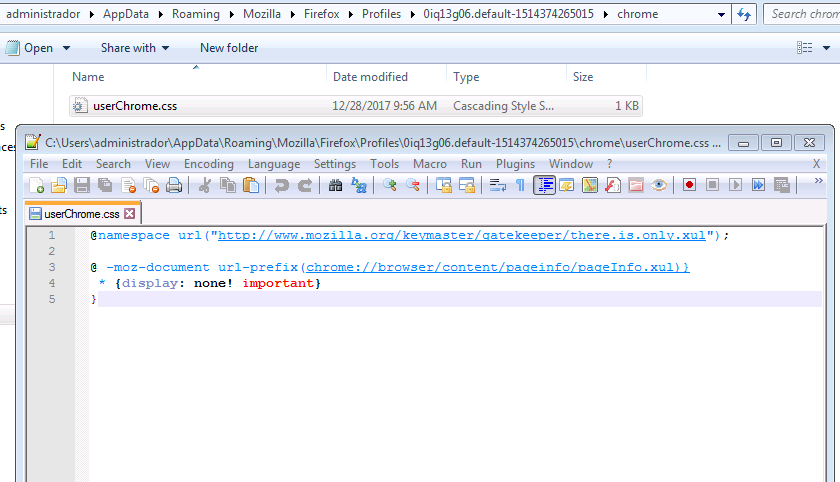
Add code to the userChrome.css file below the default @namespace line.
@namespace url("http://www.mozilla.org/keymaster/gatekeeper/there.is.only.xul"); /* only needed once */

@-moz-document url-prefix(chrome://browser/content/pageinfo/pageInfo.xul){
 *{display: none !important}
}
Not that userChrome.css can be bypassed by starting Firefox in Safe Mode (hold down the Shift key while starting Firefox).
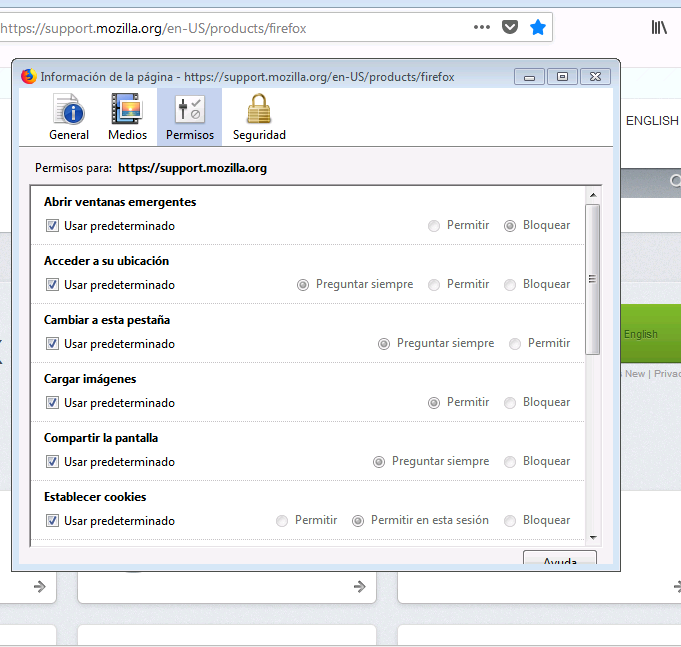
Hello cor-el, I have added the content to disable page info window but when I start Firefox it does not change anything, I have written it well is not it? I attach screenshots. One last question where you see chrome URI of each of the elements? I await your news. Thank you very much for the speed.
Ausgewählte Lösung
sorry for my mistake when I put the code in the user chrome.css worked perfectly and found this page to see all http://kb.mozillazine.org/Dev_:_Firefox_Chrome_URLs Thank you.
You're welcome.
Note that the mozillaZine knowledge base page you linked to is rather old (last updated in 2009), so a lot of those chrome URI no longer exist is current releases. Page Info is one of them that hasn't changed over the years, so this chrome URI is still valid.