


Prevent New Window from Hiding Addon Bar
Is there a way to prevent new windows from hiding the addon bar? I'm aware of the dom.disable_window_open_feature.* settings in about:config but none of these seem to control the addon bar.
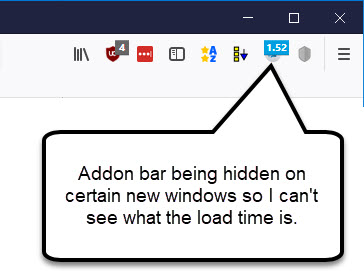
I'm using a page timer addon to troubleshoot a slow page but the site is disabling the display of the addon bar on certain new windows so I can't see the timer addon. I'm using Quantum (58.0.2 (64-bit)) if it makes any difference.
Prevent websites from disabling new window features (dom.disable_window_open_feature)
http://kb.mozillazine.org/Prevent_websites_from_disabling_new_window_features
app.telemetry Page Speed Monitor https://addons.mozilla.org/en-US/firefox/addon/apptelemetry/
გადაწყვეტა შერჩეულია
There is only one main toolbar, so this preference change should keep it visible even in popup windows that don't specify it as a feature:
(1) In a new tab, type or paste about:config in the address bar and press Enter/Return. Click the button promising to be careful or accepting the risk.
(2) In the search box above the list, type or paste feat and pause while the list is filtered
(3) Double-click the dom.disable_window_open_feature.toolbar preference to switch the value from false to true
You can do a "before and after" using the third link on this test page:
https://jeffersonscher.com/res/popit.html
პასუხის ნახვა სრულად 👍 1ყველა პასუხი (2)
შერჩეული გადაწყვეტა
There is only one main toolbar, so this preference change should keep it visible even in popup windows that don't specify it as a feature:
(1) In a new tab, type or paste about:config in the address bar and press Enter/Return. Click the button promising to be careful or accepting the risk.
(2) In the search box above the list, type or paste feat and pause while the list is filtered
(3) Double-click the dom.disable_window_open_feature.toolbar preference to switch the value from false to true
You can do a "before and after" using the third link on this test page:
That got it. Thanks jscher2000!