


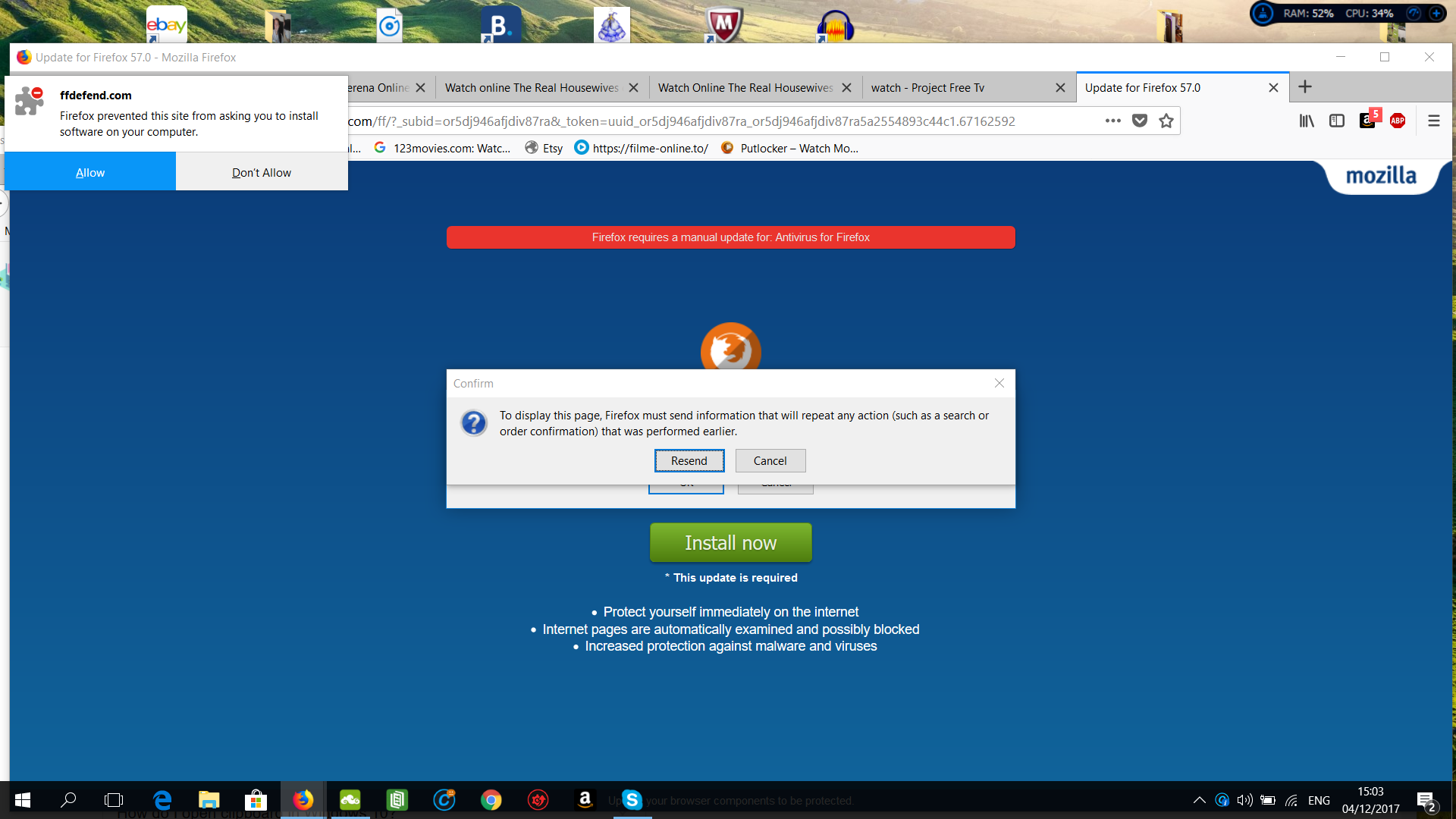
I have a firefox page that doesn't close - I think it's a virus

Every once in a while, this page pops up and I cannot close it or do anything else on others tabs. The only way to use the internet again is to restart my computer. Do I need to install something or is it a virus? And can I escape this page ? Thank you
Ausgewählte Lösung
Press ctrl + alt + delete on your keyboard, and open task manager. Force-kill firefox.exe, when reopening Firefox you will be offered to either reopen your last session or start a new one. Select: Start New Session.
Diese Antwort im Kontext lesen 👍 2Alle Antworten (6)
Thanks for reporting a fake update. Please see the article I found a fake Firefox update.
You can try these free programs to scan for malware, which work with your existing antivirus software:
- Microsoft Safety Scanner
- MalwareBytes' Anti-Malware
- Anti-Rootkit Utility - TDSSKiller (for more info, see this alternate TDSSKiller download page)
- AdwCleaner (for more info, see this alternate AdwCleaner download page)
- Hitman Pro
- ESET Online Scanner
Microsoft Security Essentials is a good permanent antivirus for Windows 7/Vista if you don't already have one. Windows 8/10 have antivirus protection built-in.
Further information can be found in the Troubleshoot Firefox issues caused by malware article.
Did this fix your problems? Please report back to us!
It looks like a virus.

A way out of the trap is to (force it if needed) Close Firefox. Wait about 20 seconds for Firefox to finish closing. Right-click on the Firefox icon and select Open New Window. +++++++++++++++++++++++++++++++++ Sometimes this works. If it opens, close it by Menu > File > Exit. This will flush out that web page from the Session Store.
. Whenever you get a message / popup that software / files need to be updated;
DO NOT USE ANY OF THE PROVIDED LINKS
While this may be a legitimate message, it could also be Malware or a Virus. Anytime you want or need to check for upgrades, go to the website of the True Owner of the program in question. For example, to check out Firefox, go to https://www.mozilla.org {web link}
You can report such a site at; Google Report Phishing Page {web link} which is the same when done while on site by going to Help > Report Web Forgery
Help us safeguard Mozilla’s trademarks by reporting misuse {web link}
For over a year, an epidemic of Fake Update Notices have been popping up all over the place. https://support.mozilla.org/en-US/kb/forum-response-i-found-fake-firefox-update
If your problem was solved, please select the answer that solved it for you and mark it as the solution!
Thank you for the replies, I appreciate the time. I still cannot escape the page, it seems impossible to exit or do anything on my computer for that matter . However I did report the page ,only with the screenshot ,without the URL as this remains hidden the entire time
Geändert am von Andreea25
Ausgewählte Lösung
Press ctrl + alt + delete on your keyboard, and open task manager. Force-kill firefox.exe, when reopening Firefox you will be offered to either reopen your last session or start a new one. Select: Start New Session.