I can't find "show all bookmarks" in the new version of Fifrefox?
I am using Windows 10 and the recent version of Firefox does not allow me to see or use "show all bookmarks"?
I am using Windows 10 and the recent version of Firefox does not allow me to see or use "show all bookmarks"?
Alle Antworten (1)

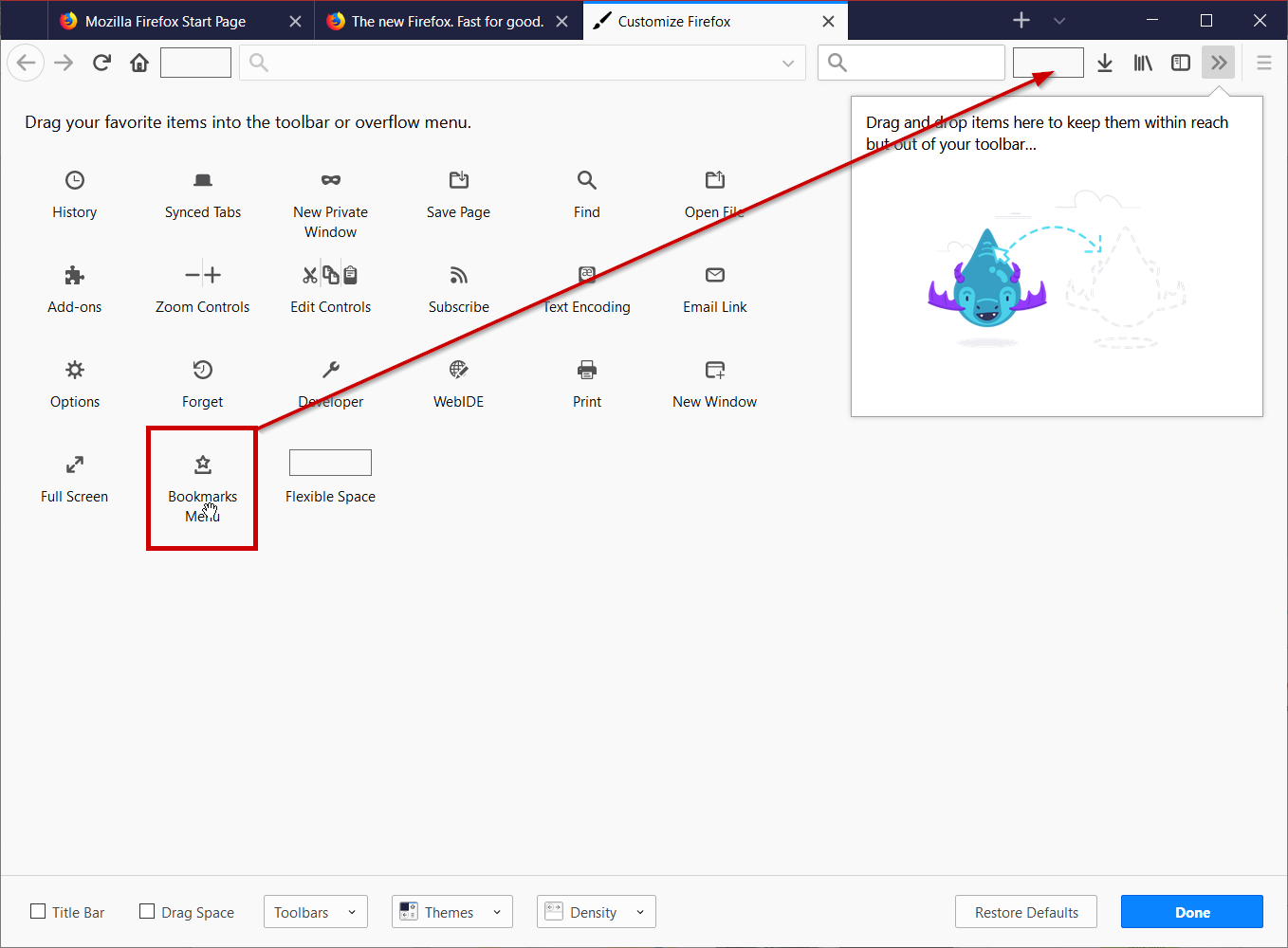
Hello, let's add the bookmarks menu back to the UI! Click on the hamburger menu, click on Customize Firefox, then drag the icon to the UI like in the attached screen-shot. When you click on it at the bottom is 'Show All Bookmarks.' Alternatively, you can press Ctrl + Shift + O on your keyboard to access 'Show All Bookmarks' quickly.
If this solved your problem, mark as solution.