


How to be sure that some selected firefox sync data are erased?

Hi!
I just set Firefox Sync and only one device is actually syncing.
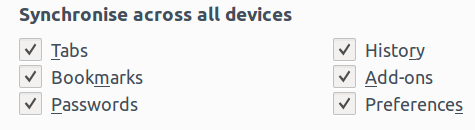
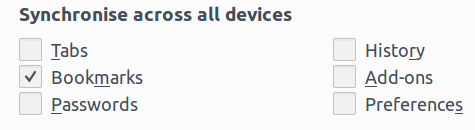
Initially all items were checked like in the first figure. Then I unchecked everything but bookmarks like in the second figure.
Is that sufficient to say that now my Firefox Sync only contains bookmarks? In the next days I will connect other devices, but I do not want that these other devices get (and also share) preferences, tabs, passwords... (for example, sharing preferences results in having the same initial page, that I do not want)
I read that all Firefox Sync data are erased (from the server) if I change password. In order to achieve my aim, is it better to change my password too?
Thanks for the answers!
Geändert am von Alessio
Ausgewählte Lösung
No. Your data will get sync'd to newly connected devices that have those same data types selected. Deselecting a data type doesn't delete the associated data from the server.
If you want to clear all your data from the Sync server just change the Firefox Account password.
Diese Antwort im Kontext lesen 👍 0Alle Antworten (1)
Ausgewählte Lösung
No. Your data will get sync'd to newly connected devices that have those same data types selected. Deselecting a data type doesn't delete the associated data from the server.
If you want to clear all your data from the Sync server just change the Firefox Account password.