


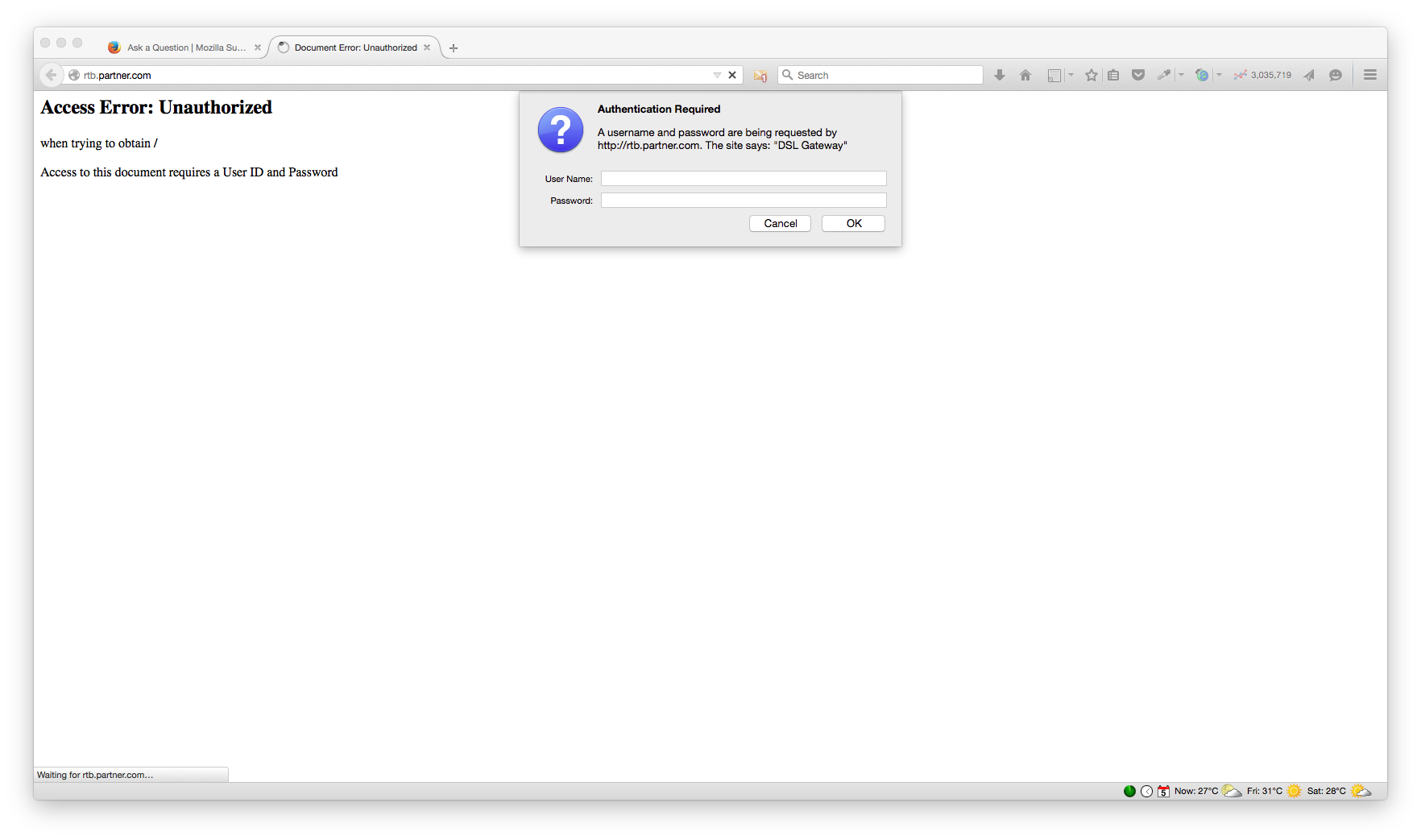
A username and password are being requested by http://rtb.partner.com. The site says: "DSL Gateway"

Hello,
Since a few days ago while surfing the net, the following pop up appears randomly:
A username and password are being requested by http://rtb.partner.com. The site says: "DSL Gateway"
It happens with a number of different websites and once or twice a day, and Firefox doesn't have any cookies from partner.com.
The popup looks like the ones on web servers (I've attached a screenshot).
http://partner.com looks like an Adsense page displaying ads.
Using Firefox and iMac with the latest OS X.
Thanks in advance,
George
Alle Antworten (3)
Start Firefox in Safe Mode to check if one of the extensions (Firefox/Tools > Add-ons > Extensions) or if hardware acceleration is causing the problem.
- Switch to the DEFAULT theme: Firefox/Tools > Add-ons > Appearance
- Do NOT click the Reset button on the Safe Mode start window
Thank you cor-el. I'll try it.
Hello,
The Refresh feature (called "Reset" in older Firefox versions) can fix many issues by restoring Firefox to its factory default state while saving your bookmarks, history, passwords, cookies, and other essential information.
Note: When you use this feature, you will lose any extensions, toolbar customizations, and some preferences. See the Refresh Firefox - reset add-ons and settings article for more information.
To Refresh Firefox:
- Open the Troubleshooting Information page using one of these methods:
- Click the menu button
 , click help
  and select Troubleshooting Information. A new tab containing your troubleshooting information should open.
- If you're unable to access the Help menu, type about:support in your address bar to bring up the Troubleshooting Information page.
- Click the menu button
- At the top right corner of the page, you should see a button that says "Refresh Firefox" ("Reset Firefox" in older Firefox versions). Click on it.
- Firefox will close. After the refresh process is completed, Firefox will show a window with the information that is imported.
- Click Finish and Firefox will reopen.
Did this fix the problem? Please report back to us!
Thank you.