


On facebook with firefox nightly all the words changed by the spell checker revert to what they were before they were change if the contents of the box change
While writing posts on facebook, if I spell something wrong I get the squiggly line like expected so I change it and correct the spelling. Once the spelling has been corrected I go to type more into the box and all of the corrections I made revert back to their pre-corrected form inside the text box.
Alle Antworten (3)
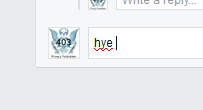
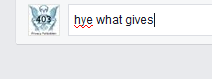
Forgot to attach some images, the first one is the word spelt wrong, the second is the word after using the spell check to correct it, the third is me adding more text to the box and the word reverting.

Start Firefox in Safe Mode to check if one of the extensions (Firefox/Tools > Add-ons > Extensions) or if hardware acceleration is causing the problem.
- Switch to the DEFAULT theme: Firefox/Tools > Add-ons > Appearance
- Do NOT click the Reset button on the Safe Mode start window
Sadly restarting in safe mode I already tried that, I also tried a clean install. I don't really use skins so it has been on the default skin this whole time.