


Thunderbird on my laptop appears to have done an update and now will not open.

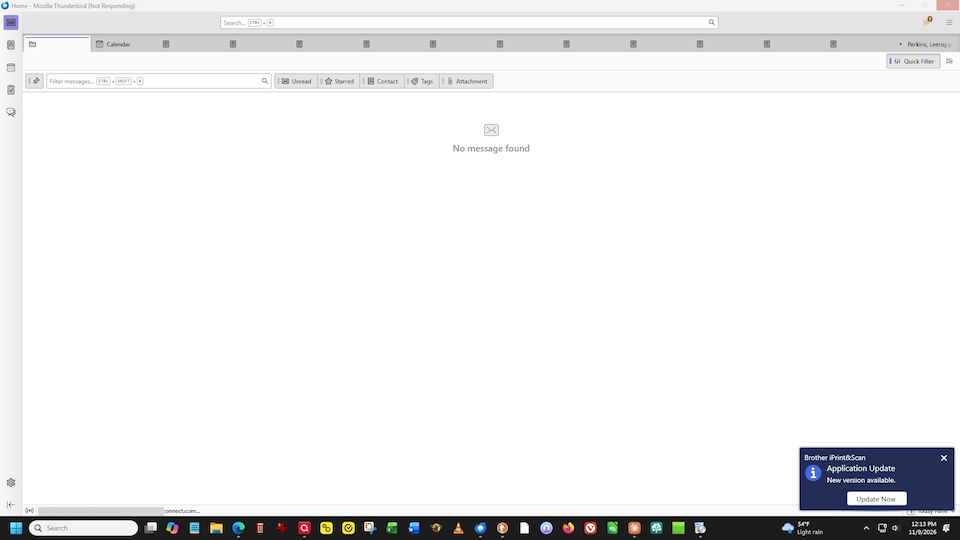
when I open thunderbirdm blank screen comes up with some tabs for emails I had open. there is no pull down menu to access about thunderbird. move the curser anywhere and response is Thumderbird is not responding. How do I fix this or download thunderbird again with out loosing my emails
Alle svar (2)
If you get a Thunderbird startup window like the one shown in my attached picture you are probably seeing one of these bugs https://bugzilla.mozilla.org/show_bug.cgi?id=2071951 or https://bugzilla.mozilla.org/show_bug.cgi?id=2075935 or maybe both.
The only solution I know to "unblock" Thunderbird and get it reactive again is to delete the session.json file from the Thunderbird profile folder. I have described this manipulation in this message https://support.mozilla.org/en-US/questions/1613132#answer-1858261
If this solution works for you and until the bug gets fixed, avoid to leave many messages - in particular PDF files - still opened in tabs when you close Thunderbird.

I got same issue few days ago