Åben
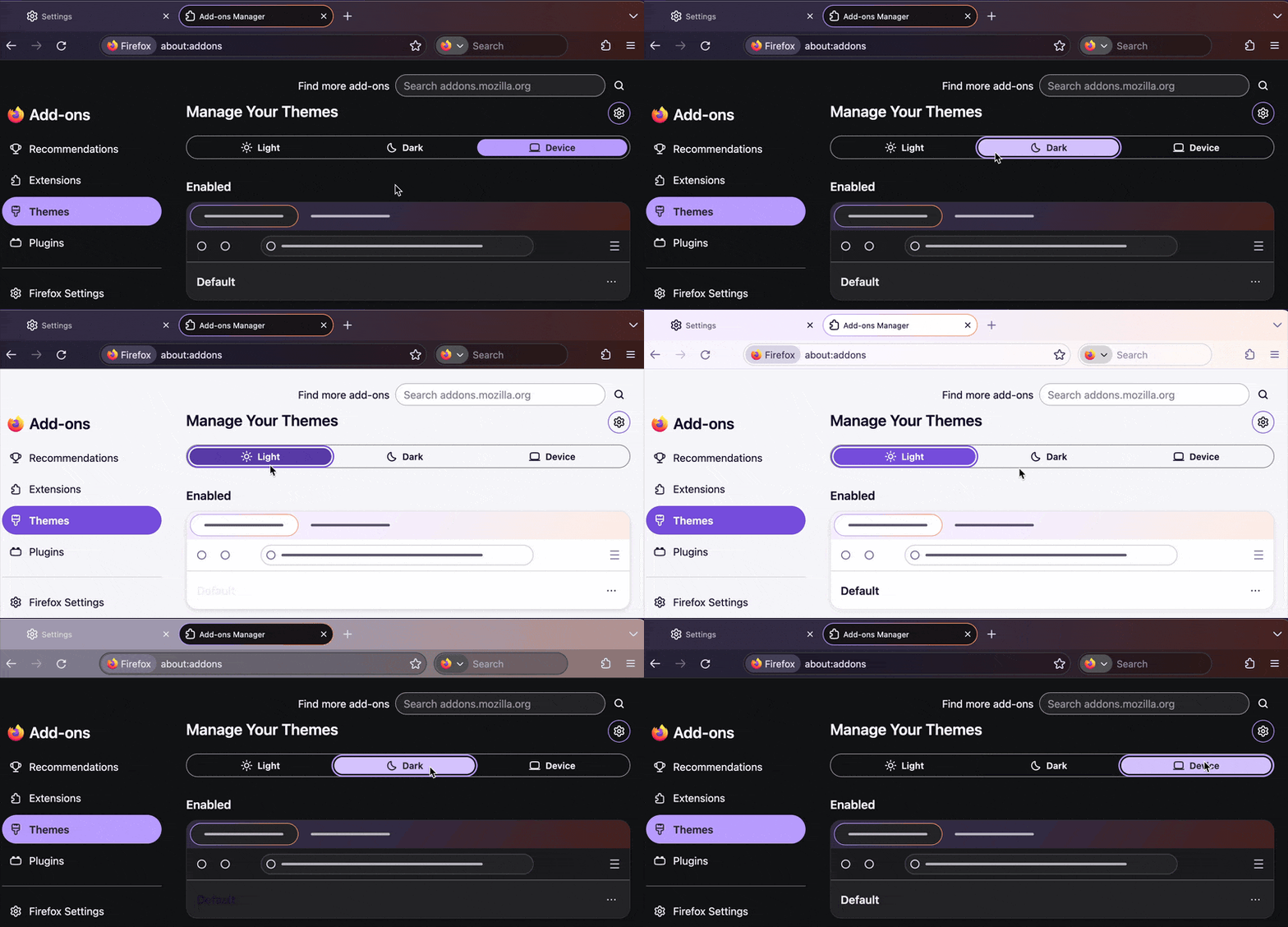
On Firefox V157.0.1 how do I reset all toolbars to black text on white background?

I just restarted Firefox and all the toolbars at the top are this unreadable white text on a black background. How do I restore the old color scheme?
I just restarted Firefox and all the toolbars at the top are this unreadable white text on a black background. How do I restore the old color scheme?
Alle svar (1)
In general this is something driven by your operating system for a lot of themes (esp. the factory default ones), and if no change appears to be affecting the rest of your apps it can also be customized in Firefox directly — in Settings › Extensions and themes › Themes there will be this top section "Manage Your Themes" where you can set Light vs. Dark appearance if that's what has impacted your interface: