


Phantom Spam folder stuck in Trash
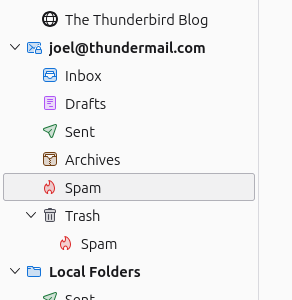
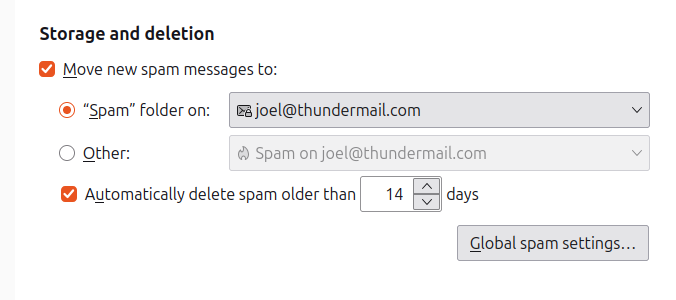
I somehow have a Spam folder stuck in Trash. This can of course be removed if I manually empty Trash, but respawns automatically when I restart TB. I've made sure that the "real" Spam folder is pointed to correctly in Account Settings.
How can I safely (and persistently) remove this phantom Spam folder? Thanks in advance.
Alle svar (4)

It's likely that the Trash folder's index has become corrupt. To fix it, right-click on the folder name and choose "Properties", then click the "Repair Folder" button. This will rebuild the index and the "phantom" Spam folder should disappear.
Surprisingly, that didn't work. I've tried the "nuclear" option of quitting TB, deleting the Trash msf in my profile, and starting TB again, but it just comes back to this state.
Try going to your email providers webmail page and deleting it there.
Unfortunately, Thundermail is early in its development, and doesn't yet allow one to delete folders (not that I can tell). However, another user says that you can right-click on the account itself and unsubscribe from specific folders. That removed it. It's still technically there, but not the eyesore it once was.
Thanks for your help!