


Address bar customisation

Hi there
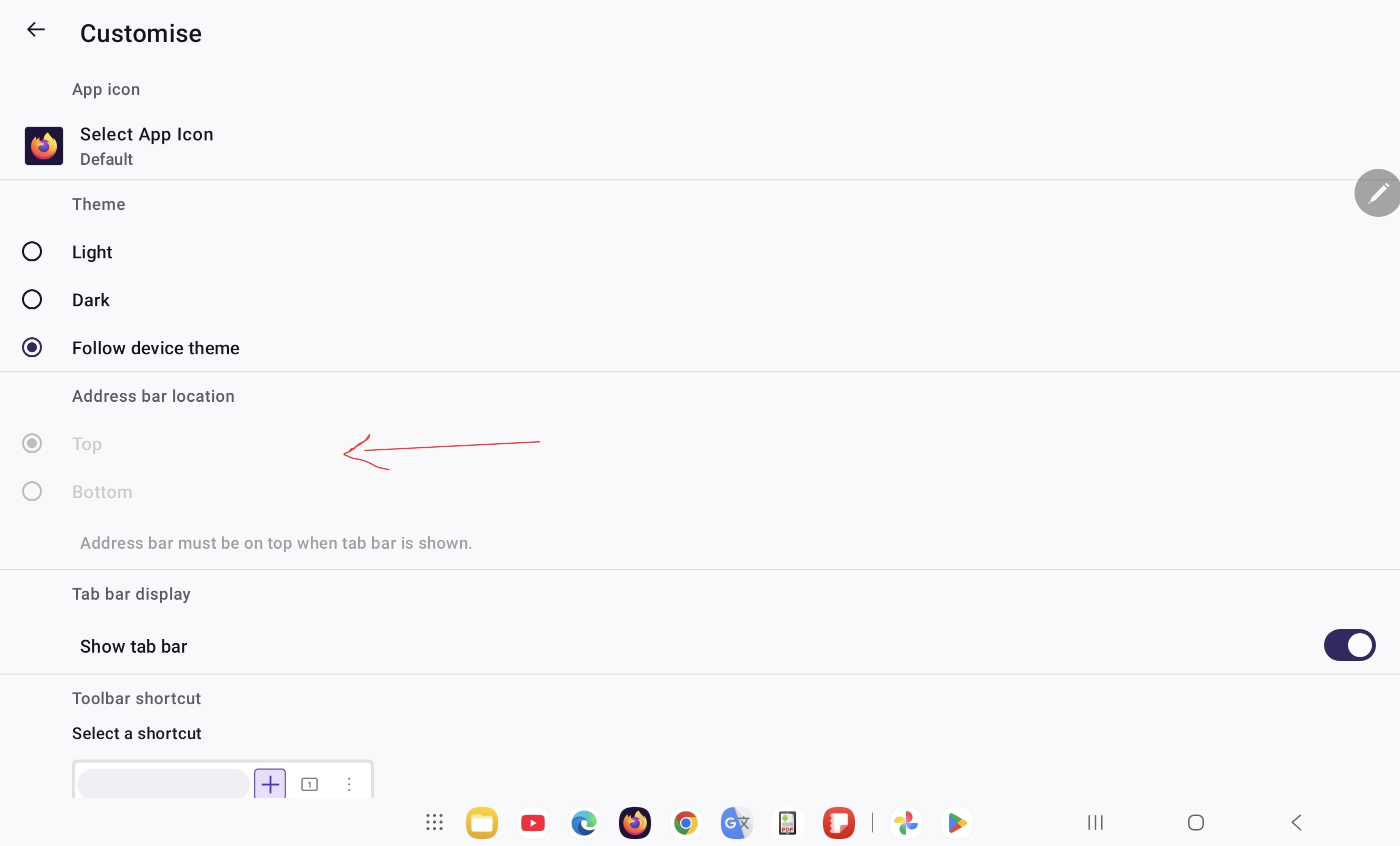
After the latest update some features like (address/tab bar customisation) are missing or frozen, I cannot now move the address bar to the bottom, which is very annoying and inconvenient. Could you please help me fixing this issue?
A Screenshot is attached.
Device model: Galaxy Tab S10 plus
Alle svar (3)
Valgt løsning
Hi,
Looks like you need to disable "Show tab bar" in order to be able to set address bar to be displayed at the bottom. Does this work for you?
What are other features missing/frozen?
Yes yes finally. It worked! Truly grateful to you.
There is a feature not working unless the address bar is placed to the bottom, which is scrolling right and left between tabs by passing just one finger on the address bar.
Thank you very much! You were so helpful
You are welcome :D
Out of curiosity:
- What Firefox version do you have now and what version did you have before the update (in case you remember)?
- Did you have the tab strip displayed before the update?
Ændret af Denys den