


cannot enable location service
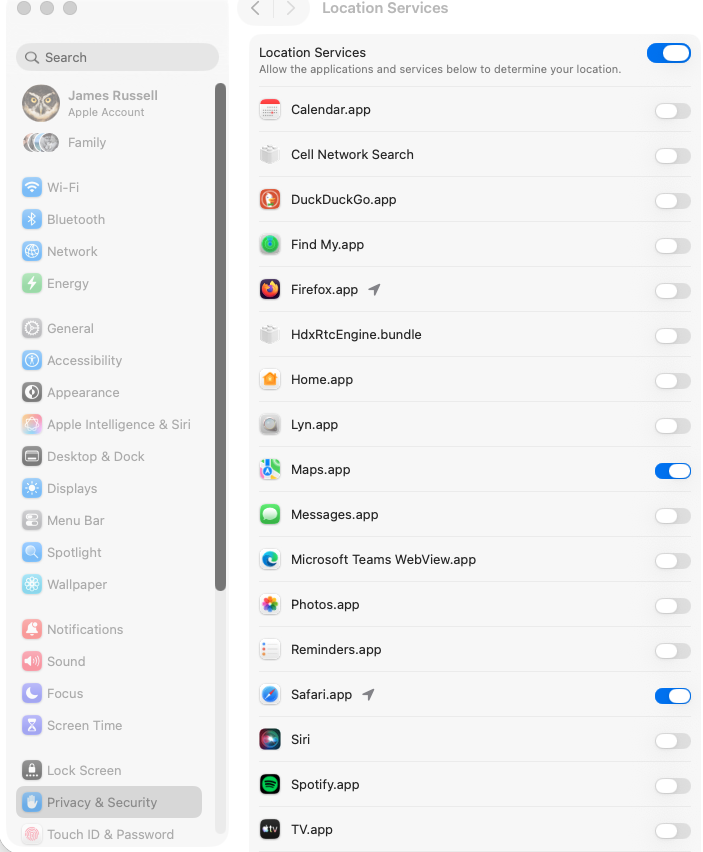
When I visit a particular web site it requests that I grant Firefox access to location services. When I attempt to, the site's interface takes me to (Apple) System Settings/Privacy & Security/Location Services and shows me the access status of the Firefox.app. The control next to it shows it as off. Clicking on the control to change it to on does nothing. The web site cannot access location services.
Location Services itself is on, as are permissions for several other apps (including Safari, which does not have this problem with this web site).
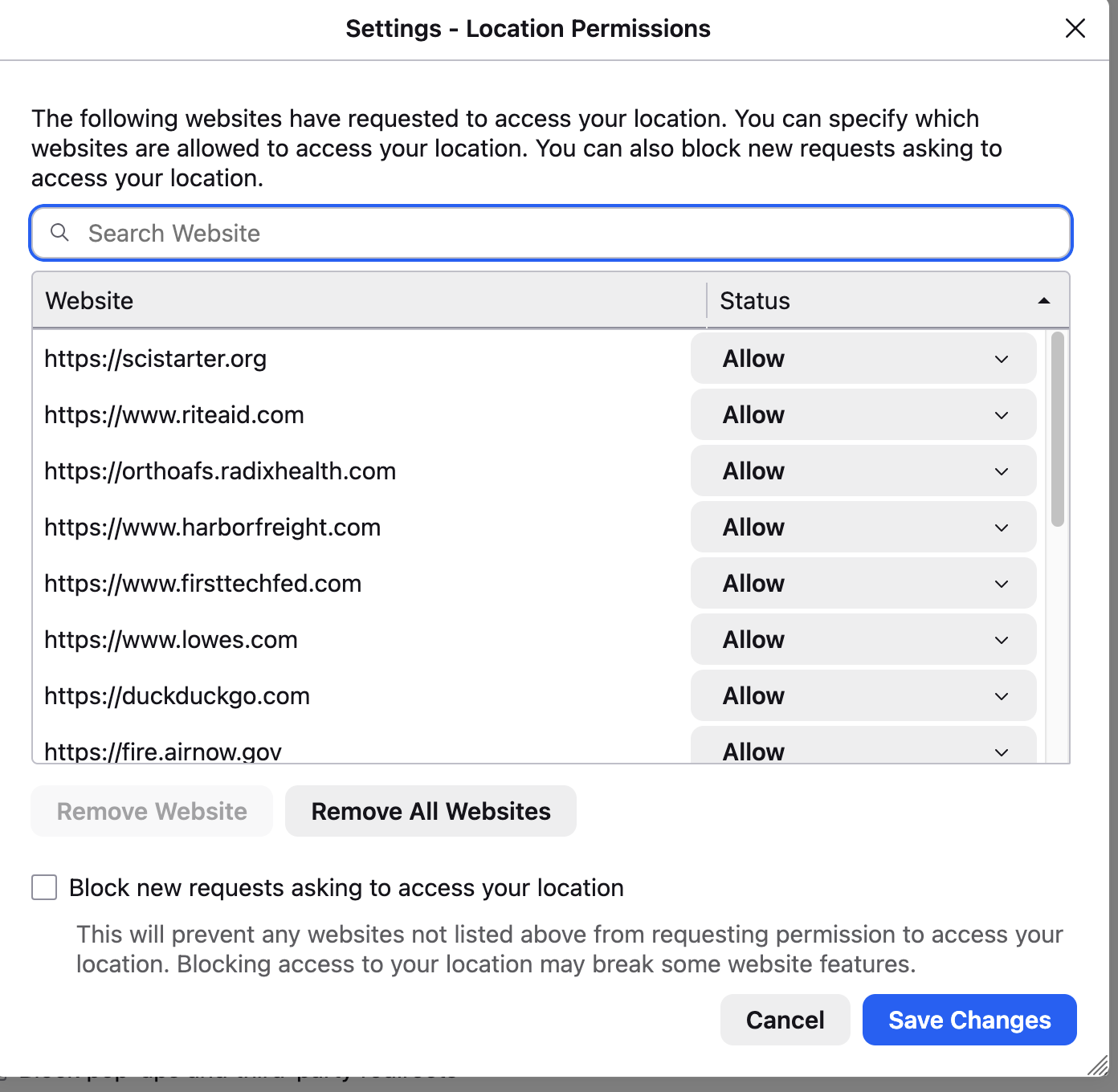
Within the Firefox apps own settings, location permissions for the site in question (scistarter.org) are set as Allow.
I'm on an iMac, running Tahoe 26.5. This problem does not happen on my iPhone running iOS 26.5.
Help?
Alle svar (5)
It seems the settings are locked in your system?
Until you manage to enable that switch you've mentioned not being able to flip in your system settings, Firefox won't be able to get the location. You might need to consult some Apple support sites if you're facing a macOS issue preventing you from changing that permission.
Yeah, I'm pursuing with Apple. Just thought it might be familiar so I could get a tip.
Thanks anyway.
Well there actually is a recent wrinkle with that, but it's specifically limited to last few updates of Sequoia, and that one includes this particular switch being in ON position.
The are no reports related to Tahoma, but mainly this case looks like the switch is stuck in the OFF setting, so it just (rightfully) denies the permission on system level:/ Are you able to flip the switches for other apps, or the whole pane is just stuck?
Actually, following recent system software update, the Location switch for Firefox became active, and I have successfully turned it on. I have not noticed, or tested, whether other apps had similar problems except that I verified that Safari did not have this problem.
Yeah the built–in apps can cheat as they wish.
Hopefully after flipping the switch all the location features work for you in the browser as expected.