


How do I open a downloaded file?

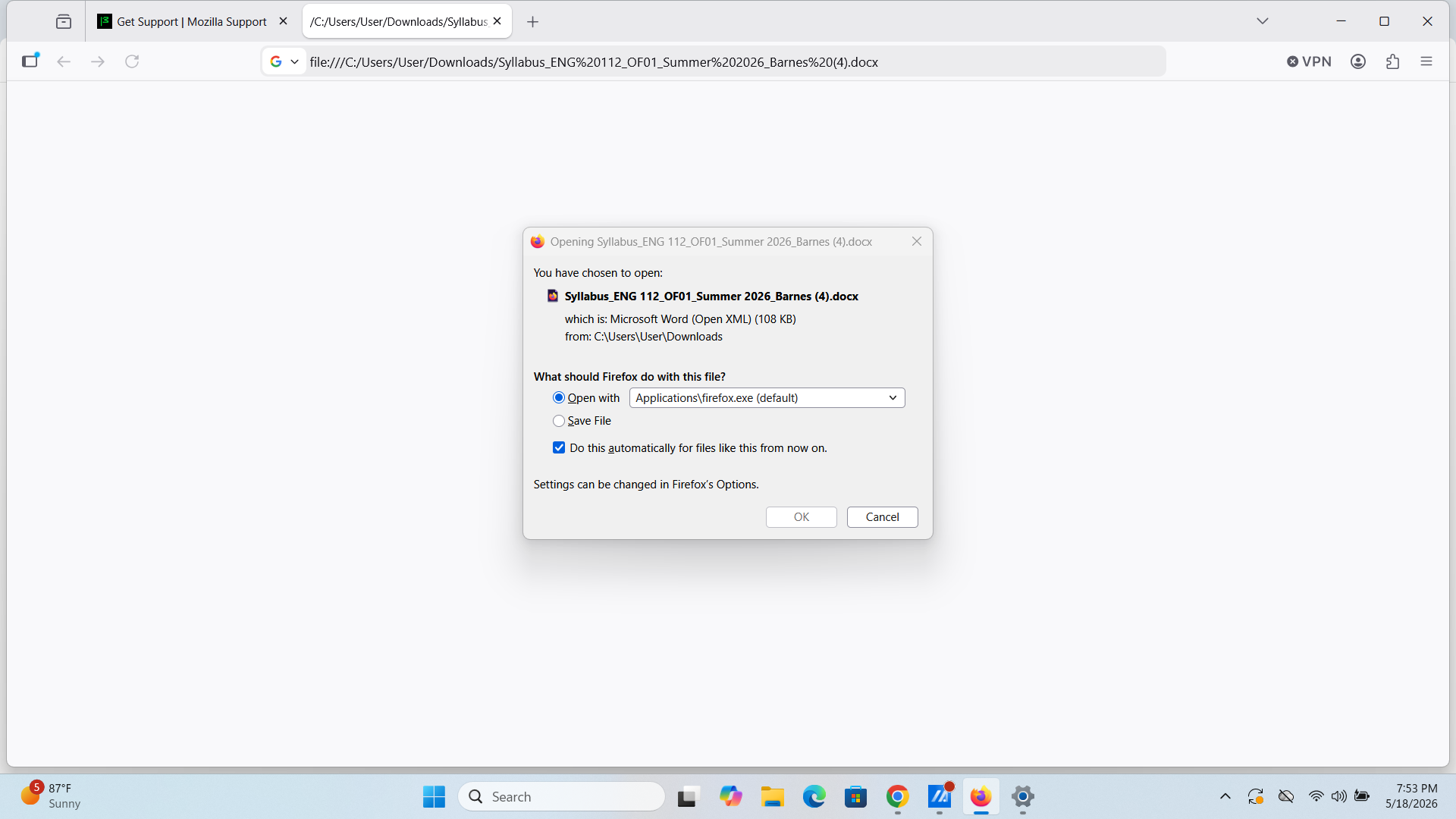
I downloaded a syllabus from my online class but I can not open the file a drop box appears and asking what should firefox do with the file. I attached a screenshot of what happened when I attempted to open file. Can you please help me with this issue?
I downloaded a syllabus from my online class but I can not open the file a drop box appears and asking what should firefox do with the file. I attached a screenshot of what happened when I attempted to open file. Can you please help me with this issue?
Alle svar (1)

Thanks for screenshot. It helps a lot.
You are using Windows, right?
Method 1: in the "Open with" drop down list, find MS word, and click OK Method 2: Select "Save File", and find the saved file in your file explorer and double click it. I think it will open automatically.
In case you do not have MS Office, you are welcome to use free/libre software: https://www.libreoffice.org/