


Windows 10 reached EOS (end of support) on October 14, 2025. If you are on Windows 10, see this article.

Søg i Support

Avoid support scams. We will never ask you to call or text a phone number or share personal information. Please report suspicious activity using the “Report Abuse” option.

Læs mere
Åben

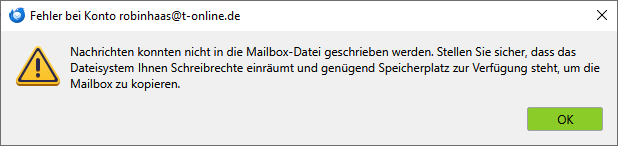
Nachrichten konnten nicht in die Mailbox-Datei geschrieben werden.

christ1 replied
robinhaas

Hi. I´m running thunderbird 150.0 under win10 an a HP2760p with 8 GB RAM and 155 GB of free SDD-space.

I´ve got the errormessage: "Nachrichten konnten nicht in die Mailbox-Datei geschrieben werden. Stellen Sie sicher, dass das Dateisystem Ihnen Schreibrechte einräumt und genügend Speicherplatz zur Verfügung steht, um die Mailbox zu kopieren."

That is: Unable to write mesages to the mailbox-file. Make shure to have writing rights according to the filesystem and enaugh space is available to copy the mailbox.

I can´t find a limitation to filesize. I deleted a lot of mails, the error persists. I updated from thunderbird 140 to 150.0. The error persists. I downloaded my emails on an win11 Laptop. The download stopped after a while with the same error.

What can I do ? Thanks in advance - Robin
Hi. I´m running thunderbird 150.0 under win10 an a HP2760p with 8 GB RAM and 155 GB of free SDD-space. I´ve got the errormessage: "Nachrichten konnten nicht in die Mailbox-Datei geschrieben werden. Stellen Sie sicher, dass das Dateisystem Ihnen Schreibrechte einräumt und genügend Speicherplatz zur Verfügung steht, um die Mailbox zu kopieren." That is: Unable to write mesages to the mailbox-file. Make shure to have writing rights according to the filesystem and enaugh space is available to copy the mailbox. I can´t find a limitation to filesize. I deleted a lot of mails, the error persists. I updated from thunderbird 140 to 150.0. The error persists. I downloaded my emails on an win11 Laptop. The download stopped after a while with the same error. What can I do ? Thanks in advance - Robin
Vedhæftede skærmbilleder

Alle svar (3)

What is your anti-virus software?

Norton 360. Worked fine since years.

Try to start Windows 10 in safe mode with networking enabled.

Does the problem go away?

Windows safe mode disables anti-virus software. This is a troubleshooting step, not a solution.

Stil et spørgsmål

Du skal logge ind på din konto for at svare på et indlæg. Start et nyt spørgsmål, hvis du ikke har en konto endnu.