


Prompt to log onto yahoo.mail when openting Thunderbird

This happens each time I open up T-Bird. Somtimes it is Yahoo.mail, sometimes it prompts to log onto aol.mail.com.
How can this be stopped?
________________________
desktop Win11 pro Thunderbird 148.0 (64-bit)
Valgt løsning
See https://support.mozilla.org/en-US/kb/thunderbird-and-yahoo. Try changing your PW via the web interface and make sure cookies are enabled.
Læs dette svar i sammenhæng 👍 0Alle svar (6)

Try this:
- go to TB menu > Settings > General
- scroll all the way down and click the 'Config editor' button on the right
- click 'Accept the risk and continue' if that appears
- search for mailnews.oauth.usePrivateBrowser > change the value to true
- restart TB
Perhaps I should have mentioned that I am using CHROME as my browser.
Also, T-Bird has counted two Spam messages, which it does not remove when I click to remove spam.
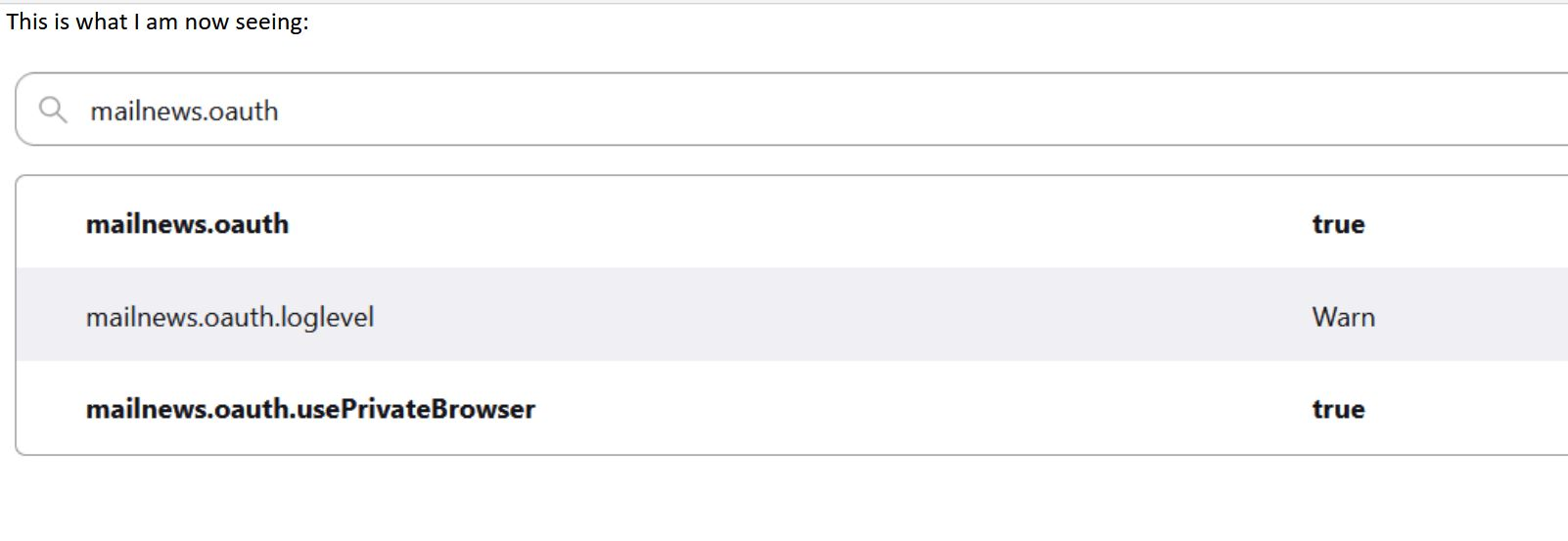
My problem is not yet solved.
Any other suggestions are welcomed.
TNX. VinceB.
Valgt løsning
See https://support.mozilla.org/en-US/kb/thunderbird-and-yahoo. Try changing your PW via the web interface and make sure cookies are enabled.