


Windows 10 reached EOS (end of support) on October 14, 2025. If you are on Windows 10, see this article.

Søg i Support

Avoid support scams. We will never ask you to call or text a phone number or share personal information. Please report suspicious activity using the “Report Abuse” option.

Læs mere

french language extension add in not working only English US why?

I have downloaded downloaded language packs English UK and French France, but when I spell check in Mozilla the only option in the open menu for language there is only English US to use even though the other two preferred languages have been downloaded. Am I missing a trick to activate the languages so that they show in my language menu when spell checking?

Very frustrating that I only have a default of US considering I am in France and use French and UK English.
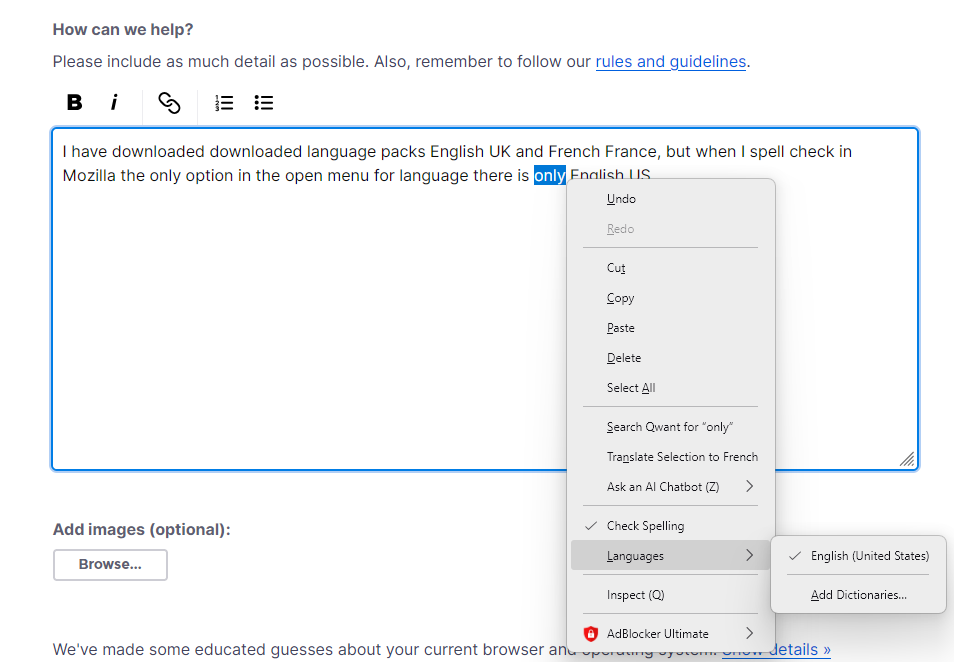
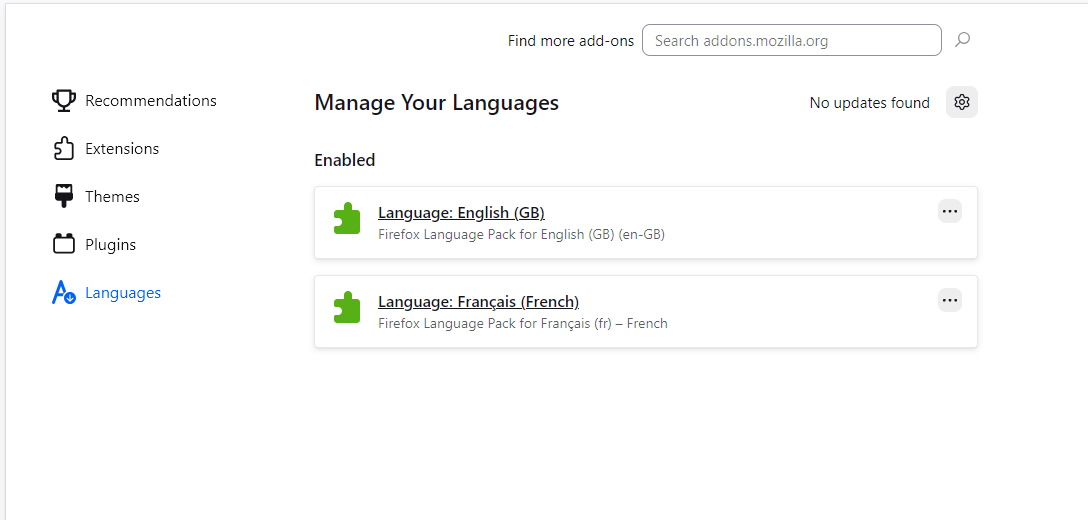
I have downloaded downloaded language packs English UK and French France, but when I spell check in Mozilla the only option in the open menu for language there is only English US to use even though the other two preferred languages have been downloaded. Am I missing a trick to activate the languages so that they show in my language menu when spell checking? Very frustrating that I only have a default of US considering I am in France and use French and UK English.
Vedhæftede skærmbilleder

Alle svar (1)

Hi

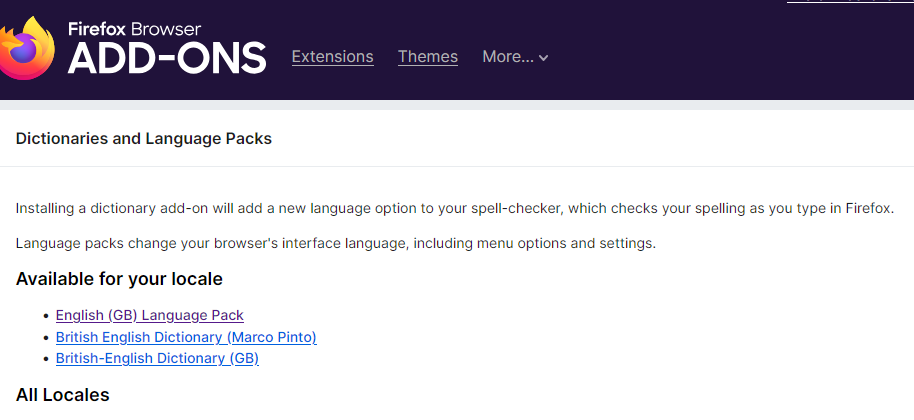
A Language Pack changes the actual user interface (the menus, buttons, and settings) to a different language. However, the Spell Checker specifically requires a Dictionary addon to function.

Install the Dictionaries: Go to the official Mozilla Dictionaries & Language Packs page.

Find English or French and click "Download Dictionary."

Stil et spørgsmål

Du skal logge ind på din konto for at svare på et indlæg. Start et nyt spørgsmål, hvis du ikke har en konto endnu.