


I've tried everything and can not receive or sent messages on Thunderbird

Have not received email since 2/26, call BTEL my internet service and email, but I'm set up to received Thunderbird. BTEL changed my server name to; mail.[edited]@coastal-link.net, did not help, so we changed it back to ; Imap.[edited]@coastal-link.net..user name is [edited]@Coastal-link.net. Lost the emails I did have and after taking to them for days, they're saying it a Thunderbird problem. Incoming is ; Coastal-link.net Port 993, Outgoing is Port 465. Connection security SSL/TLS
Ændret af christ1 den
Alle svar (3)
Tech support always blames the email client when they don't how to support their users. Please post a screenshot of server settings pane so we can see exactly what thunderbird shows. Also, please post the complete error message.
I'm not computer smart. Not sure how I can add images. Is there anybody can call me? Please help me, I have tried to upload an image
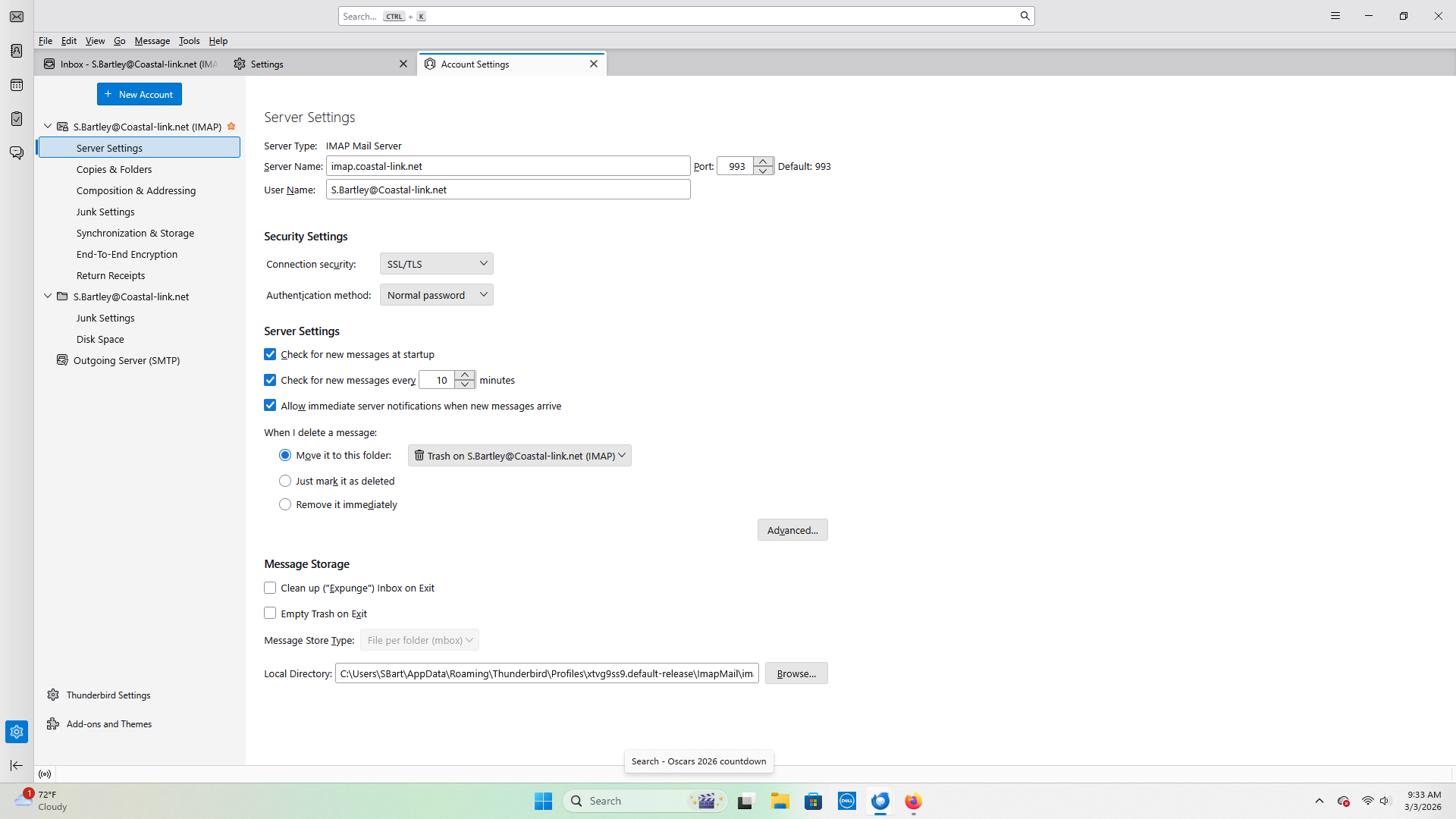
When email providers make such changes, the problem becomes knowing what was changed. Can you log on onine? Has the email provider provided detail settings for the account? With the changes they made, I am wondering if this is the right domain or whether what you're using for email address may be wrong