


Windows 10 reached EOS (end of support) on October 14, 2025. If you are on Windows 10, see this article.

Søg i Support

Avoid support scams. We will never ask you to call or text a phone number or share personal information. Please report suspicious activity using the “Report Abuse” option.

Læs mere
Arkiveret

Can't create outlook.com account

dschulze747

I am trying to create my outlook.com account in Thunderbird. I see the Account Hub box, and have typed in my email address. But when I type in the password, I get an error message, "Authentication failed. Please check the username and password". It then says, "Exchange auth error". I have checked and double- and triple-checked the spelling in the email address and password, and signed in to my email via the Microsoft outlook.com page using the same email and password. I can sign in to my email using the latter method, but Thunderbird keeps giving me the same error message and won't create the account in Thunderbird. What am I doing wrong?
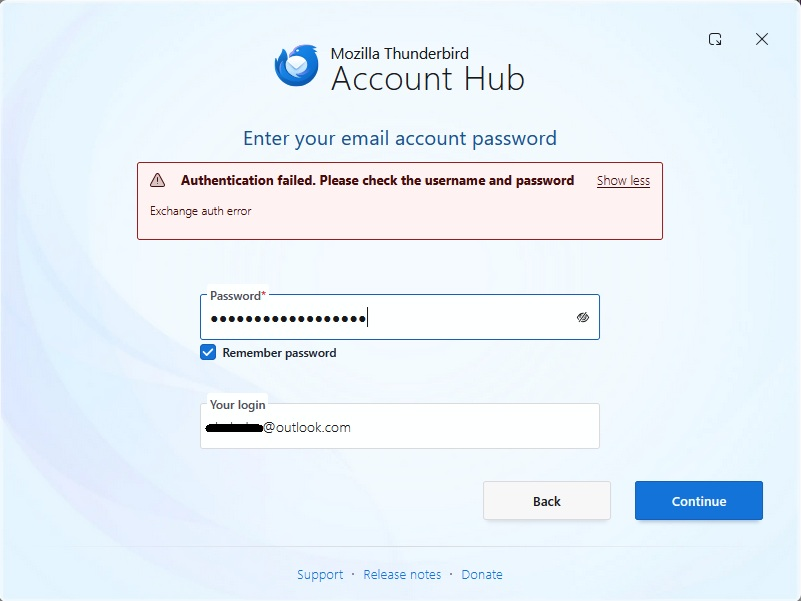
I am trying to create my outlook.com account in Thunderbird. I see the Account Hub box, and have typed in my email address. But when I type in the password, I get an error message, "Authentication failed. Please check the username and password". It then says, "Exchange auth error". I have checked and double- and triple-checked the spelling in the email address and password, and signed in to my email via the Microsoft outlook.com page using the same email and password. I can sign in to my email using the latter method, but Thunderbird keeps giving me the same error message and won't create the account in Thunderbird. What am I doing wrong?
Vedhæftede skærmbilleder

Alle svar (1)

No answers to my question?

I think I fixed it on my own. I disabled the default "Account Hub" settings, so I don't create a new account using the new experimental account hub. I succeeded in creating the account in the "normal" manner, and it seems to work properly now.