


Archiving

Wouldn't it be nice if we could filter all emails in our INBOX by their date received/sent, then Select All, and move them to an Archive folder? If only by YEAR, say 2023, then into that Archive sub-folder - this would make emptying one's INBOX easier. Or am I an idiot, and this is already possible?
Valgt løsning
I suggest trying two rules, one for after dec 31 of one year and the other rule to be before jan 1 of the following year and to set the filter to match both rules.
Læs dette svar i sammenhæng 👍 0Alle svar (8)
You just answered your question: use a filter to do this. From the menu, click tools and then message filters
Thank you so much for responding, and setting me on the right path, but I'd be grateful for the final key to the solution. For example, I'm trying to archive each year's emails into their respective Archive folder years. i.e. all my 2023 emails from my Inbox into an archive folder "2023"... When I create a new filter, and select 'Date' and 'is' (to 'Match all of the following'), and then specify '2023', it insists on the date being '01/01/1970' or insists on that format. (It looks like I need the choice of 'Date Year Only' or something, but that's not available.)
Valgt løsning
I suggest trying two rules, one for after dec 31 of one year and the other rule to be before jan 1 of the following year and to set the filter to match both rules.

Thunderbird also has an "Archive" feature (see images): go to Account Settings > account name > Copies & folders > Messages Archives ... with a button to choose "Archive options..."
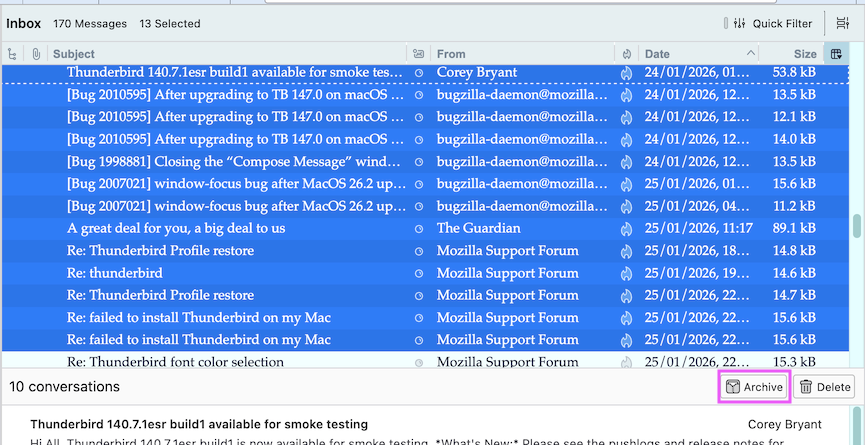

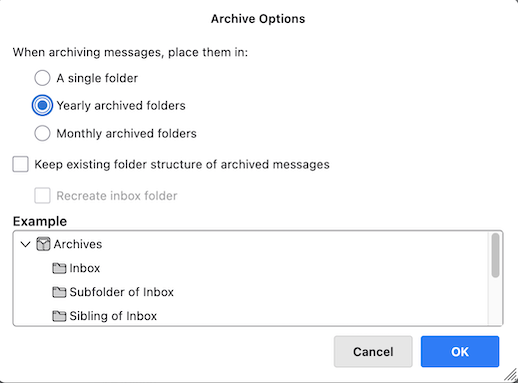
Thank you for this alternate suggestion, but all that I could see was a suggested archive structure, but no RUN button or way to tell it to move those 2023 emails into the 2023 archive folder.
David, thank you. This worked beautifully. I wish I had a mind like yours.
Didn't you see the "Archive" button in the message header in my second screen shot?
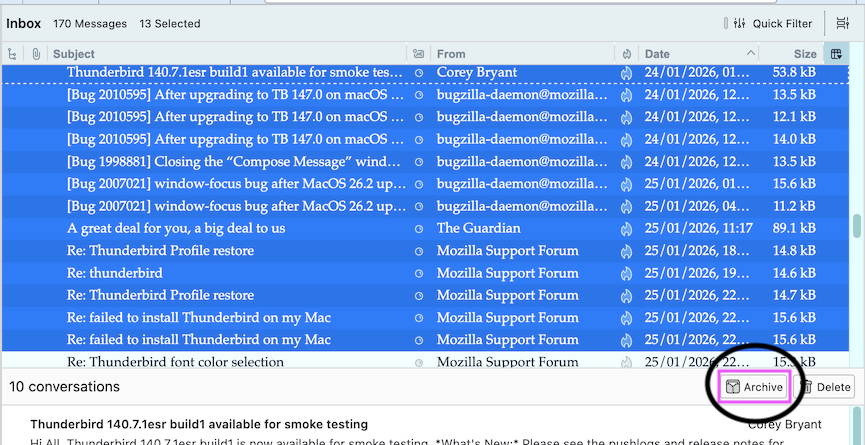
You are most welcome. And THANK YOU for the beautiful compliment. :) I was so glad to assist.