


Windows 10 reached EOS (end of support) on October 14, 2025. If you are on Windows 10, see this article.

Søg i Support

Avoid support scams. We will never ask you to call or text a phone number or share personal information. Please report suspicious activity using the “Report Abuse” option.

Læs mere

Bookmarks are not saving properly

  • 1 svar
  • 0 har dette problem
  • 168 visninger
  • Seneste svar af sobitthen

I find a website I like, I add to bookmarks, chose a location, add some tags and save.

Next I look for bookmark to verify it saved and it is not in folder it was saved into.

I open Bookmarks and search for this newly created bookmark and it is not in the correct location, it is in another folder, or past the folder in a tree that is not seen under the drop-down up under address bar, only through searching via Bookmarks. After I searched and I had found it, I chose open in folder, saw its position and dragged it to the folder and position I wanted it to be, then close the search, use the drop down folders in bookmark bar and not there. ??

Go back to Bookmark search, find it and it is shown to be where I last dragged it, but it is not there unless I search for it.

So not sure what is going on with bookmarks, but after saving they are not saved where I directed them to save and I am losing my bookmarks to some void in my bookmark manager.
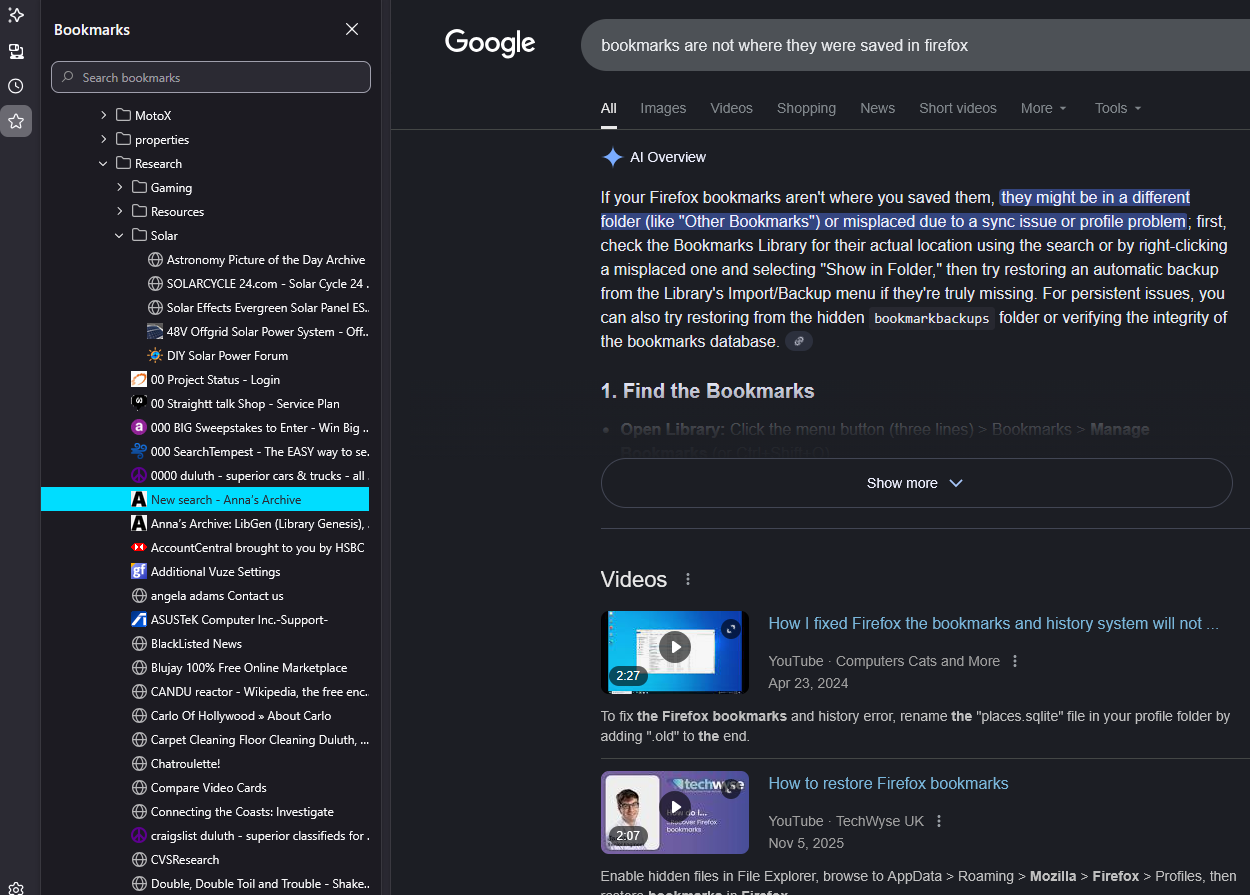
I find a website I like, I add to bookmarks, chose a location, add some tags and save. Next I look for bookmark to verify it saved and it is not in folder it was saved into. I open '''Bookmarks''' and search for this newly created bookmark and it is not in the correct location, it is in another folder, or past the folder in a tree that is not seen under the drop-down up under address bar, only through searching via Bookmarks. After I searched and I had found it, I chose open in folder, saw its position and dragged it to the folder and position I wanted it to be, then close the search, use the drop down folders in bookmark bar and not there. ?? Go back to Bookmark search, find it and it is shown to be where I last dragged it, but it is not there unless I search for it. So not sure what is going on with bookmarks, but after saving they are not saved where I directed them to save and I am losing my bookmarks to some void in my bookmark manager.
Vedhæftede skærmbilleder

Alle svar (1)

Inside the solar folder when I drop down off bookmark bar there is only 5 entries, in this image I uploaded, it makes them all look to be inside this solar folder, they are not, they were saved to the Research folder.

Stil et spørgsmål

Du skal logge ind på din konto for at svare på et indlæg. Start et nyt spørgsmål, hvis du ikke har en konto endnu.