


Thunderbird says certificate expired, letsencrypt certbot says its good, different dates shown

I'm using Thunderbird 140.5.0esr. I have a remote email server on a small "linode" and recently had to restore it from a backup.
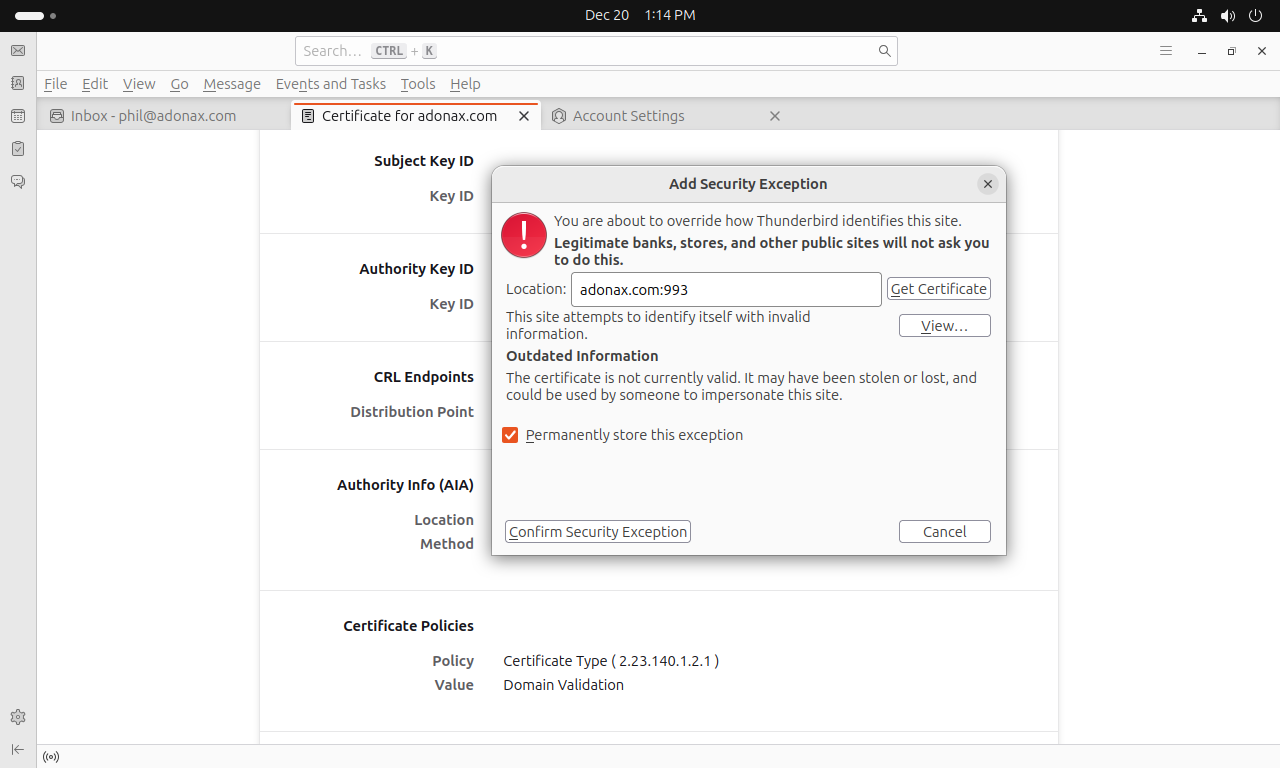
When opening Thunderbird, I get the message "The certificate for adonax.com expired on 10/29/2025." I've been getting emails up to and including yesterday.
I ran the renewal program (sudo certbot renew) from the command line of my remote server, and was told the certificate did not need renewing. The "expiry date" is shown to be 2026, March 20 when having certbot display the certificate information.
So, there is some sort of disconnect happening in the communications between Thunderbird and the locations of the certificates on my server. I'm hoping for some advice as to how to trace the path. One possibility is that there is a location on my server that is used to connect to the certs and this is holding stale information due to the recent restore done for the remote server. Another is that maybe there is cached information or something else blocking the request from Thunderbird.
From Thunderbird, I am presented with a form "Add Security Exception". This indicates that thunderbird is contacting the location adonax.com:993. I checked the port from the server using UFW and it is open to all. The Thunderbird form however hangs when I hit the "Get Certificate" button, and clicking the "Confirm Security Exception" appears to do nothing. The button "View..." opens a tab with the expired certificate. All the information on the certificate that is displayed by Thunderbird looks good, matches what I have in terms of URLs, but the dates are wrong.
Is there perhaps something blocking thunderbird from using port 993? Is there a way to test that? If 993 is working, I will try to research what is going on there at the Ubuntu end. I tried putting adonax.com:993 in Chrome and got an ERR_UNSAFE_PORT, for what that is worth.
Valgt løsning
The problem has been solved. The LetsEncrypt part of my remote server spotted the defunct certificate and automatically loaded a new one. But the email server software itself required reloading. Having just done this at my server, Thunderbird now works!
My remote server uses PostFix and Dovecot -- information on restarting them can be found in [this article about troubleshooting Postfix/Dovecot], in the remote case that anyone with a similar problem finds themselves reading this thread.
Læs dette svar i sammenhæng 👍 0Alle svar (2)
I just tested using sslscan and it is displaying a certificate with the same incorrect dates as the one held by Thunderbird. I will follow up on the server side--looks like the problem is there.
Valgt løsning
The problem has been solved. The LetsEncrypt part of my remote server spotted the defunct certificate and automatically loaded a new one. But the email server software itself required reloading. Having just done this at my server, Thunderbird now works!
My remote server uses PostFix and Dovecot -- information on restarting them can be found in [this article about troubleshooting Postfix/Dovecot], in the remote case that anyone with a similar problem finds themselves reading this thread.