


Windows 10 reached EOS (end of support) on October 14, 2025. If you are on Windows 10, see this article.

Søg i Support

Avoid support scams. We will never ask you to call or text a phone number or share personal information. Please report suspicious activity using the “Report Abuse” option.

Læs mere

Can't read PDF pages when I click on a PDF file

  • 1 svar
  • 0 har dette problem
  • 171 visninger
  • Seneste svar af TyDraniu

Trying to read PDF pages in Firefox. When I click on a file it says "You do not have OpenText Content Server Browser Web Extension 2.0.10 installed, or it is not enabled. Follow these instructions to install and enable the extension." I've looked in the extension add ons but cannot find the appropriate add-on and when I go to download from file, there are no files that would are appropriate either. Any suggestions? Also, I'm using a federal government laptop if that has anything to do with it.

Thanks guys for any help you can offer....
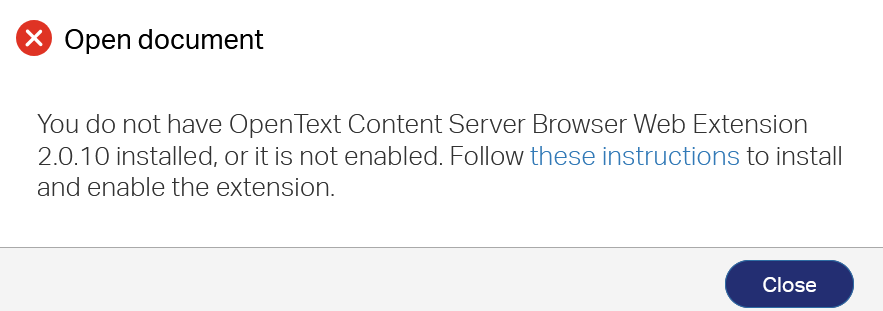
Trying to read PDF pages in Firefox. When I click on a file it says "You do not have OpenText Content Server Browser Web Extension 2.0.10 installed, or it is not enabled. Follow these instructions to install and enable the extension." I've looked in the extension add ons but cannot find the appropriate add-on and when I go to download from file, there are no files that would are appropriate either. Any suggestions? Also, I'm using a federal government laptop if that has anything to do with it. Thanks guys for any help you can offer....
Vedhæftede skærmbilleder

Alle svar (1)

Hi, you don't need any extension to open PDF files in Firefox, it's enabled by default.

It looks like your server requires some corporate solution that should provide this extension for its clients.

Here's some info I found about it ->

Stil et spørgsmål

Du skal logge ind på din konto for at svare på et indlæg. Start et nyt spørgsmål, hvis du ikke har en konto endnu.