


Windows 10 reached EOS (end of support) on October 14, 2025. If you are on Windows 10, see this article.

Søg i Support

Avoid support scams. We will never ask you to call or text a phone number or share personal information. Please report suspicious activity using the “Report Abuse” option.

Læs mere

How do I set the home page icon in the tool bar

  • 1 svar
  • 2 har dette problem
  • 116 visninger
  • Seneste svar af TyDraniu

Where is the home icon in tool bar?

Where is the home icon in tool bar?

Alle svar (1)

You can add the home icon on your toolbar with these steps:

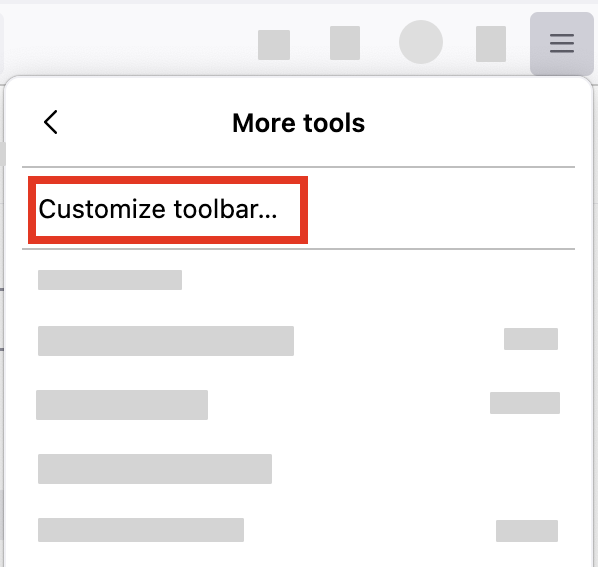
  1. Click the menu button Fx89menuButton in the top-right corner, click More tools, and choose the Customize toolbar… option.
    FxMenu-MoreTools-CustomizeToolbar
  2. A special tab will open that allows you to drag and drop items in or out of the toolbar.
Stil et spørgsmål

Du skal logge ind på din konto for at svare på et indlæg. Start et nyt spørgsmål, hvis du ikke har en konto endnu.