Windows 10 reached EOS (end of support) on October 14, 2025. For more information, see this article.

Søg i Support

Avoid support scams. We will never ask you to call or text a phone number or share personal information. Please report suspicious activity using the “Report Abuse” option.

Læs mere

FIX THIS!

  • 4 svar
  • 2 har dette problem
  • 222 visninger
  • Seneste svar af Kiki

more options

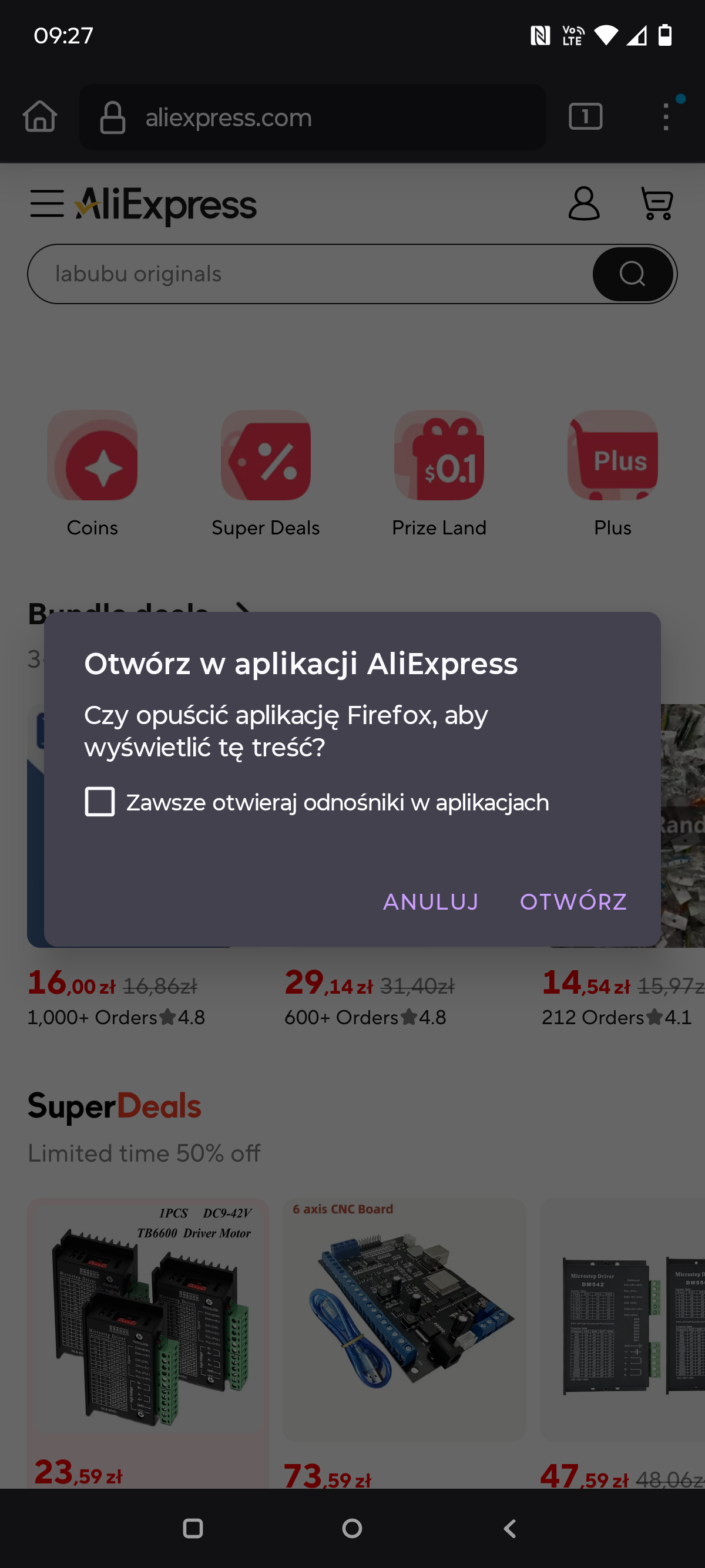
Please fix this! I specifically set it in the settings (on Android) so that no websites open in apps. And yet it keeps asking me whether to open them! There’s no option to "don’t ask again".

Here’s an example: I have two accounts on AliExpress — one is logged into the app, the other in the web browser! And I absolutely don’t want it to open in the app, because what for???

Please fix it so that when I have it set in the settings not to open in the app, it really doesn’t open — and doesn’t keep asking like an idiot!?

Please fix this! I specifically set it in the settings (on Android) so that no websites open in apps. And yet it keeps asking me whether to open them! There’s no option to "don’t ask again". Here’s an example: I have two accounts on AliExpress — one is logged into the app, the other in the web browser! And I absolutely don’t want it to open in the app, because what for??? Please fix it so that when I have it set in the settings not to open in the app, it really doesn’t open — and doesn’t keep asking like an idiot!?

Valgt løsning

Hi there,

You may want to check out Set Firefox for Android to open links in native apps and set the Setting to Never.

Læs dette svar i sammenhæng 👍 0

Alle svar (4)

more options

look this image

more options

Valgt løsning

Hi there,

You may want to check out Set Firefox for Android to open links in native apps and set the Setting to Never.

more options

The first thing I did was set it to "NEVER"! And yet it still asks about the app.

more options

Can you try to update to 141 to see if it might fix it?

Stil et spørgsmål

Du skal logge ind på din konto for at svare på et indlæg. Start et nyt spørgsmål, hvis du ikke har en konto endnu.