


I have lost all my saved sites and passwords even from Sync
I was able to use it this morning from my macbook. But the afternoon I was on sites where my passwords usually fill but now everything is empty, everything had been deleted. I tried to log out and back in to mozilla and sync, but everything is gone. Over 100 sites and passwords. How this happened ? Where can i ask for help since Mozilla doesn't offer any.
Ændret af JoCika_ den
Alle svar (4)
I assume you're an iPhone user. If so, was your iphone also synced?
The issues could also be that Firefox created another profile. Check via about:profiles in the browser.
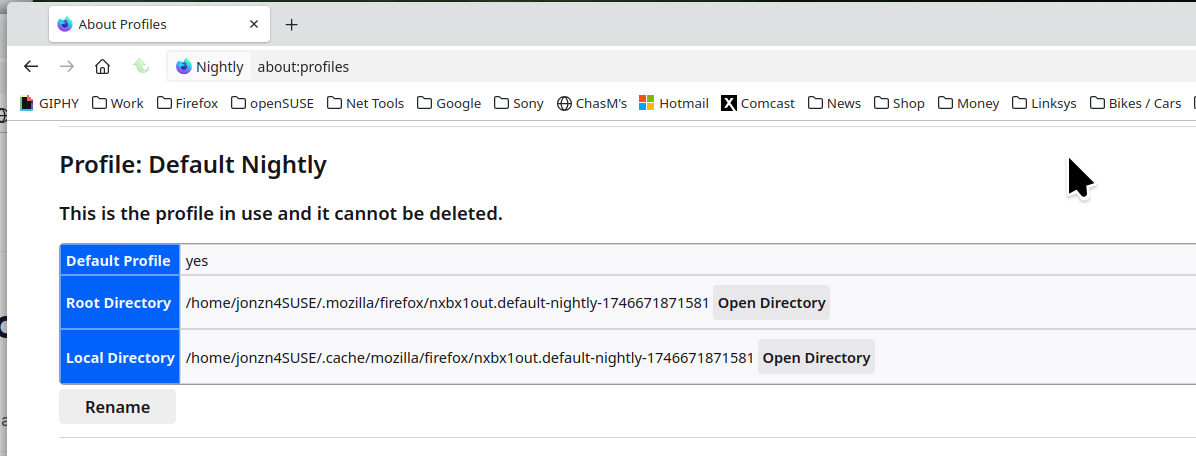
Sorry I forgot to mention, I only use Mozilla on Mac and Windows computers.
Okay. How about the profile, did you investigate?

This worked for me. Click the 3 bars on the upper right. Scroll down to passwords. They are still there. They just won't automatically insert them anymore. Once you are in a website's enter password location, put your cursor in the entry space and right click. The option to use you saved password will appear.