


Open zen browser on same account with different laptops & how to import zen browser to different laptops/accounts

I use Zen Browser and I feel very satisfied with its features and stability, although there are still shortcomings, but nothing compared to all the advantages. Here I want to ask about how to open zen browser with the same account but both on different laptops and display all both workspace and container tabs with the same settings? if not, then tell me to import from laptop 1 to laptop 2 for zen browser data?
Translated with DeepL.com (free version)
Alle svar (1)

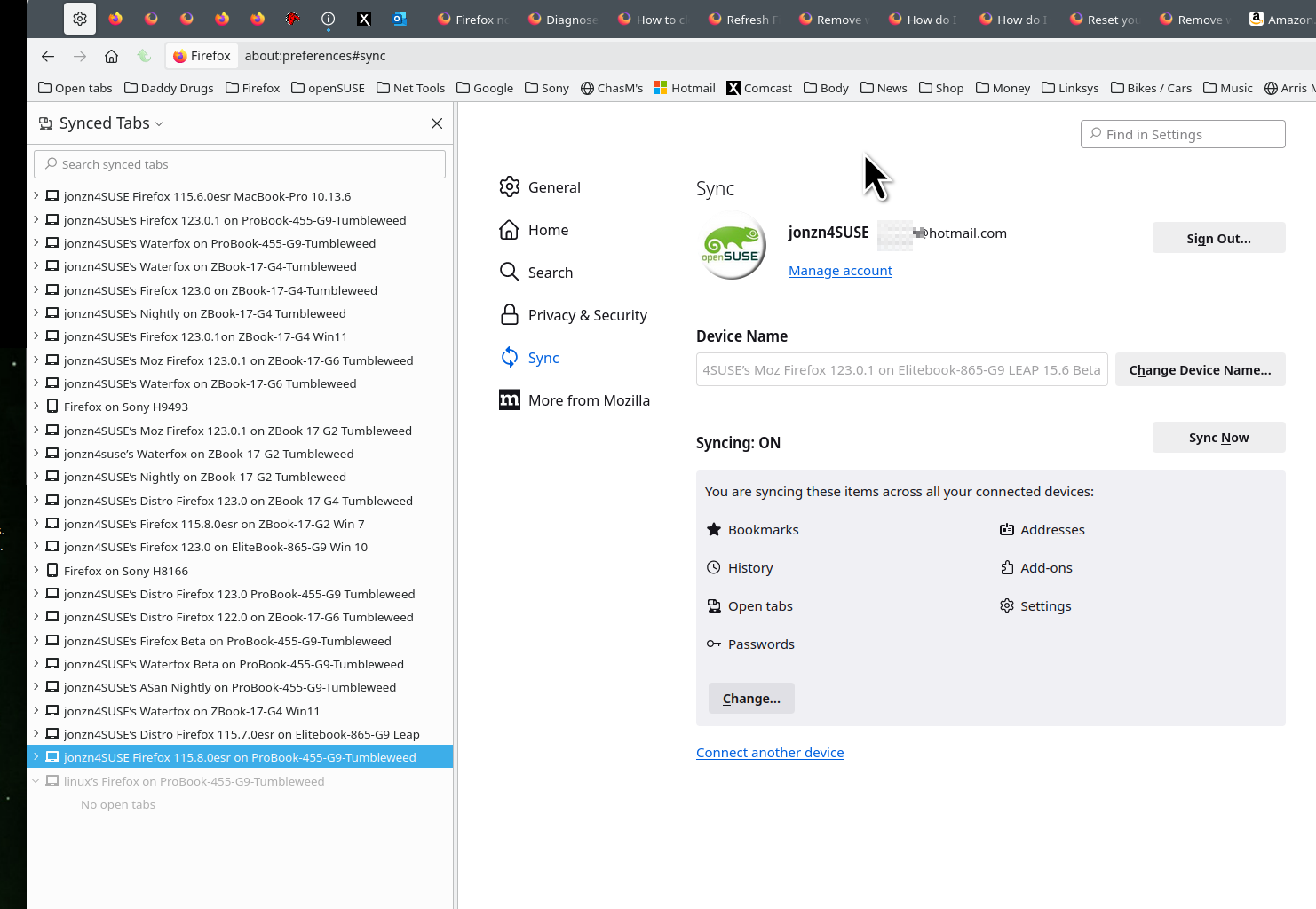
Never heard of zen, but I assume it's a Firefox fork. If so, see what sync does for ya. I use Firefox and Waterfox on all devices. see old screenshot
Sync info... FYI... Firefox Sync IS NOT A DATA BACKUP SERVICE https://support.mozilla.org/en-US/kb/how-do-i-set-sync-my-computer https://support.mozilla.org/en-US/kb/how-do-i-choose-what-information-sync-firefox https://www.mozilla.org/en-US/firefox/features/sync/ https://hacks.mozilla.org/2018/11/firefox-sync-privacy/ Sync is not a backup tool but it is a good sync/transfer/move tool https://support.mozilla.org/en-US/forums/contributors/707681
Ændret af jonzn4SUSE den