


Windows 10 reached EOS (end of support) on October 14, 2025. If you are on Windows 10, see this article.

Søg i Support

Avoid support scams. We will never ask you to call or text a phone number or share personal information. Please report suspicious activity using the “Report Abuse” option.

Læs mere

Firefox sync Desktop and laptop

  • 1 svar
  • 0 har dette problem
  • 75 visninger
  • Seneste svar af jonzn4SUSE

I was logged out of both computers so when I signed back in to sync my desktop to my laptop, it would not sync my rows that I have on my desktop I ended up changing two bookmarks on the homepage Rows when I was signed out but they would not change on my laptop when I was signed back in I had to do it manually, but if I stay signed in, I'm sure that it will change but how fast is it supposed to do that because I waited at least five minutes and nothing changed. I also clicked on my icon and clicked on sync now, but nothing changed.

I was logged out of both computers so when I signed back in to sync my desktop to my laptop, it would not sync my rows that I have on my desktop I ended up changing two bookmarks on the homepage Rows when I was signed out but they would not change on my laptop when I was signed back in I had to do it manually, but if I stay signed in, I'm sure that it will change but how fast is it supposed to do that because I waited at least five minutes and nothing changed. I also clicked on my icon and clicked on sync now, but nothing changed.

Alle svar (1)

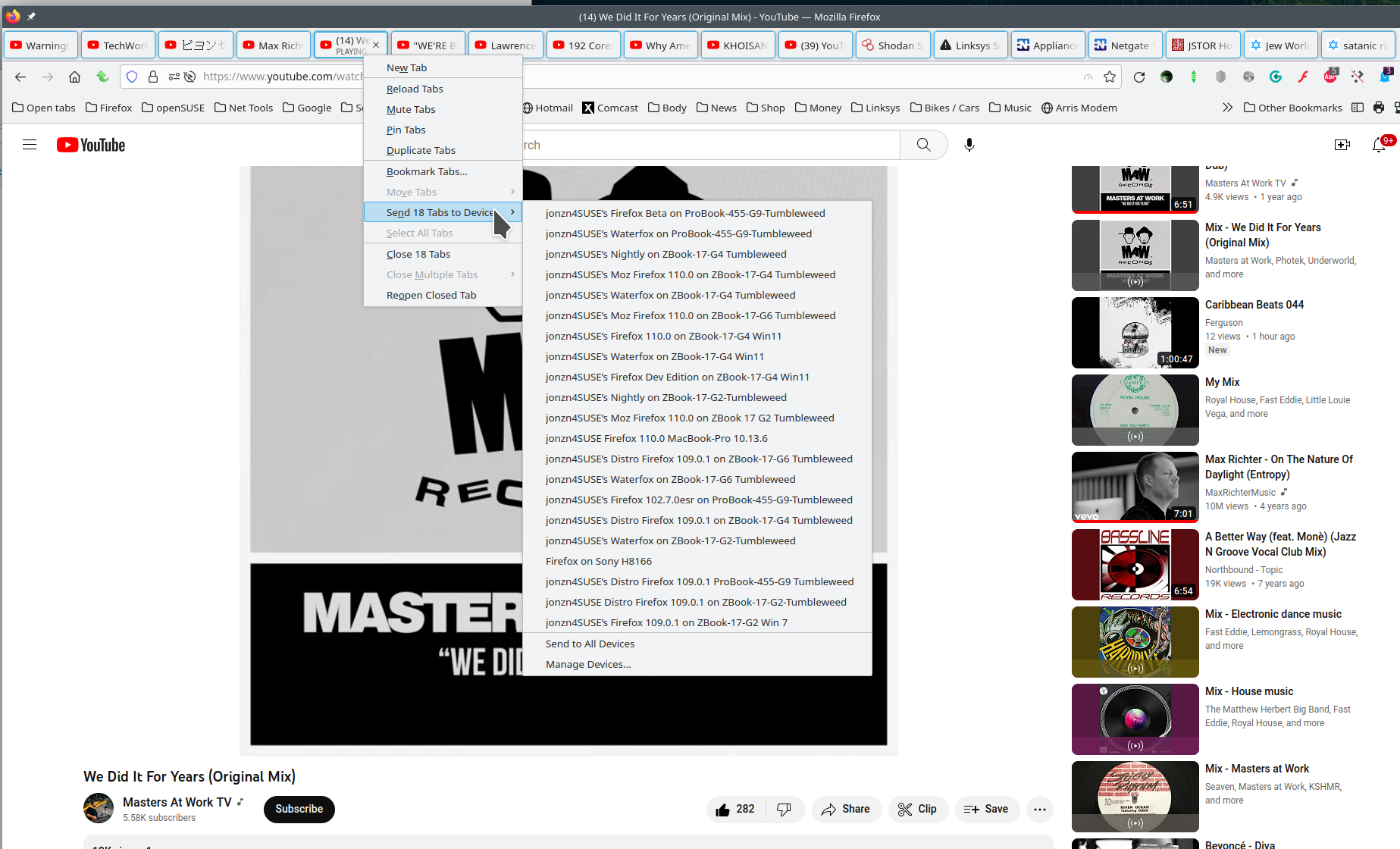
As a test, bookmark something and then see how fast it's synced to the other computer. Also try to send a tab to the other computer. Just right click on a tab and you should see the option to send. see screenshot What OS? What version of Firefox?
Ændret af jonzn4SUSE den