


downloading thunderbird 78 in windows 10
I recently started using Firefox and have been using g mail, tried to convert to Thunderbird and windows defender wont allow the installation. i don't want to disable windows defender, yet it has so many rules I'm not sure what I should do to allow the installation, can someone help?
Valgt løsning
you are the winner! i used edge to download 78.5.1, i have converted my g mail, and now i have Thunderbird, I really think it was all worth it - with the support i received it should be an outstanding app- now i have feel it out to get the most of the app, you probably will be hearing from me again. I can't thank you enough - thank you
Læs dette svar i sammenhæng 👍 0Alle svar (15)

... tried to convert to Thunderbird and windows defender wont allow the installation.
You'd need to be a little more specific. What exactly isn't allowed? A screenshot illustrating the problem may help. https://support.mozilla.org/kb/how-do-i-create-screenshot-my-problem
it took a moment to understand the process of capturing the screen, hopefully this will help with my problem
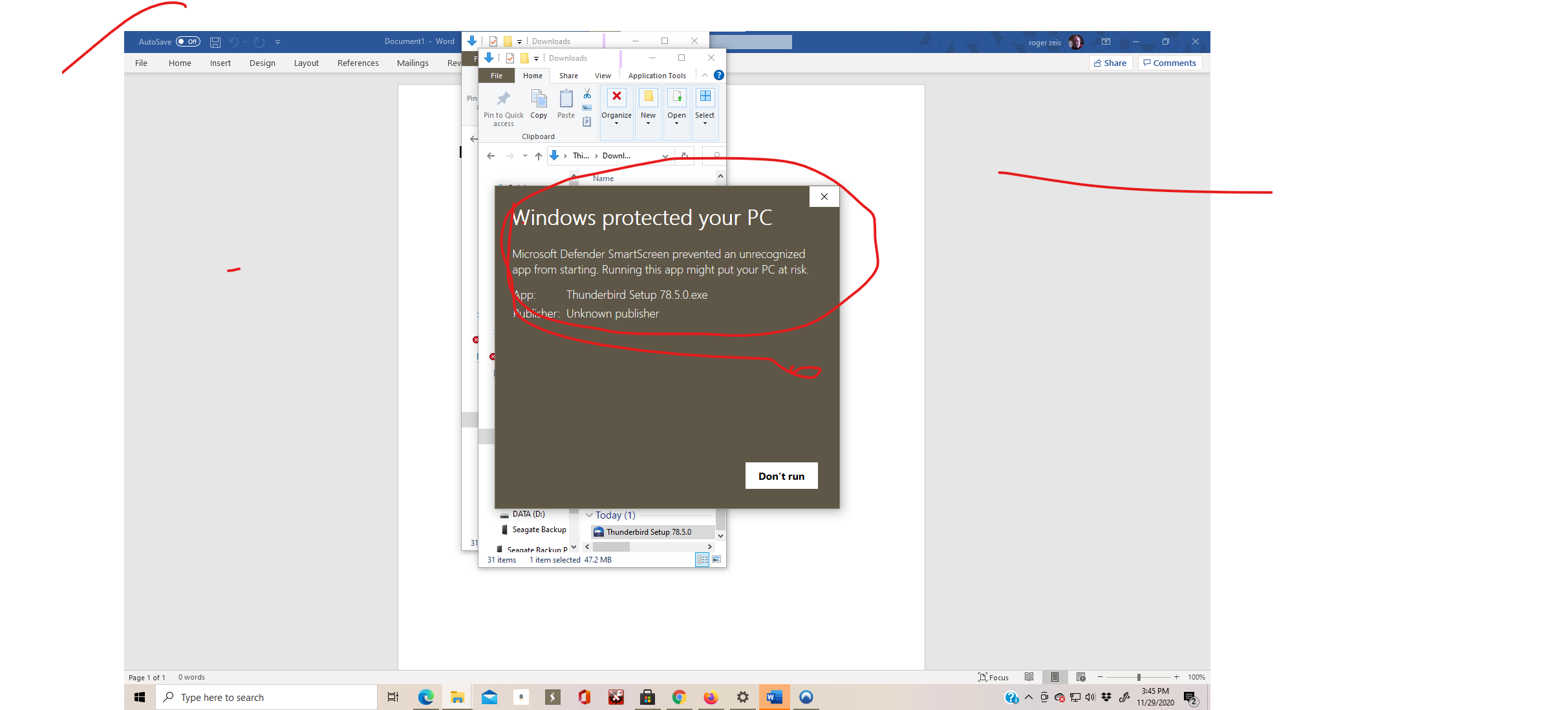
I do not know if this helps or not, but it "looks" to me like you may be using Windows 10S. To confirm your version and flavor, select START then the settings icon. Then select SYSTEM, scroll to the bottom and select ABOUT. Under "Windows Specifications" what does it show for "Edition"? I myself and using Windows 10 Pro and have never had this issue. I'm self-employed and practically all my clients use Win10Pro and the latest Thunderbird. Never seen this issue with any of them "EXCEPT" for one that had a computer with Windows 10S on it. By design, the "S" version will only allow apps downloaded from the Microsoft Store to be installed.
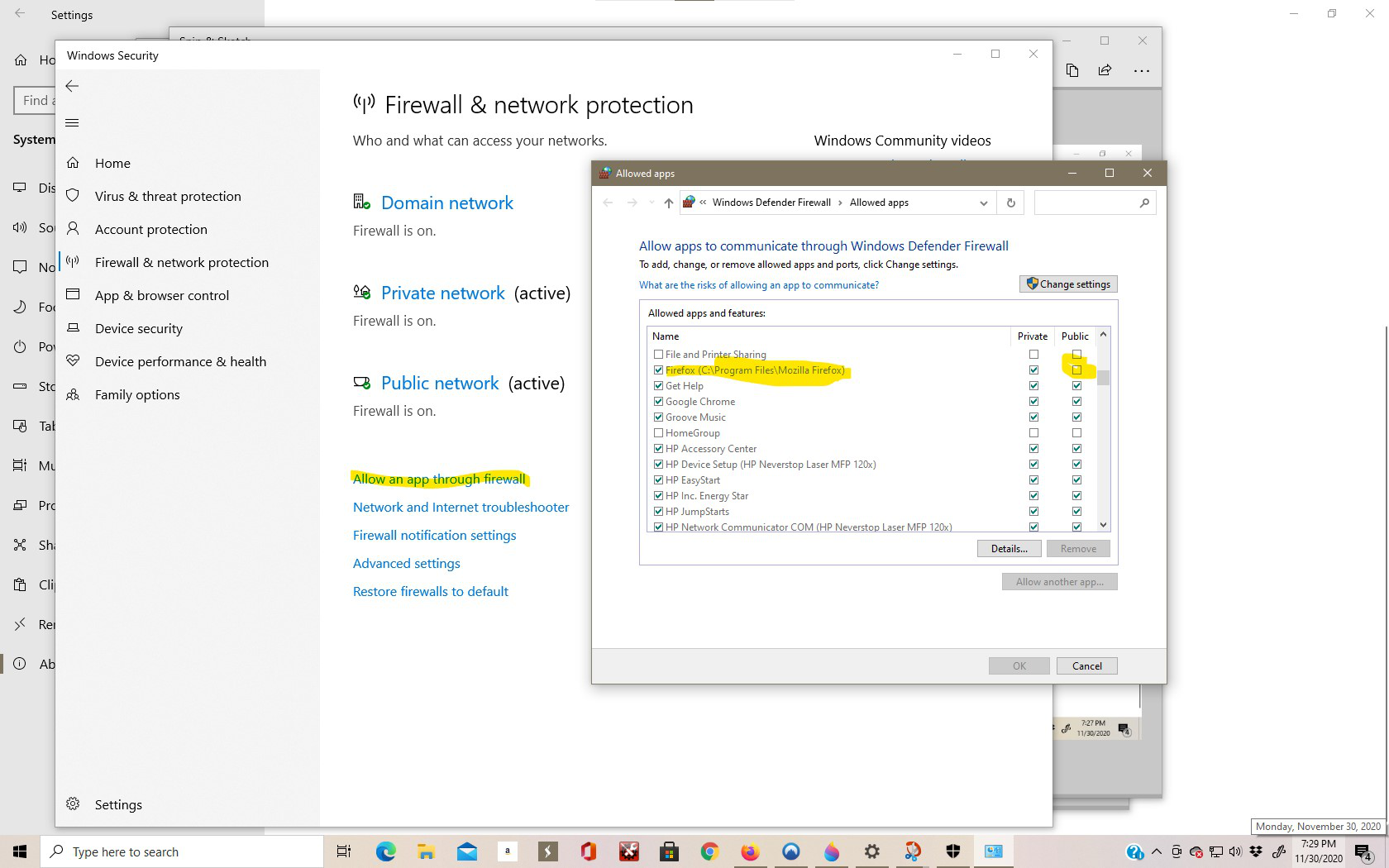
I've attached a couple of screen shots , it seems I have Windows 10 Home, on the security screen shot i highlighted a couple of things. when I go to "add a app" I can see where Mozilla is authorized for "private" not "Public"
I'm a Novice and would be cautious changing anything unless an experienced person said it would be good, If i were to allow "Public" would that allow Thunder Bird to load?
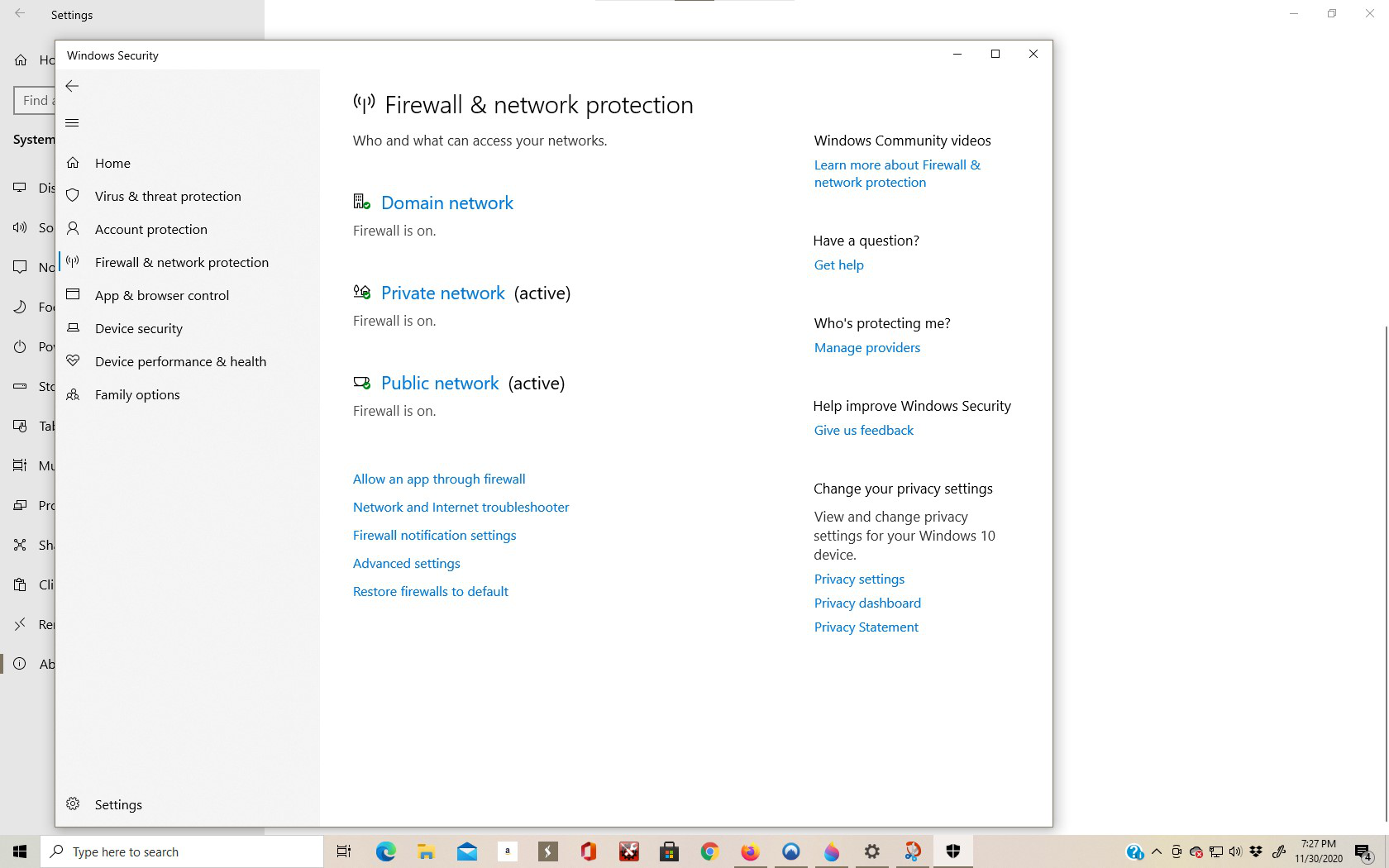

Let's leave the firewall alone for now. Open the Windows 10 Settings app > Apps > Apps & Features. Under the Installing apps heading, it says, "Choose where you can get apps from" and underneath it there is a drop down field. Which option does that field currently have?
Also, visit https://winaero.com/change-windows-smartscreen-settings-windows-10/ and check if Smartscreen is set to Warn and NOT block files. Warn is the default setting.
Lastly, make sure to download Thunderbird from thunderbird.net and NOT anywhere else.
Ændret af Stans den
the box shows "Anywhere"
after i replied to the first question i saw the rest of your input so far, "anywhere" is first answer, the smart screen doesn't reflect what the instruction shows (see screen shots attached) i will try the download per you suggestion and get back with you - same reject as before, see screen shot
i really appreciate your assistance , forgive me for not watching for replies all the time, it may take some time to catch up to you
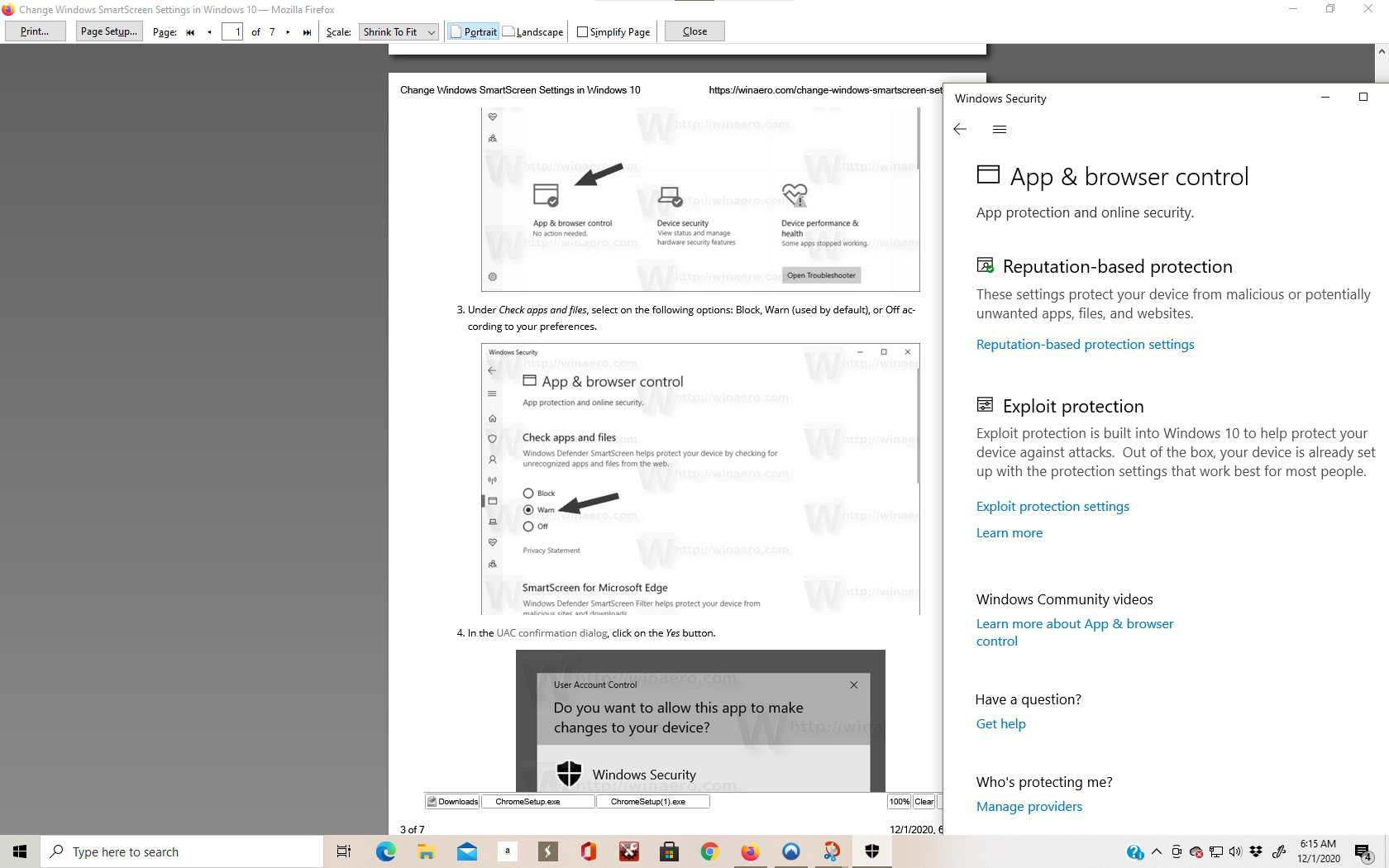
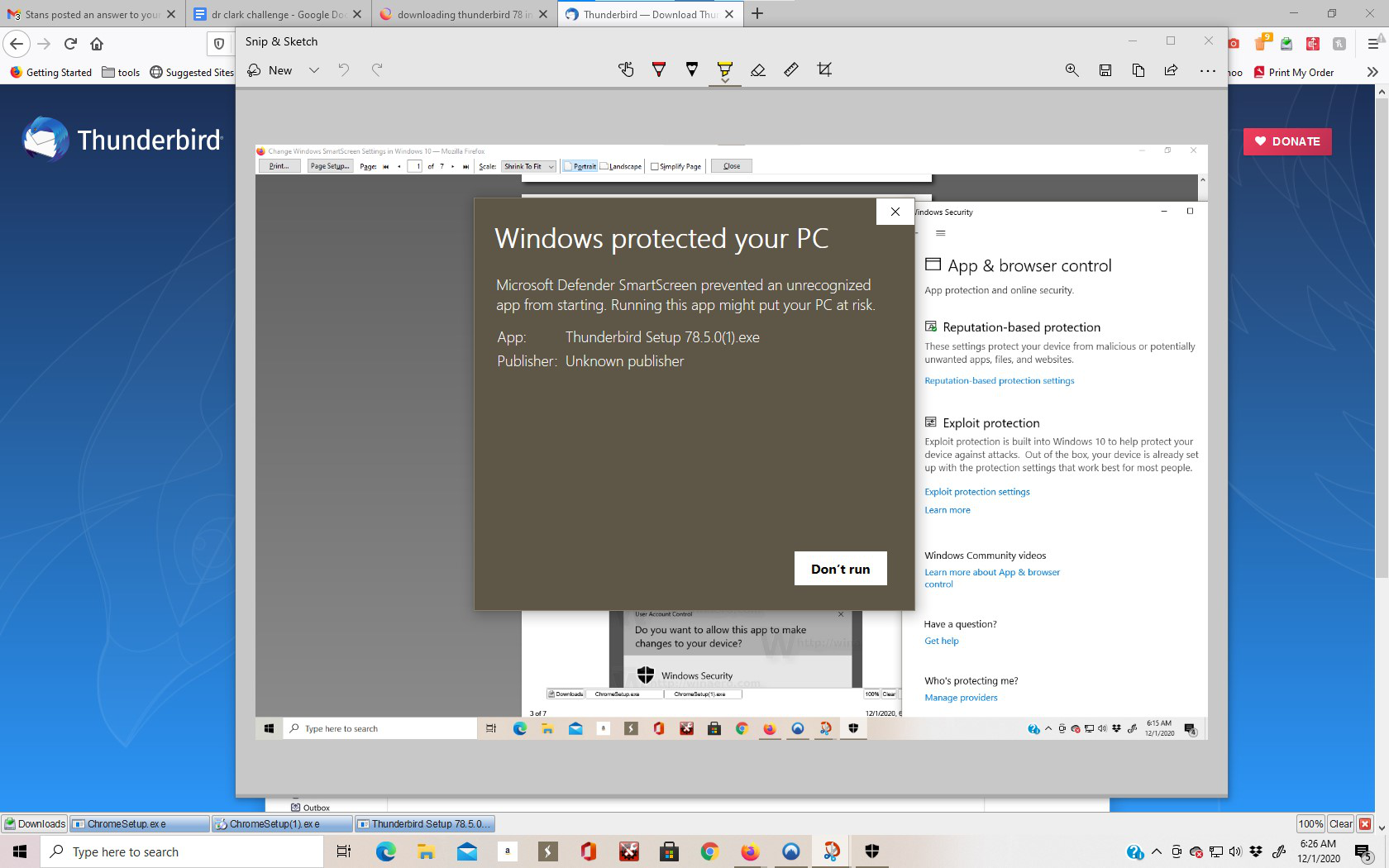
My best guess is you downloaded Thunderbird from an obscure source, and Windows Smart Screen is blocking the download because the file has not been seen yet.
For more information about Windows Smart Screen also see https://www.partitionwizard.com/partitionmagic/what-is-smartscreen.html
This is a Windows problem, not Thunderbird.
Ive disabled windows defender per the smartscreen, i am using System Mechanic, could that be giving me a problem now?
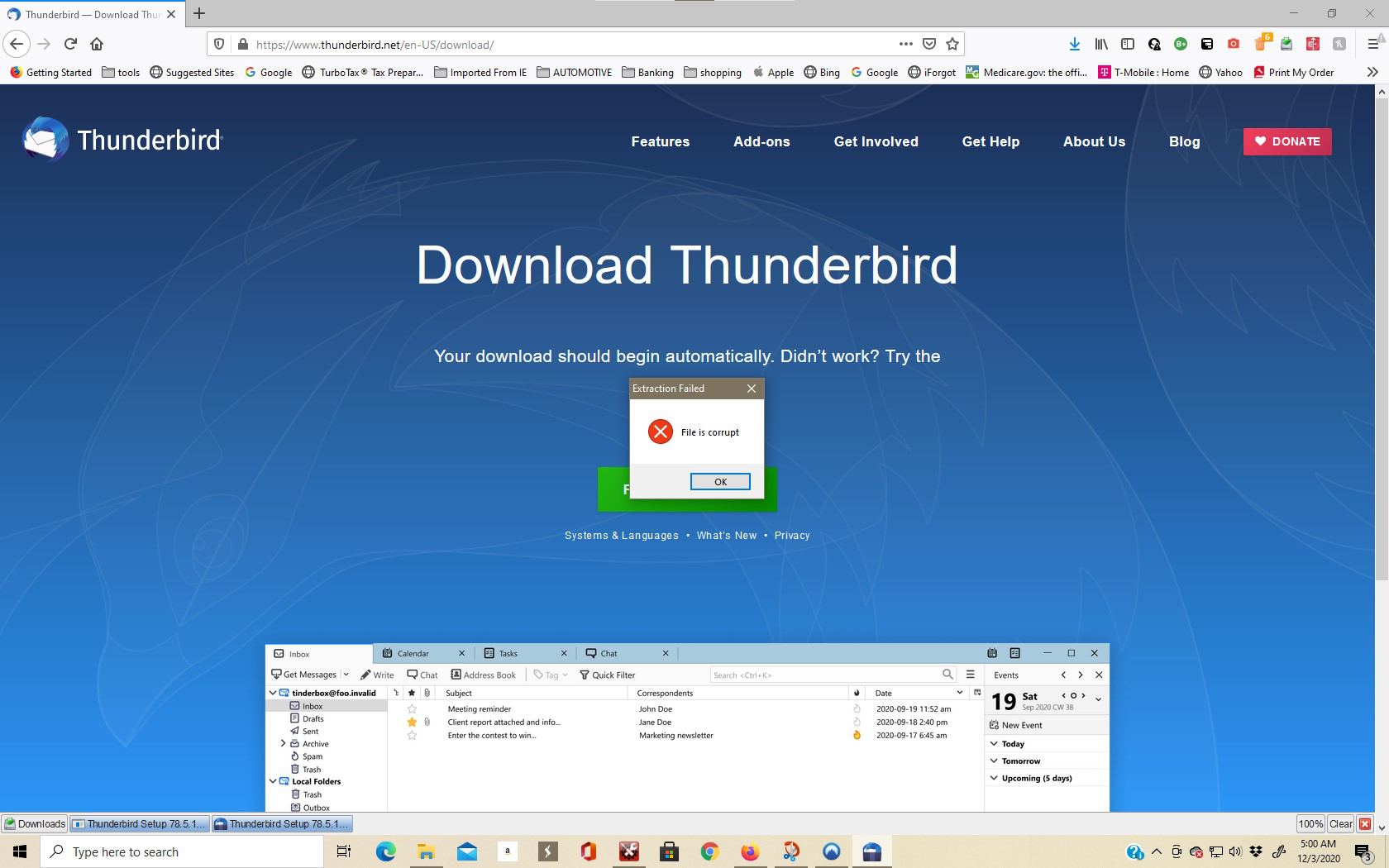
i have downloaded version 78.5.1 and figured that may work, now received different rejection "File corrupt" see screen shot
Chopper said
Ive disabled windows defender per the smartscreen, i am using System Mechanic, could that be giving me a problem now?
Starting with Windows 10 May 2020, the Smartscreen settings are placed under Reputation-based protection settings. The setting you want is under the Check apps and files section. I'm curious though, as to why Defender Smartscreen says the publisher is unknown, yet Thunderbird's setup file for Windows is digitally signed.
Ændret af Stans den
Something is corrupting that file during download or saving to disk. Try downloading using a different browser. You have Chrome and Edge, try them.
About System Mechanic, I wouldn't encourage less savvy users to use its "Registry tuning" function. See https://support.microsoft.com/en-us/help/2563254/microsoft-support-policy-for-the-use-of-registry-cleaning-utilities
Messing with the Windows Registry is a good way of trashing your system. If you will continue using it nonetheless, I hope you have a backup and recovery strategy in place.
Valgt løsning
you are the winner! i used edge to download 78.5.1, i have converted my g mail, and now i have Thunderbird, I really think it was all worth it - with the support i received it should be an outstanding app- now i have feel it out to get the most of the app, you probably will be hearing from me again. I can't thank you enough - thank you
You're welcome. Gmail is special, and this should help Thunderbird and Gmail Also check out https://support.mozilla.org/en-US/questions/1297248