


Websites do not display embedded tweets
News websites frequently embed tweets within the text. These display as blank boxes on some sites or not at all on others. Why? I already tried the safe mode and resetting embeds without success.
Valgt løsning
Can you post a link to a publicly accessible page (i.e. no authentication or signing on required) ?
It is possible that Twitter doesn't allow to embed tweets in an iframe via X-FRAME-OPTIONS in the HTTP response headers.
Firefox shows an highlighted shield icon at the left end of the location/address bar in case Tracking Protection is blocking content.
- click the shield icon for more details and possibly disable the protection
You can check in the Web Console what content is blocked.
- "3-bar" menu button or Tools -> Web Developer
- https://support.mozilla.org/en-US/kb/enhanced-tracking-protection-firefox-desktop
If you use extensions ("3-bar" menu button or Tools -> Add-ons -> Extensions) that can block content (Adblock Plus, NoScript, Disconnect, Ghostery, Privacy Badger, uBlock Origin) always make sure such extensions do not block content.
- make sure your extensions and filters are updated to the latest version
- https://support.mozilla.org/en-US/kb/troubleshoot-extensions-themes-to-fix-problems
Alle svar (4)
Valgt løsning
Can you post a link to a publicly accessible page (i.e. no authentication or signing on required) ?
It is possible that Twitter doesn't allow to embed tweets in an iframe via X-FRAME-OPTIONS in the HTTP response headers.
Firefox shows an highlighted shield icon at the left end of the location/address bar in case Tracking Protection is blocking content.
- click the shield icon for more details and possibly disable the protection
You can check in the Web Console what content is blocked.
- "3-bar" menu button or Tools -> Web Developer
- https://support.mozilla.org/en-US/kb/enhanced-tracking-protection-firefox-desktop
If you use extensions ("3-bar" menu button or Tools -> Add-ons -> Extensions) that can block content (Adblock Plus, NoScript, Disconnect, Ghostery, Privacy Badger, uBlock Origin) always make sure such extensions do not block content.
- make sure your extensions and filters are updated to the latest version
- https://support.mozilla.org/en-US/kb/troubleshoot-extensions-themes-to-fix-problems
On foxnews, I see "Whoops! We couldn't access this Tweet" for all embedded tweets. I've tried disabling the shield for that page and and refreshing that page, but's still there. I've gone to security and privacy and changed the settings to custom and turned off cookie protection and refreshed the page. But the problem remains.
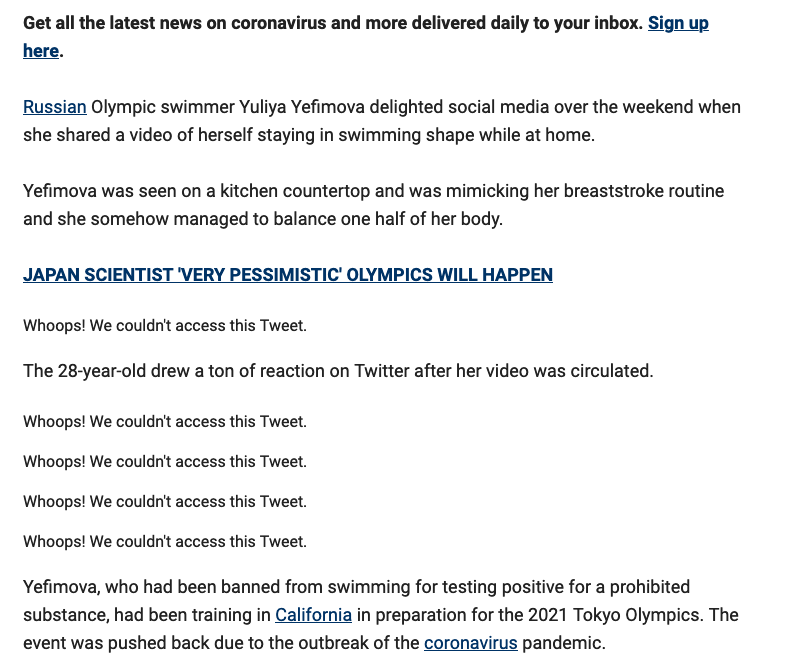
Ændret af bkarlan den
Hi bkarlan
Did you check the Web Console to see if there is a more clear message about for what reason the tweets are blocked ?
- "3-bar" menu button or Tools -> Web Developer
- https://developer.mozilla.org/en-US/Tools/Web_Console
Can you post a link to a publicly accessible page (i.e. no authentication or signing on required) ?
I'm afraid that is of no help to me. I'm not a programmer. However, it is working now for some odd reason.
https://www.foxnews.com/sports/russian-olympian-yuliya-yefimova-quarantined