


How to disable the selected text Twitter/Email Popup of Page Actions

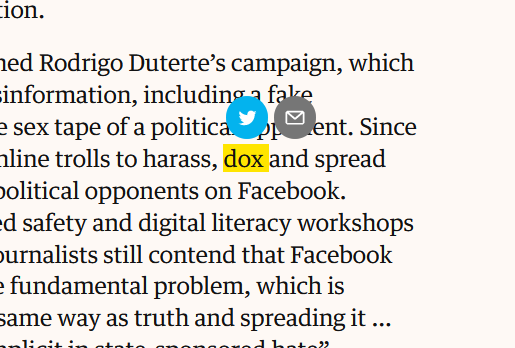
A new feature (Firefox 73), presumably related to the URL bar Page Actions, is the popup of twitter and email icons that appears when text is selected on a webpage. The text is also yellow highlighted. This behavior occurs in safe mode, so it must be a Firefox feature.
The popup is intrusive. How is it disabled?
Valgt løsning
I haven't seen that, perhaps it is a feature of that website. Do you want to share a link to a page or two where you've seen that behavior?
Læs dette svar i sammenhæng 👍 0Alle svar (2)
Valgt løsning
I haven't seen that, perhaps it is a feature of that website. Do you want to share a link to a page or two where you've seen that behavior?
I think you're right.
I was on The Guardian https://www.theguardian.com. I frequent that site but never saw the popup before. Firefox updated recently, so I assumed that was it.
Thanks for responding.