


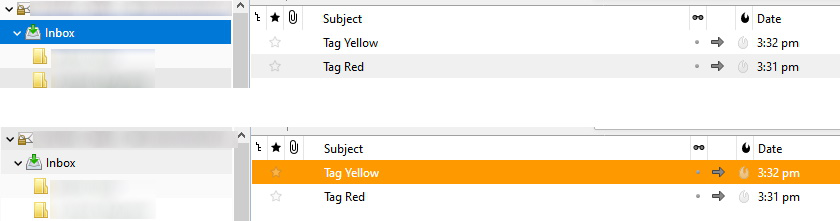
Email tags does not change the color of the email subject like before
I dunno if I just click on something or an update did this but I noticed that when I click on an email, there is a blue highlight background.
Also, the color tags does not color the subject unless I click the email itself then the background highlight will change to the color of the tag.
How do I revert it back to before where I can see immediately which emails were tagged?
I've attached a screenshot.
I dunno if I just click on something or an update did this but I noticed that when I click on an email, there is a blue highlight background.
Also, the color tags does not color the subject unless I click the email itself then the background highlight will change to the color of the tag.
How do I revert it back to before where I can see immediately which emails were tagged?
I've attached a screenshot.
Ændret af jen_villacrusis den
Valgt løsning
Do you have the ReminderFox add-on? It's known to hide tag colors in the Threads Pane.
Læs dette svar i sammenhæng 👍 1Alle svar (2)
Valgt løsning
Do you have the ReminderFox add-on? It's known to hide tag colors in the Threads Pane.
sfhowes said
Do you have the ReminderFox add-on? It's known to hide tag colors in the Threads Pane.
Thank you! This absolutely fix it!