


whitelisting sender in Thunderbird

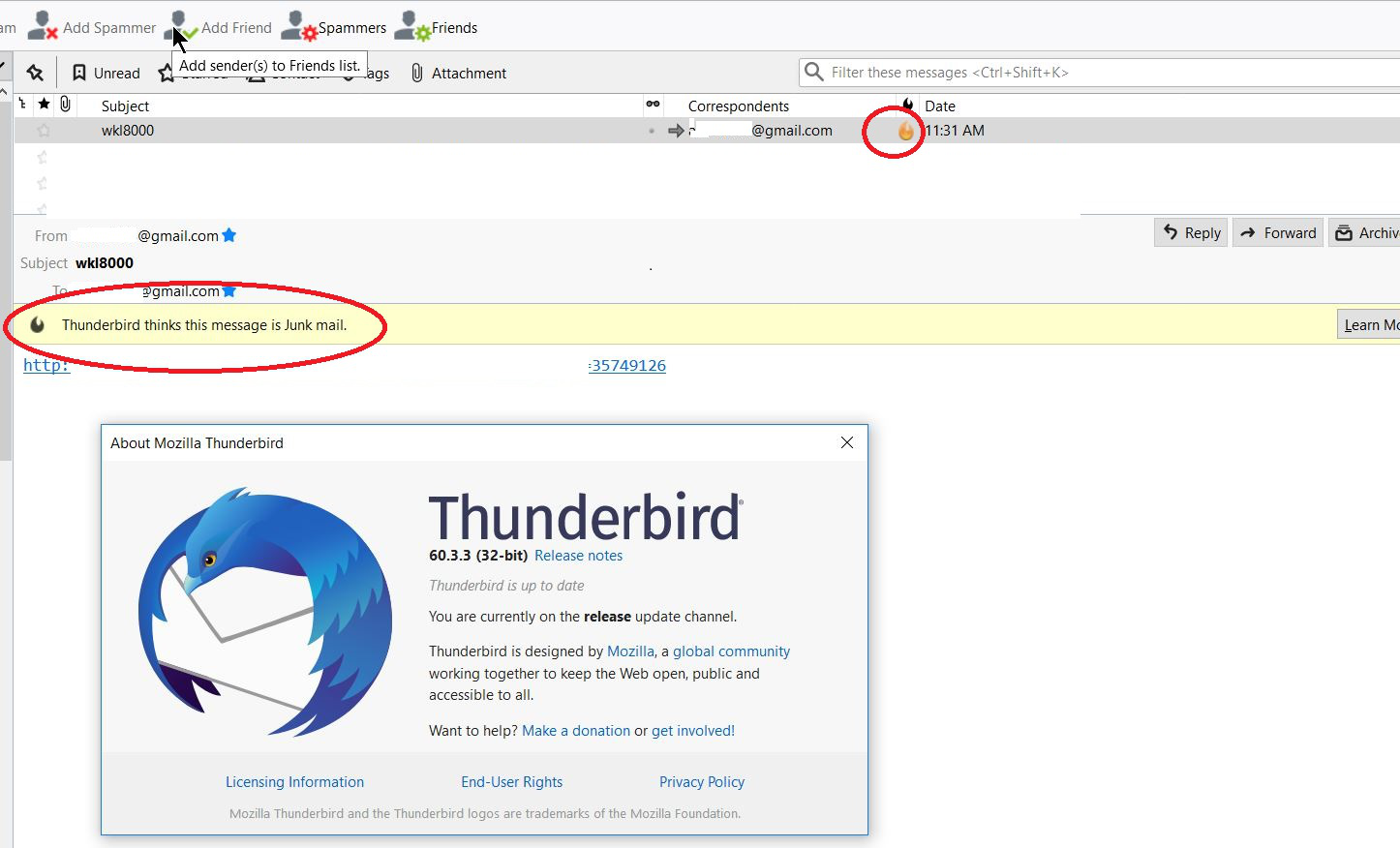
When I send email in thunderbird from my own gmail account to SAME gmail account, and this account is in my address book, Thunderbird (version 60.3.3) thinks its junk mail. I saw an answer on https://support.mozilla.org/en-US/questions/1176221that states that email address on address book would whitelist the sender but this is NOT the case - at least not on version 60.3.3 (latest, running on windows 10 x64)
How can I whitelist MYSELF ??
Alle svar (2)
NOT a reply - just adding screen snapshot of the issue
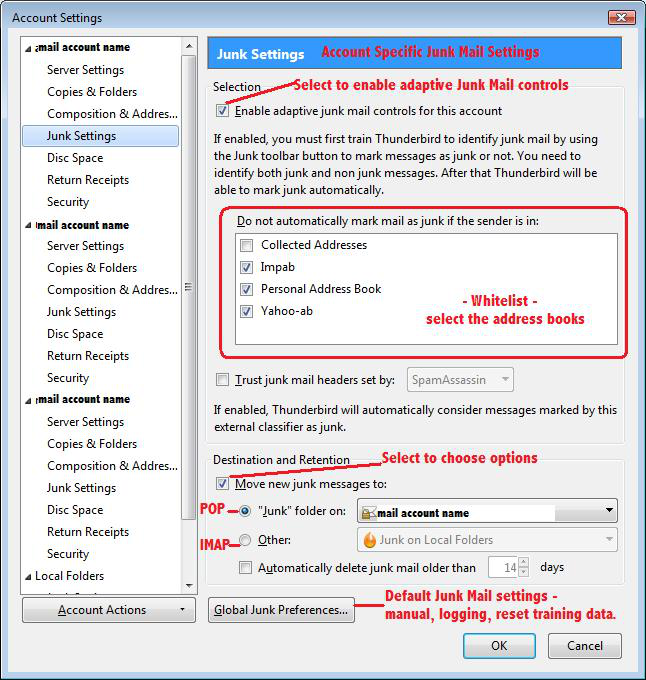
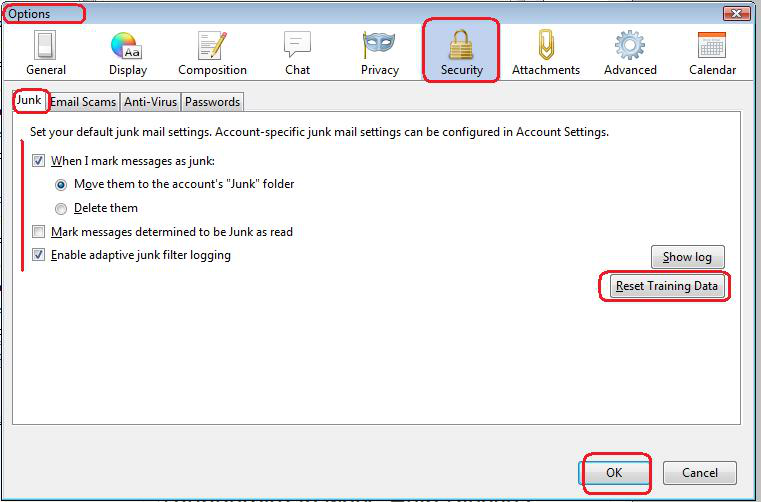
email address needs to be in an address book and that address book needs to be selected to act as a whitelist in the Junk Settings for the account. Right click on mail account in Folder Pane and select 'Settings' select 'Junk settings' set up adaptive junk controls and then train Thundrebird to understand what is and what is not junk.
see images below as guide:
But first you must select that email as 'not Junk'.
It is also advised that you do not send emails that mimic the sort of emails sent by spammers.
Info link: https://support.mozilla.org/en-US/kb/thunderbird-and-junk-spam-messages
Ændret af Toad-Hall den