


how to over-ride security when site TLS deemed insecure?

When I try to open website pages that I have been using for years I get a security message telling me that the site is using out-of-date TLS security. I am then unable to enter the website. This is proving extremely annoying as a few of these sites are essential to my work and I know them to be absolutely OK.
I am prepared to take any risk involved. How do I over-ride the security bar?
Alle svar (4)
The site works fine here.
You can try these steps in case of issues with web pages:
You can reload web page(s) and bypass the cache to refresh possibly outdated or corrupted files.
- Hold down the Shift key and left-click the Reload button
- Press "Ctrl + F5" or press "Ctrl + Shift + R" (Windows,Linux)
- Press "Command + Shift + R" (Mac)
Clear the cache and remove cookies only from websites that cause problems.
"Clear the Cache":
- Firefox/Tools > Options > Advanced > Network > Cached Web Content: "Clear Now"
"Remove Cookies" from sites causing problems:
- Firefox/Tools > Options > Privacy > "Use custom settings for history" > Cookies: "Show Cookies"
Start Firefox in Safe Mode to check if one of the extensions (Firefox menu button/Tools > Add-ons > Extensions) or if hardware acceleration is causing the problem.
- Switch to the DEFAULT theme: Firefox menu button/Tools > Add-ons > Appearance
- Do NOT click the Reset button on the Safe Mode start window
- https://support.mozilla.org/kb/Safe+Mode
- https://support.mozilla.org/kb/Troubleshooting+extensions+and+themes
Boot the computer in Windows Safe Mode with network support (press F8 on the boot screen) to see if that helps.
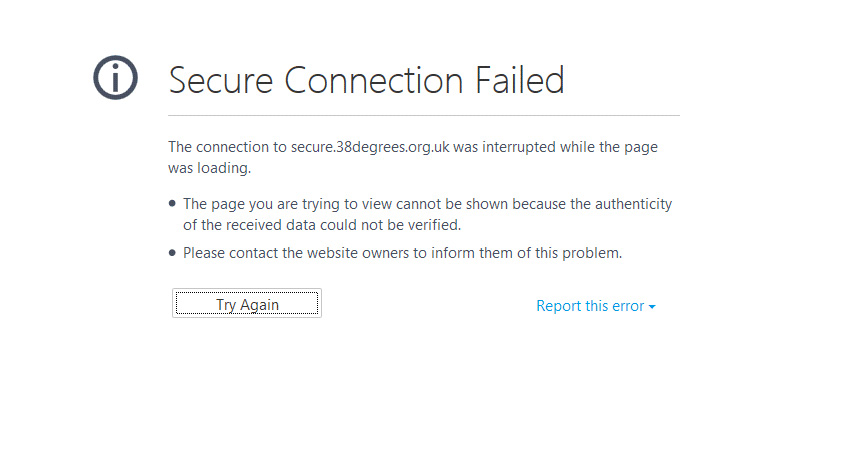
The problem with that error page is lack of technical detail -- it really isn't possible from your screenshot to determine the nature of the problem.
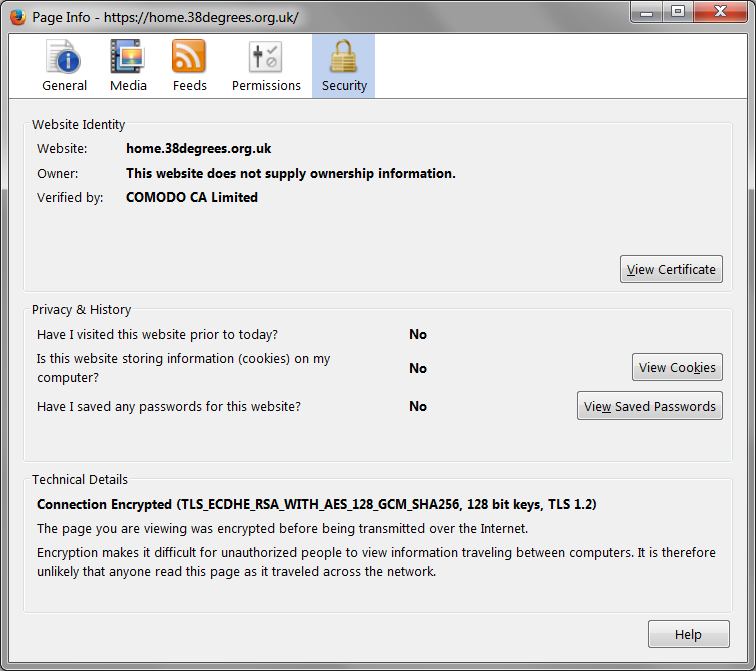
When I load the home page and check the Page Info dialog, Security panel, the connection looks strong (attached screen shot). I've only made two settings changes related to SSL/TLS, which are to turn off two old ciphers related to the Logjam attack. I'll mention how to do that at the end in case it helps.
You mentioned a problem sites plural; is this a general pattern? Have you been adding any exceptions recently? We really should investigate in that case, it might be simply a need to address a compatibility issue with your security software or an office proxy server.
Here's the fix to avoid blocked connections for servers using old ciphers vulnerable to a Logjam attack:
(1) In a new tab, type or paste about:config in the address bar and press Enter. Click the button promising to be careful.
(2) In the search box above the list, type or paste dhe and pause while the list is filtered
(3) Double-click the security.ssl3.dhe_rsa_aes_128_sha preference to switch it from true to false (disable Firefox from using this cipher)
(4) Double-click the security.ssl3.dhe_rsa_aes_256_sha preference to switch it from true to false (disable Firefox from using this cipher)
Then try the site again; you might have to reload the page using Ctrl+Shift+r to bypass cached information.
I just want to make a general remark on the following:
This is proving extremely annoying as a few of these sites are essential to my work and I know them to be absolutely OK.
I am prepared to take any risk involved. How do I over-ride the security bar?
Unless there is a problem with the server configuration on the other end -- which is rare for well-run sites -- the usual reason for Firefox to block a secure connection is that the site certificate cannot be verified, in other words, the site's certificate looks like a forgery. Therefore, even if you trust the site you are trying to visit -- which obviously you do -- what Firefox is saying is that the invalid certficate should make you suspicious that you actually are about to connect with a site or intermediary server other than the one you were expecting.
Of course, if this is a site that doesn't involve any sensitive information, and theft of your account there has no consequence, then who cares. But if you do have some interest in maintaining control of and protecting the confidentiality of your account on that server, it makes sense to investigate before making any exception.