


Google sign in tasking forever on Firefox desktop

So, I'm trying to sign in to D&D Beyond with my google account. It works fine on my phone but when I try to do it on my desktop it just endlessly loads. I've already tried turning my pc off and on again and clearing cookies. Has anyone else had a similar problem.
Izabrano rješenje
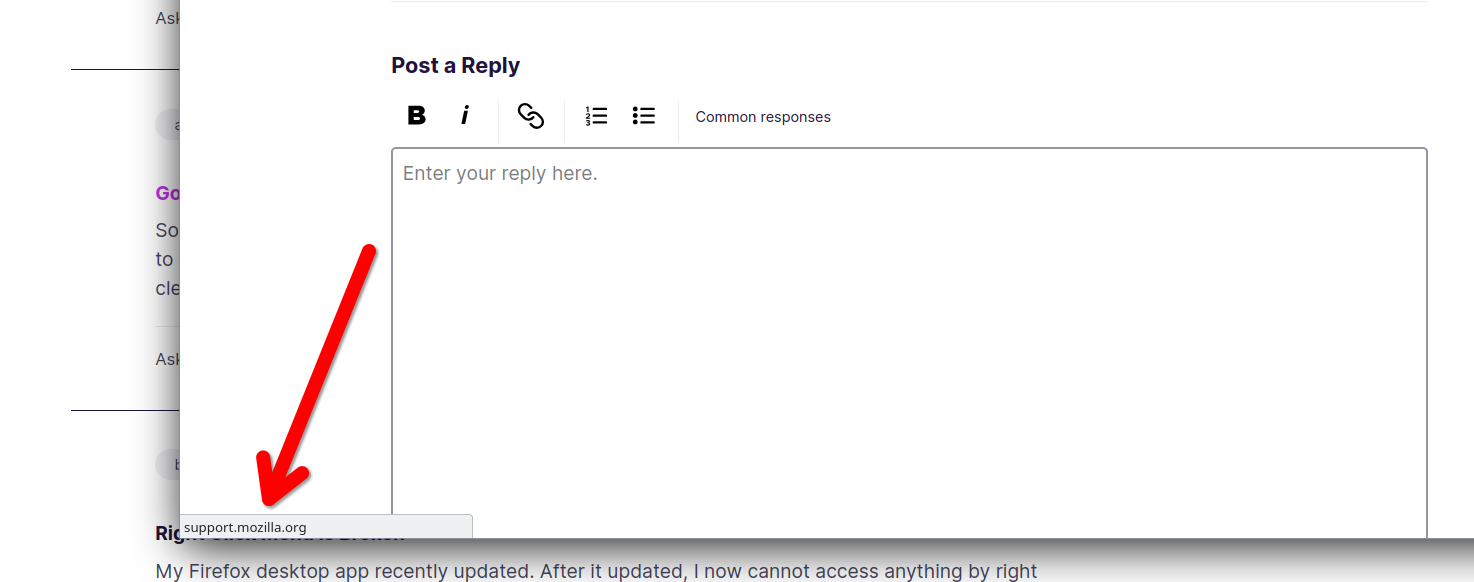
What OS? What version of Firefox? Sounds like something is being blocked. While it's trying to load, what do you see in bottom left corner of the browser? see screenshot example Post a screenshot. Do you have the same issue with Firefox in Troubleshoot Mode? https://support.mozilla.org/en-US/kb/diagnose-firefox-issues-using-troubleshoot-mode#w_how-to-start-firefox-in-4troubleshoot-modesf5safe-modesf
Did you try clearing the browser cache? https://support.mozilla.org/en-US/kb/how-clear-firefox-cache#
Pročitajte ovaj odgovor sa objašnjenjem 👍 0All Replies (2)
Odabrano rješenje
What OS? What version of Firefox? Sounds like something is being blocked. While it's trying to load, what do you see in bottom left corner of the browser? see screenshot example Post a screenshot. Do you have the same issue with Firefox in Troubleshoot Mode? https://support.mozilla.org/en-US/kb/diagnose-firefox-issues-using-troubleshoot-mode#w_how-to-start-firefox-in-4troubleshoot-modesf5safe-modesf
Did you try clearing the browser cache? https://support.mozilla.org/en-US/kb/how-clear-firefox-cache#
Izmjenjeno od strane jonzn4SUSE
jonzn4SUSE said
What OS? What version of Firefox? Sounds like something is being blocked. While it's trying to load, what do you see in bottom left corner of the browser? see screenshot example Post a screenshot. Do you have the same issue with Firefox in Troubleshoot Mode? https://support.mozilla.org/en-US/kb/diagnose-firefox-issues-using-troubleshoot-mode#w_how-to-start-firefox-in-4troubleshoot-modesf5safe-modesf Did you try clearing the browser cache? https://support.mozilla.org/en-US/kb/how-clear-firefox-cache#
I'm using windows 11 and my version of firefox is 134.0.2 (64-bit). I tried it in troubleshoot mode ant it worked. Thanks. I got a new pc recently and decided to switch to Firefox so I'm still figuring things out.
Izmjenjeno od strane Ryan