


make Inbox show "Headers"

Running "Mozilla Thunderbird v115.18.0 (64-bit)" on my Windows 7 laptop. I want the Inbox to display "Headers" such as "Date", "Size", etc. But I cannot seem to make this happen. Please help me. Thank you, Ron
Chosen Solution
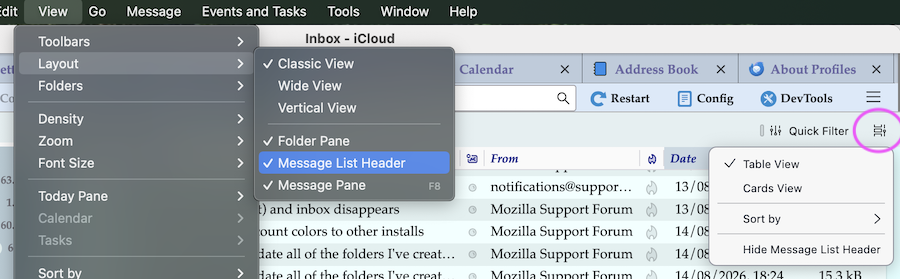
First go to menu View > Layout and make sure that "Message List Header" is enabled. Then click on the button (marked by the circle in my image) on the right next to Quick Filter and select "Table View"
All Replies (7)
Please remove your email address form the image

Switch to table view. Button is at top right.
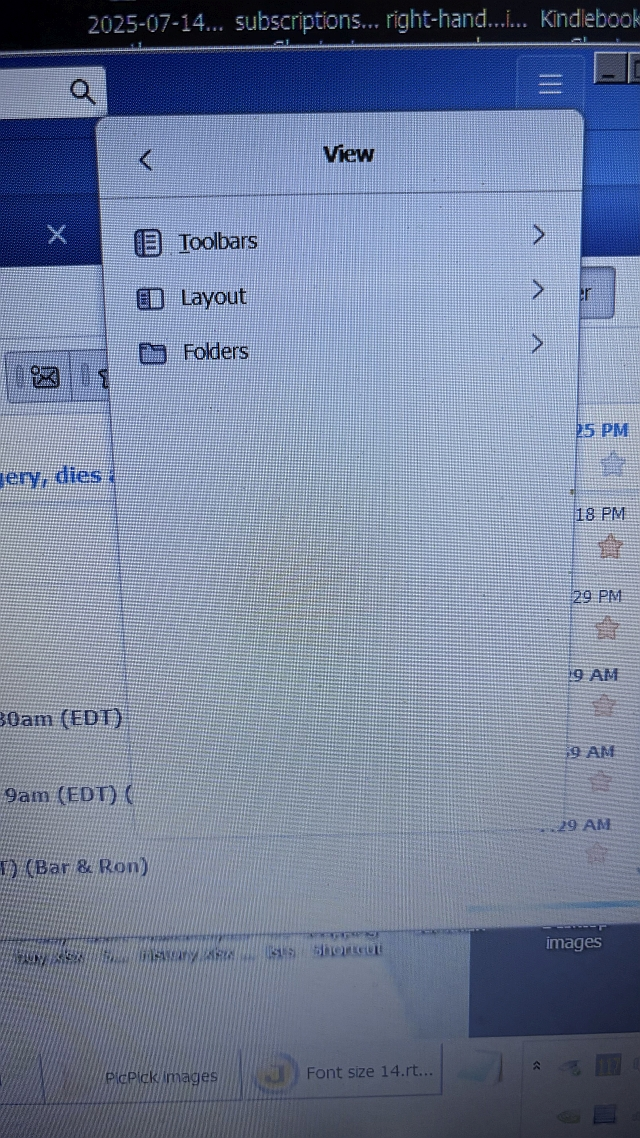
Thanks for your reply. But when I click on "View" the only options are "Toolbars", "Layout", & "Folders". I see no "Table" option. See attached jpg.
To show headers, click View>headers>all
Thanks, David. But that didn't work. Please look at my reply to Rick.
Chosen Solution
First go to menu View > Layout and make sure that "Message List Header" is enabled. Then click on the button (marked by the circle in my image) on the right next to Quick Filter and select "Table View"
Thanks, Mapenzi. You have more patience for posting screen images than I do.