


The 'Customise Menu" function does nothing in v153.0.1 (64-bit)
Windows 11 Pro 64bit. I actually want to customise the tool bar - right click on that, you get 'Customise Menu", which does nothing. All I'm trying to do is recover the layout I had before this update. Calendar is missing for example.
All Replies (3)
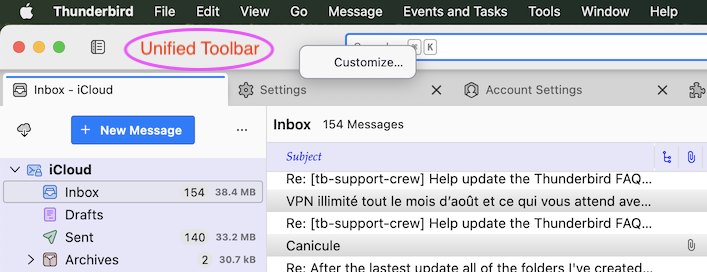
You have to R-click on the "Unified Toolbar" >> "Customize" to open the "Customize" window. My screen shot has been made on a Mac but it's similar in the Windows Thunderbird version.
Chosen Solution
Thanks for your reply Mapenzi - actually the Windows version is different, it doesn't have a "Unified Toolbar".
However, when the update installed and launched thereafter, there were the issues. Later today I shut the PC down, just got back from some errands and when I restarted the PC, low and behold most of the missing items are back! 'Customise Menu" also works!
The "Unified Toolbar" exists since Thunderbird 115 for Windows version as well as macOS and Linux versions
https://support.mozilla.org/en-US/kb/unified-toolbar#thunderbird:win11:tb153
Modified by Mapenzi