


The Cache is never completely cleared, why?

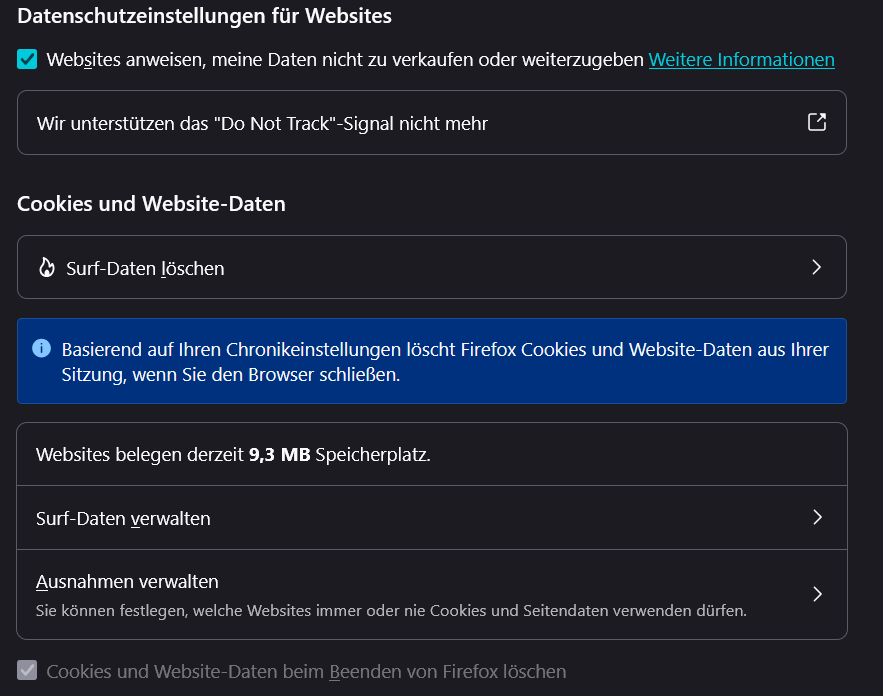
According to my settings, Firefox should clear the cache completely. Bur it is never fully cleared, there are always about. 9.3 MB left at the temporary data. It should be 0 MB. Even clearing the cache "manually" does not clear it completely. HOW CAN I CLEAR MY CACHE COMPLETELY? (Firefox / Windows 11)
See two attached Screenshots
According to my settings, Firefox should clear the cache completely. Bur it is never fully cleared, there are always about. 9.3 MB left at the temporary data. It should be 0 MB. Even clearing the cache "manually" does not clear it completely. HOW CAN I CLEAR MY CACHE COMPLETELY?
(Firefox / Windows 11)
See two attached Screenshots

All Replies (1)
Hi there,
This question appears to be a duplicate of /questions/1577028. As a moderator, I’ll go ahead and lock this thread to keep the discussion in one place.
Thanks for your understanding!