


In Thunderbird, how can I stop text in the previous emails in a string turning blue?

In Thunderbird, how can I stop text in the previous emails in a string turning blue?
I have looked everywhere in Settings where colour is mentioned and everything is set to black text on a white background. Nothing is set to blue.
I do not want to see blue text anywhere.
Please advise.
Chosen solution
I was not aware of the colour menu in Settings (it's new in the 14x versions), but it's definitely the simplest way to set the colour of quoted text. The add-on offers more options, and here is the code for the css method:
blockquote[type=cite]
{
  color: navy !important;
  background-color: RGB(245,245,245) !important;
}

blockquote[type=cite] blockquote
{
  color: maroon !important;
  background-color: RGB(235,235,235) !important;
}

blockquote[type=cite] blockquote blockquote
{
  color: green !important;
  background-color: RGB(225,225,225) !important;
}

blockquote[type=cite] blockquote blockquote blockquote
{
  color: purple !important;
  background-color: RGB(215,215,215) !important;
}

blockquote[type=cite] blockquote blockquote blockquote blockquote
{
  color: teal !important;
  background-color: RGB(205,205,205) !important;
}

/* Quoted text colour for plain text */
span[_moz_quote="true"] {
  color: navy !important;
  background-color: mistyrose !important;
}
pre[_moz_quote="true"] {
  color: navy !important;
  background-color: mistyrose !important;
}
Help/Troubleshooting Info, Profile Folder, Open Folder, close TB, create a new folder named chrome, create a new document in chrome with a text editor, name it userContent.css, Save as type: All files *.*, copy in the above code, change the colours as desired. Double-click toolkit.legacyUserProfileCustomizations.stylesheets to true in Settings/General/Config. editor, restart TB.
video: How to create a css file (Firefox or TB)
Read this answer in context 👍 1All Replies (12)
Quoted text is only a colour other than black if you have colours set in a userContent.css file or an add-on. See if it's different in Help/Troubleshoot Mode, which disables add-ons and css.
Thank you so much for replying. I have two email addresses and so, in Troubleshoot mode, I sent several test messages between the two, but the messages in the string still turned blue. Then in normal mode again, I disabled my only add-on and removed my only extension, but still no good, so I reinstated them. I don't know how to see if I have any .css files, but if Troubleshoot mode would have disabled them, anyway, I guess I have checked that. I guess I will just have to live with it. Thanks again, anyway.
Just to be clear, post a screenshot that shows the blue text in 'the string', The attached picture shows quoted text in black for a reply made in Troubleshoot Mode.
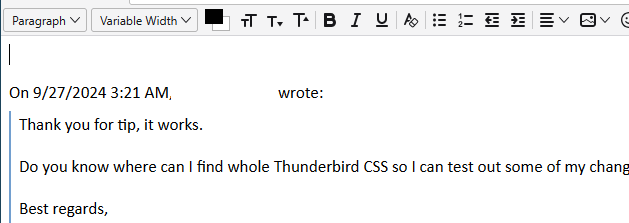
Thanks for your patience with this. I have blacked out my identity. No offence meant.
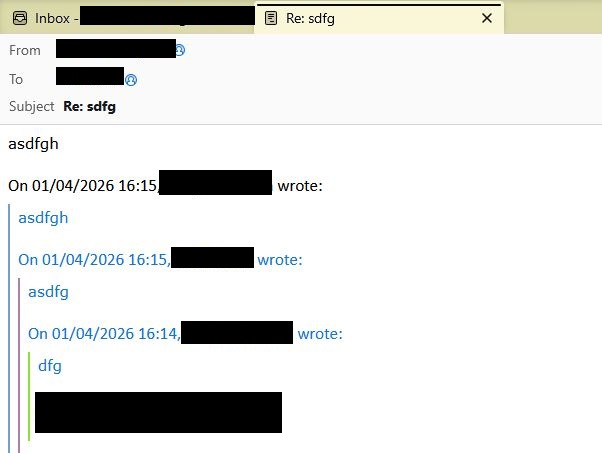
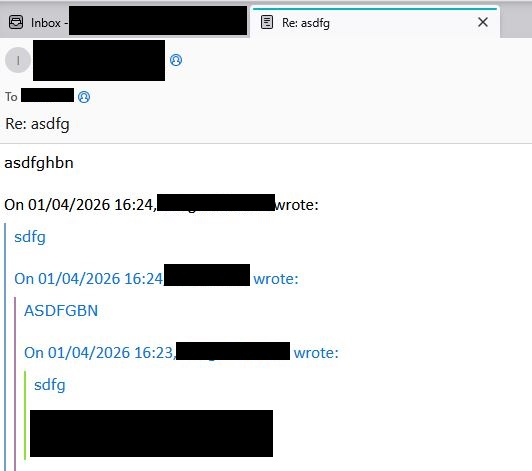
I can confirm that the quoted text colour remains light blue in troubleshoot mode, but not for all messages. It seems to depend on whether the message was composed in plain text or html format. Plus, I can't determine the colour setting in Config. editor for this element.
There is an add-on for setting the quoted text colours, but I find it doesn't work on all html messages. You can test it to see if it's adequate for your purposes.
The method I use applies a userContent.css file to set the colours for multiple quote levels, and seems to work for all messages. Let me know if you want the details. It's a slightly more complex method, but requires only simple file management operations.
Well, I'm extremely grateful for the add-on recommendation. It has 90% solved it, but I still get one message in the string appearing blue.
I attach an example, plus all the options I have set up regarding colour. I can't see what I've missed, but hope that you can.
If you can't see what's wrong, then do send me the details re. the userContent.css file, but I'll need very detailed instructions as I am a real novice at computer coding.
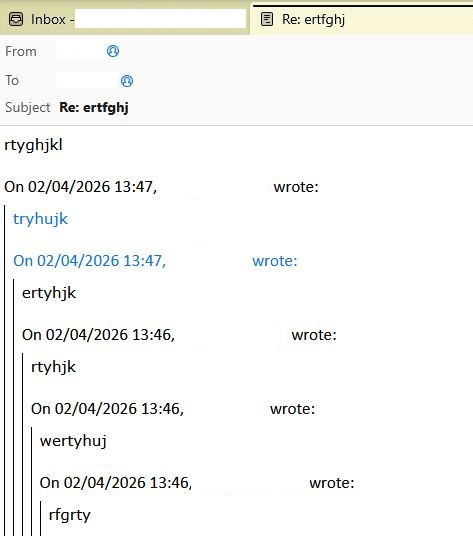
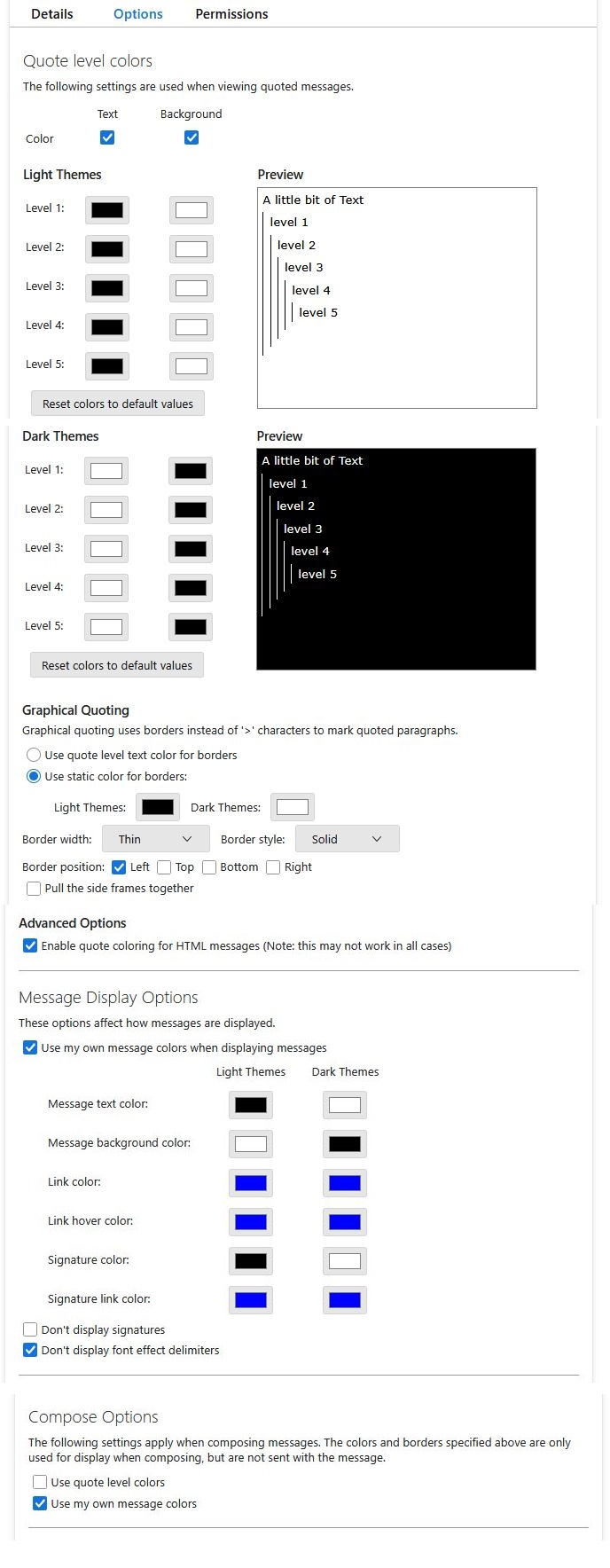
It looks like you have a setting for Plain Text messages to be quoted using Blue Text.
- Settings > General
- Scroll down to the 'Reading & Display' section
- locate: 'Plain Text Messages'
- 'When displaying quoted plain text messages'
- There will be a small Blue rectangle - click on it
- Choose your prefered colour.
- Click on Ok
Chosen Solution
I was not aware of the colour menu in Settings (it's new in the 14x versions), but it's definitely the simplest way to set the colour of quoted text. The add-on offers more options, and here is the code for the css method:
blockquote[type=cite]
{
  color: navy !important;
  background-color: RGB(245,245,245) !important;
}

blockquote[type=cite] blockquote
{
  color: maroon !important;
  background-color: RGB(235,235,235) !important;
}

blockquote[type=cite] blockquote blockquote
{
  color: green !important;
  background-color: RGB(225,225,225) !important;
}

blockquote[type=cite] blockquote blockquote blockquote
{
  color: purple !important;
  background-color: RGB(215,215,215) !important;
}

blockquote[type=cite] blockquote blockquote blockquote blockquote
{
  color: teal !important;
  background-color: RGB(205,205,205) !important;
}

/* Quoted text colour for plain text */
span[_moz_quote="true"] {
  color: navy !important;
  background-color: mistyrose !important;
}
pre[_moz_quote="true"] {
  color: navy !important;
  background-color: mistyrose !important;
}
Help/Troubleshooting Info, Profile Folder, Open Folder, close TB, create a new folder named chrome, create a new document in chrome with a text editor, name it userContent.css, Save as type: All files *.*, copy in the above code, change the colours as desired. Double-click toolkit.legacyUserProfileCustomizations.stylesheets to true in Settings/General/Config. editor, restart TB.
The css method worked. Thank you SO MUCH!
FYI, as I said in my original question: ‘I have looked everywhere in Settings where colour is mentioned and everything is set to black text on a white background. Nothing is set to blue.’ In fact, you can set both General/Plain Text Messages to any colour you like (and Composition/HTML Style to any colour you like), but the string of previous emails will always be blue.
Thank goodness I have now over-ruled this - for good, I hope!