


Profiles not showing correctly and cannot edit

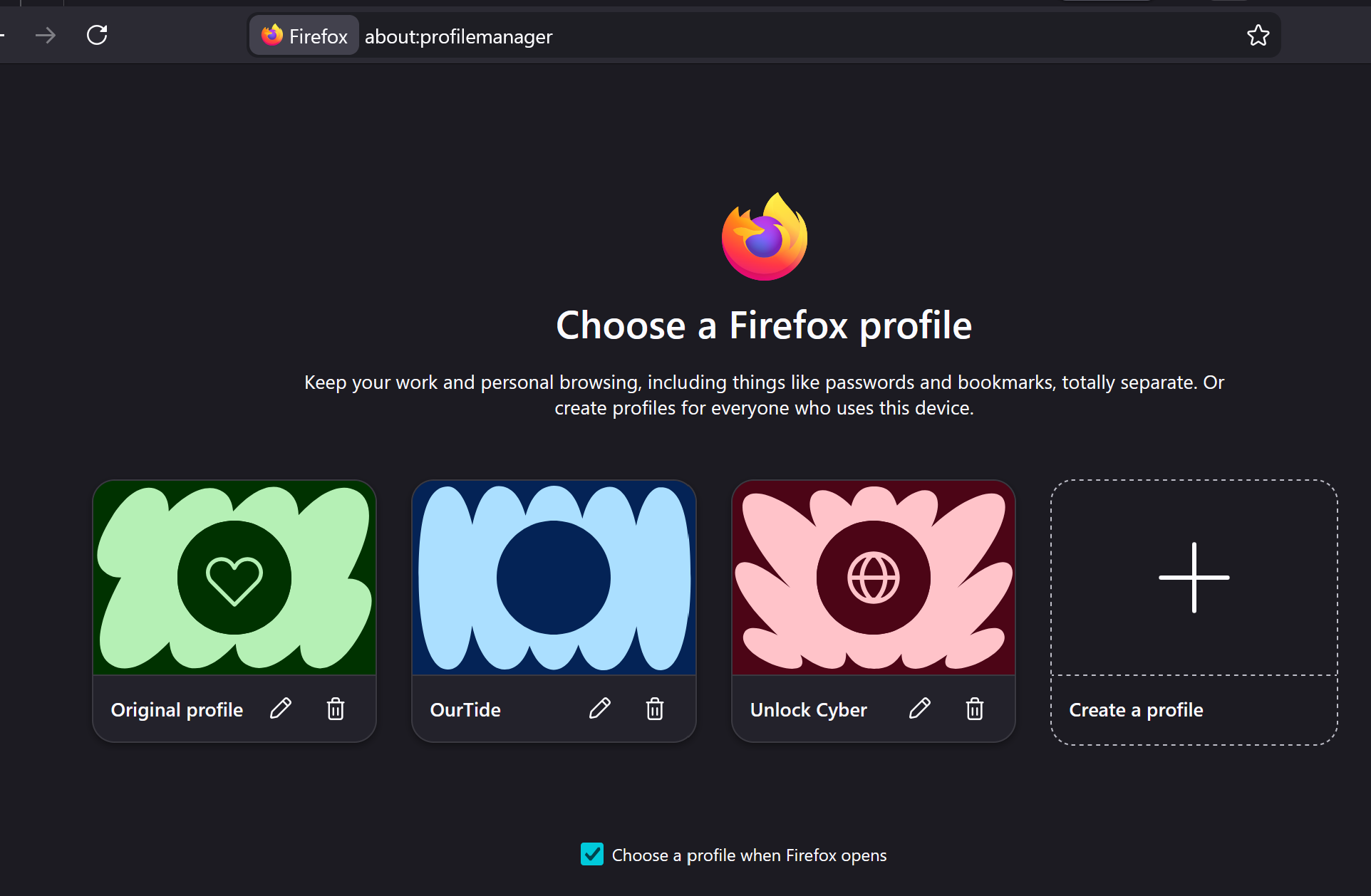
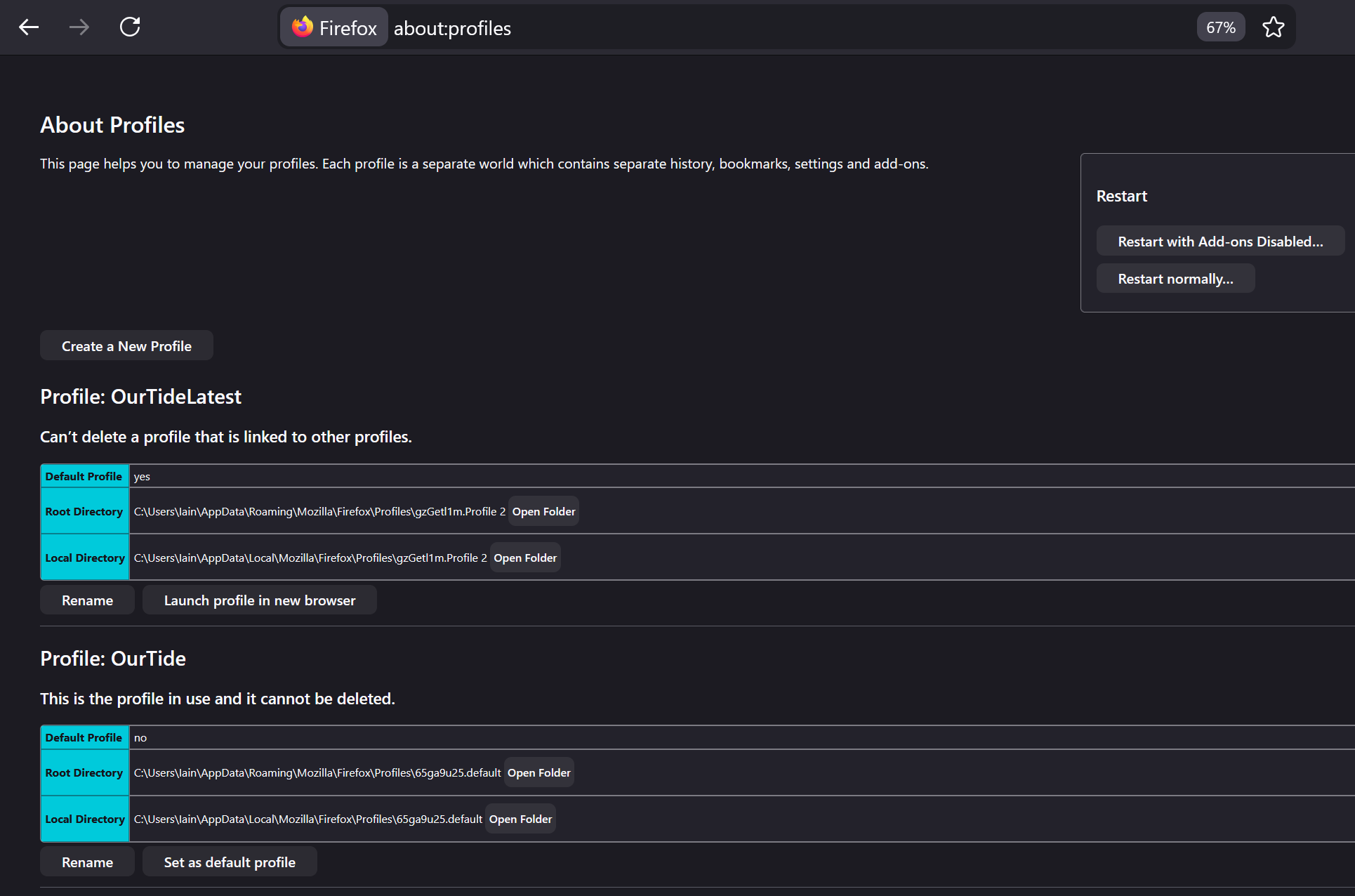
Hi, I'm running FF 149.0 (64-bit) on Windows 11. I've used profiles for a while now and on several occassions I've "lost profiles". Currently I have three profiles which I set up and edited the icon and colour associated with each. When I launch FF I see the Profile Manager and can select any of the three and I can create a new profile which shows here. However, once in any one of the FF profiles I don't see the others - by which I mean that when I go via the hamburger lines top right and click on the current profile, the 'other profiles' section is blank. I also cannot edit the profile from using the edit pencil top right (after clicking the hamburger lines and clicking on the current profile), it takes me to about:editprofile but the page is completely blank. Confusingly, if I go to about:profiles I see two profiles, neither of which shows up in the Profile Manager! I'm going round in circles trying to understand where to edit my exisitng profiles and make sense of the five profiles that don't all show up in the same place!
All Replies (7)
Hey there - I'm sorry you're having problems with your profiles. I'm familiar with the profiles code and hopefully I can help you figure out what's going on.
First, while it's a bit confusing, note that the new multiple profiles feature is not really designed to be managed using about:profiles. So, don't worry about the about:profiles listing for now.
Also, just to narrow down what's going on - have you recently manually moved/migrated any of the three profiles (original profile, ourtide, unlock cyber) shown in the first screenshot? Or, have you recently edited profiles.ini by hand? (Edited to add: have you recently migrated your user account to a new device?)
Are you able to actually launch all three of those profiles successfully from the profile selector window shown in the first screenshot? For whichever profiles you can launch, if you go to about:config, what is the value in each profile of the `toolkit.profiles.storeID` pref?
Modified by Jared Hirsch
Hi Jared, many thanks for your very quick reply. This response is in haste as I'm about to go out, but I'll reply more fully within 12 hours from now.
I will ignore about:profiles!
I did, at one stage, but not within the last few weeks, migrate the profiles manually in order to bring them back when I lost them completely. And yes, I can access all three profiles via the profile manager, but I cannot switch between them via the hamburger, and I cannot edit them at all (e.g. add the logo that was on the OurTide profile back in as it has been lost).
As I say I'll add more later, and again thanks for helping so quickly! Iain
Hello
About, toolkit.profiles.storeID
about:editprofile, about:deleteprofile
I had the same problem and solved.
Take a look at https://bugzilla.mozilla.org/show_bug.cgi?id=2000125#c4
Similar question https://support.mozilla.org/en-US/questions/1572094
Hi again Jared,
sorry for the delay. To further answer your questions:
have you recently manually moved/migrated any of the three profiles (original profile, ourtide, unlock cyber) shown in the first screenshot?
I have migrated them as I said previously, but not for a couple of months or so.
Or, have you recently edited profiles.ini by hand? I'm unclear now but I think I did this when I tried to reconstruct my profiles a couple of months back.
(Edited to add: have you recently migrated your user account to a new device?) No, this is one thing I haven't done! The profiles were created on my laptop, which is where I'm working now.
Are you able to actually launch all three of those profiles successfully from the profile selector window shown in the first screenshot? Yes.
For whichever profiles you can launch, if you go to about:config, what is the value in each profile of the `toolkit.profiles.storeID` pref? Sorry but I'm unclear where to find toolkit.profiles.storeID? Having tried to search for "toolkit.profiles.storeID" online I think that it should be in my profiles.ini? There's nothing there about storeID. Here is the full contents of my profiles.ini file:
[Install308046B0AF4A39CB] Default=Profiles/gzGetl1m.Profile 2 Locked=1
[Profile1] Name=OurTide IsRelative=1 Path=Profiles/l1HYRiTQ.Profile 1 StoreID=b6f4bbc1 ShowSelector=1
[Profile0] Name=OurTideLatest IsRelative=1 Path=Profiles/gzGetl1m.Profile 2 Default=1 StoreID=b6f4bbc1 ShowSelector=1
[General] Version=2
[BackgroundTasksProfiles] MozillaBackgroundTask-308046B0AF4A39CB-defaultagent=x1cvwgxc.MozillaBackgroundTask-308046B0AF4A39CB-defaultagent MozillaBackgroundTask-308046B0AF4A39CB-backgroundupdate=p2hxuoew.MozillaBackgroundTask-308046B0AF4A39CB-backgroundupdate
Thanks also to Agent virtuel but I didn't follow what was on that page.
Hi toolkit.profiles.storeID is about a pref stored in about:config. If the value stored in the pref isn't matching the storeID stored in profiles.ini, then you won't see these profiles in the new Profile Manager, but you still see them in about:profiles.
You can open about:config via the location/address bar. On the warning page, click "Accept the Risk and Continue" to open about:config.
Hi cor-el,
many thanks!
Original: c1902b0e OurTide: b6f4bbc1 Unlock Cyber: b6f4bbc1
profiles.ini: b6f4bbc1
So, can I simply edit the value held in about:config viewed from the Original profile?
Ok, I decided to try my fix. I have now set all three to b6f4bbc1 but this is what I see: From OurTide - if I click on the Profile OurTide under the hamburger I see no other profiles From Unlock Cyber - if I click on the Profile Unlock Cyber under the hamburger I see the OurTide profile From Original - I can't click on Profile under the hamburger, it isn't there.