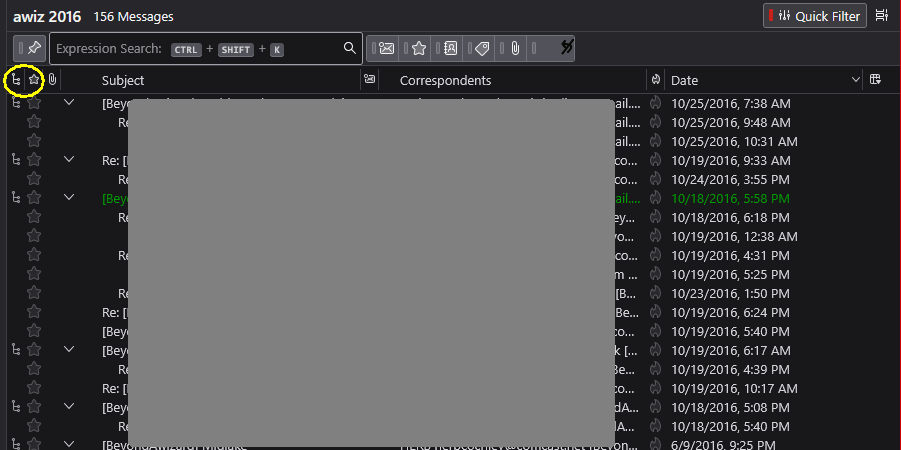
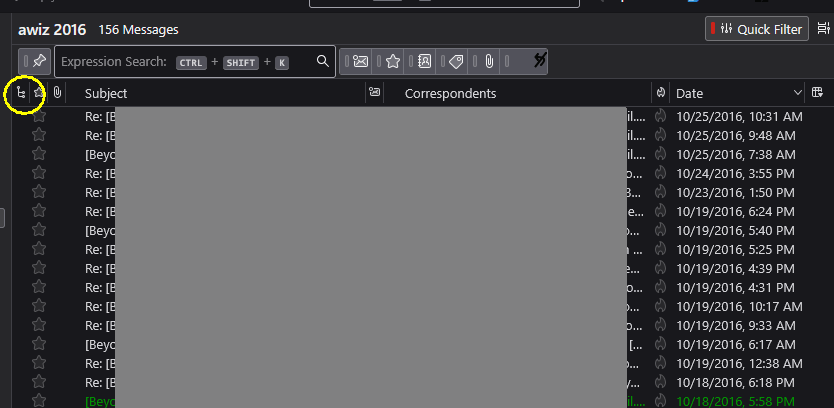
how to change the order of letters without branches

after one of updates all letters incomming were organised in branches how cancelled that order and back all letters seperately in order to date
after one of updates all letters incomming were organised in branches
how cancelled that order and back all letters seperately in order to date
All Replies (1)

If I understand your question, it sounds to me like you have accidentally enabled Threaded View, which groups conversations into a tree-like formation. There's a small icon that toggles this on and off. See the attached images.
There's also a setting to control the default view for newly-created folders. See (in Windows <Tools | Settings | Appearance | Sorting and Threading | Default Threading>).