"Message In Conversation" has disappeared from my emails , so I can't see the thread

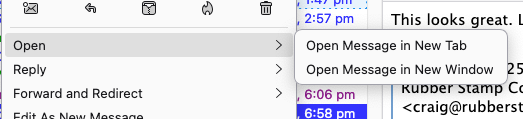
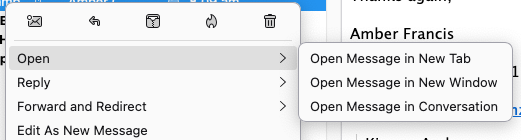
"Message In Conversation" has disappeared from my emails , so I can't see the thread I right click & only get the top 2 options BUT not the essential , messages prior so I can remember whats gone on & proofs I've sent etc
On 1 of our 2 computers here , ( top image what I have ... Bottom what my wife had & what had until several agonising months ago )
Any help/ solutions be very appreciated Craig , New Zealand
Chosen solution
On the first PC (yours) go to Settings > General > scroll to the bottom until you see "Indexing": Verify if "Enable Global Search and Indexer" is checked.
Read this answer in context 👍 0All Replies (5)
Chosen Solution
On the first PC (yours) go to Settings > General > scroll to the bottom until you see "Indexing": Verify if "Enable Global Search and Indexer" is checked.
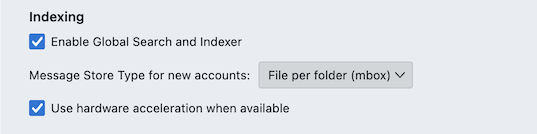
Am on a Mac but found that area & yes it was on ... turned on & Off .. any other cunning ideas please? Craig
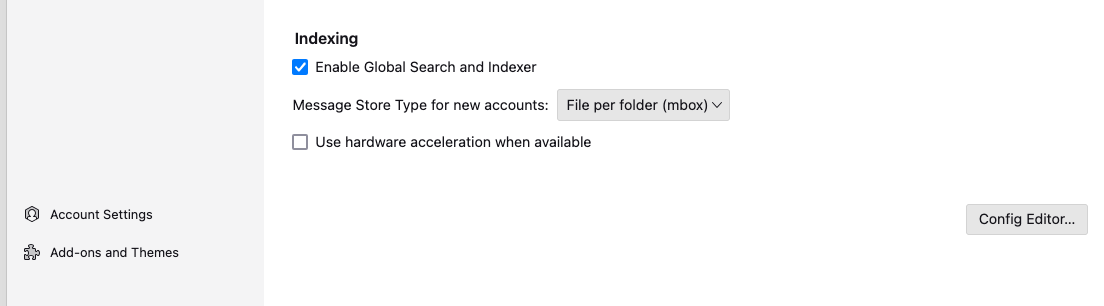
Does the same happen when you start Thunderbird in "troubleshoot mode"? On a Mac press the Alt (Option) key and launch Thunderbird from the Dock....
Yes it does the same in Trouble shoot mode , just Tried that thanks what b=next please ? Craig
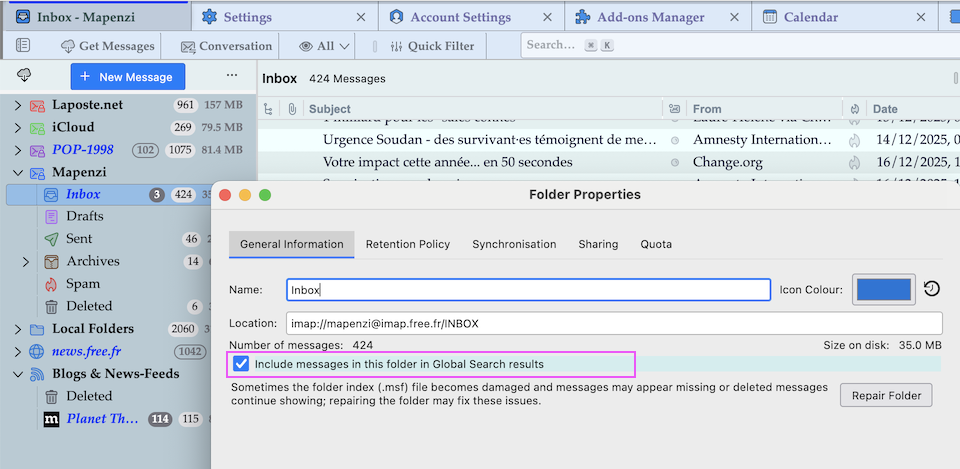
R-click on your Inbox folder > Properties to open the "Folder Properties" window (see image) Verify if ⬜︎ Include messages in this folder in Global Search results" is checked. If it is unchecked you won't be able to open Inbox messages in conversation.
"Conversation" view in Thunderbird only works with a valid global-messages-db.sqlite file. Sometimes this file gets damaged and it is recommended to renew it: open the Thunderbird profile folder via Help > Troubleshooting Information > Profiles, click on "Show in Finder" and quit (⌘ + Q) Thunderbird. Now you will see a Finder window with the contents of the profile folder. Search for the file global-messages-db.sqlite and delete it. Launch Thunderbird again which will start re-indexing all messages from all folders (excepting Trash). Depending on the total number of messages this will take some minutes or several hours.