


No messages are displayed anymore in Version 144.0.1 (64-Bit)

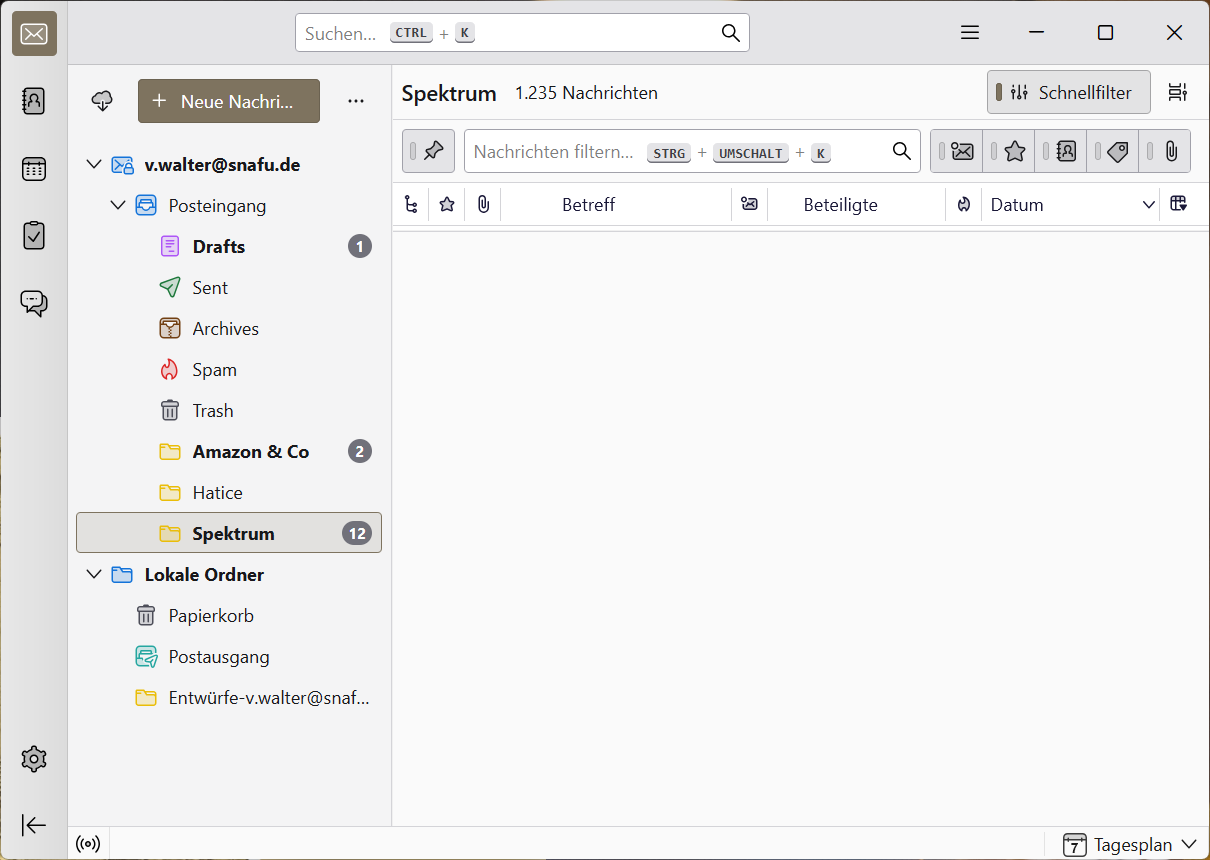
Recently, all folders only display the Thunderbird start page with a donation request that cannot be clicked away. And when I disable the display of the start page in the settings, nothing is displayed at all (see screenshot).
Recently, all folders only display the Thunderbird start page with a donation request that cannot be clicked away. And when I disable the display of the start page in the settings, nothing is displayed at all (see screenshot).
Chosen solution
All Replies (4)

Restarting Thunderbird in troubleshooting mode helped though it was newly installed anyway. Thanks!
Veit Walter said
Restarting Thunderbird in troubleshooting mode helped though it was newly installed anyway. Thanks!
So you should restart TB in troubleshoot mode, check 'Reset toolbars and controls' and click 'Make Changes and Restart'.
Ed said
So you should restart TB in troubleshoot mode, check 'Reset toolbars and controls' and click 'Make Changes and Restart'.
I already did that. How else would I know that it works? The strange thing is that after reinstalling, I didn't make any changes at all that could have been undone but it helped anyway!