


Strange characters when receiving internal emails

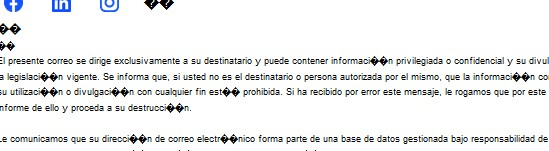
Hi, when we send an email to our customers using accents or special characters (like letter Ñ, as we are in spain) when receiving it we can see black squares with ??? , see attached screenshot.
Can anyone help please?!?!
It's urgent
Hi, when we send an email to our customers using accents or special characters (like letter Ñ, as we are in spain) when receiving it we can see black squares with ??? , see attached screenshot.
Can anyone help please?!?!
It's urgent

Chosen solution
Same problem. I resolved changing in advanced config (ajustes->general->configuración avanzada) mail.strictly_mime to true
Read this answer in context 👍 1All Replies (3)

Hi,
We have same problem in arround 30 instances since last updates. We have forced pure HTML and temporaly works, but when add a reply by Outlook issue appears again.

Chosen Solution
Same problem. I resolved changing in advanced config (ajustes->general->configuración avanzada) mail.strictly_mime to true
Miguel Anxo Otero Landín dijo
Same problem. I resolved changing in advanced config (ajustes->general->configuración avanzada) mail.strictly_mime to true
It worked PERFECTLY!! Really thanksss