


private browsing

When I open private browsing, the icon for private bookmarks is not there. If I look in add ons, the private bookmarks add on is there and turned on. Does anyone have any ideas as to how I can find them?
When I open private browsing, the icon for private bookmarks is not there. If I look in add ons, the private bookmarks add on is there and turned on. Does anyone have any ideas as to how I can find them?
Chosen solution
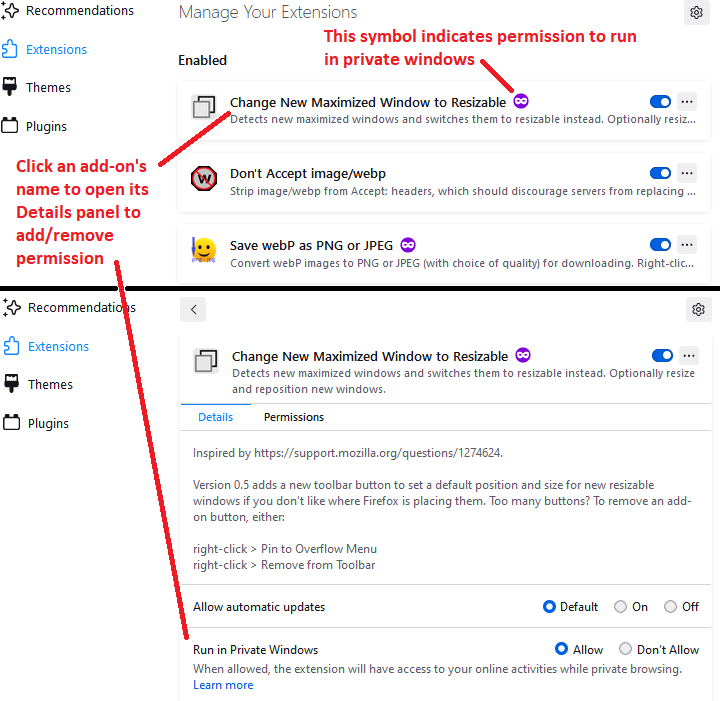
Is the add-on "Allowed in private windows"? It should have a round icon with a purple background if it is. If you click on the add-on, you should see the option on the Details tab.
Read this answer in context 👍 0All Replies (3)

Chosen Solution
Is the add-on "Allowed in private windows"? It should have a round icon with a purple background if it is. If you click on the add-on, you should see the option on the Details tab.

Thank you both - it's solved! Very grateful to you thanks again