


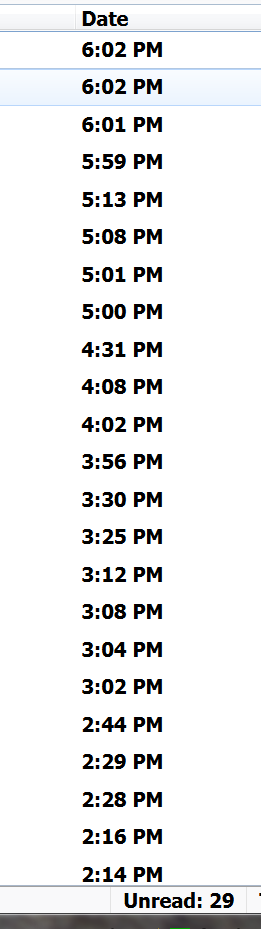
no date just time where i have date
when i go to my Thunderbird email where it says date it only shows the time not the date how do i get the date to show up
Chosen Solution
Uninstalling or reinstalling the program doesn't affect your data, which is stored in the separate profile folder.
The best thing to back up, in case of data loss or to copy to another computer, is the Thunderbird folder, located at
C:\Users\windowsusername\AppData\Roaming\Thunderbird
Yes, tomorrow you will see the date along with the time.
All Replies (7)
I hit sort by and selected date and still only get the time not the date the mail arrived
Today's mail shows just the time; older mail shows the date and time.
ok thank you I appreciate that answer. i do ahve a question though if for somereason i need to reinstall will i lose all my drafts extentions and contacts'
so no date is shown with this current update
so will i ever see the date
like if tomorrow morning will i see the date
Chosen Solution
Uninstalling or reinstalling the program doesn't affect your data, which is stored in the separate profile folder.
The best thing to back up, in case of data loss or to copy to another computer, is the Thunderbird folder, located at
C:\Users\windowsusername\AppData\Roaming\Thunderbird
Yes, tomorrow you will see the date along with the time.
thank you not sure i know what you mean but I am afraid i will lose the data
thanks again for your response