


I'm on version 38. My preferences pane is cutoff (it does not fully open) and I can't change the settings.

I can't modify my preferences because the pane does not fully open. What do I do?
Thanks, Don
All Replies (8)
I can't picture what 'not fully open' means. Are you saying that it is open but part of it is off your screen? Can you send us a screenshot?
Attached is a screenshot. I tried opening Thunderbird in safe mode, but that did not help.
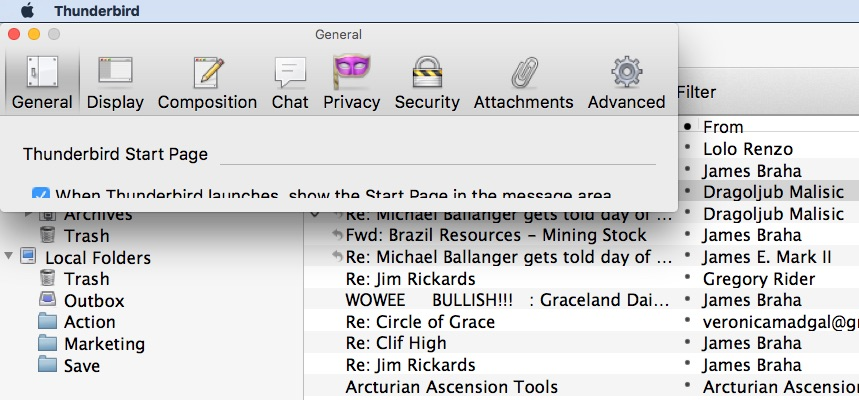
use your mouse to grab the bottom left and drag it down and out.
I wish that worked. I tried it already.
Try disabling hardware acceleration.
As your options are not working, try safe mode. That disables it for the safe mode session. (hold shift while starting Thunderbird.)
I've already tried both of those suggestions.
Are you using the default theme?
The screen shots do not tell me anything in that regard because I have never seen an OSX machine.
Thanks for your help. It turned out to be an Extension. When you mentioned the default theme, I found an extension called Theme Font & Size Changer. That was the culprit.
Thanks! Don