


More and more websites will not open in Firefox.

I'm getting totally disgusted with Firefox, Windows 11. FF updates automatically. More and more websites will not open when I'm using the browser, and they open just fine when I switch to another. Since I have used Firefox ever since its inception, it's extremely distressing. It doesn't matter if I turn off ad blocking and tracking software. The latest site that won't open is Substack, which works perfectly okay using the Brave browser. This is probably the 10 instance this month of a website that does not work with FF, including once that always did work just fine.
Other changes are also annoying, but I'll save them for another complaint.
All Replies (8)
Hi
What happens when you try to open Substack in Firefox? Is there any error message?
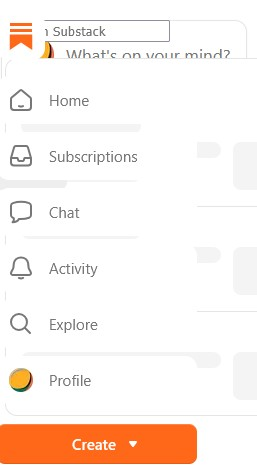
No error message. After what seems like an eternity, Substack produces this (see screenshot). Other websites eventually produce a strange page just with text that includes what looks like links in blue, but really aren't. Definitely not the way a website is supposed to appear. Many other sites just spin and spin and the blank page never populates. But all of these sites open in other browsers.

I'm having this problem too... just blocked Cabela's website, and Teva's website has been blocked for over a year.
I've had Firefox since it came out... used to be dependable... not so much anymore.
It's awful. I just wish someone from Mozilla would respond who knows what's going on. Blocking shopping websites is one thing, but blocking those that have financial and retirement accounts is another thing completely. Mozilla keeps asking for donations, but for what?
I do have some add-on, but not many and only ones that I've been using for years. And it's my understanding that FF disables those that don't work with them anymore. I do have Ghostery, which I turn off when I can't access a website, and AdBlock. But some of those sites do not have ads, and still they don't open. Restarting my computer doesn't help, either. Those sites that don't open seem to be permanently unusable.
Modified by Sheila LV
Can you try those sites in the Firefox troubleshoot mode?:
https://support.mozilla.org/en-US/kb/diagnose-firefox-issues-using-troubleshoot-mode
Thanks. I can try that tomorrow when I restart Firefox. I shouldn't have to go through this, though, when all these sites work fine with other browsers.