


My address bar is missing

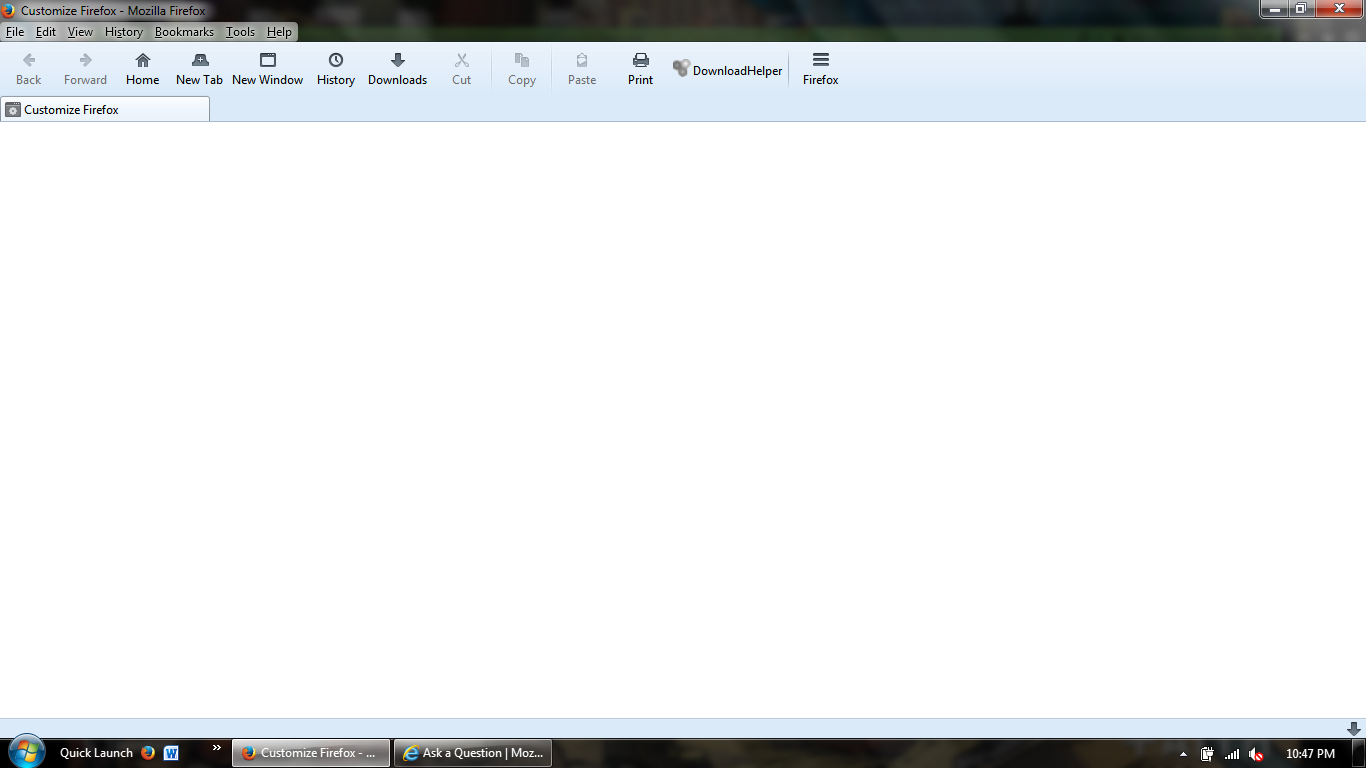
I opened up a Firefox window and I am missing my address bar. There is no option to bring it back visible. Also, it doesn't even open up to my home page. I will include a screen cap so there are no confusions as to what my problem is.
All Replies (3)
Here is a screen cap. Missing address bar. The last thing I want to have to do is uninstall my Firefox. So please do not suggest that.

Move your mouse to the top of the Firefox window, then right click. You will see a menu of the available toolbars. Turn each one on or off as you wish.
Open the Firefox Safe Mode. Firefox Safe Mode is a troubleshooting mode that turns off some settings, disables most add-ons (extensions and themes).
Then open Customize and use the Restore Defaults button. Then close Firefox and open it again.
If that doesn't fix the blank Customize Firefox panel disable extensions one at a time until you find the one that is causing that issue. More than likely you have the Classic Theme Restorer extension installed and you got something in that extension mis-configured.