


Some, but not all, fonts have changed on sites I visit, and I can't make changes to the font. It's very annoying as this font is almost impossible to read.

After updating to Firefox 6.0, this started happening right away. I can open any random website and see some text that is the same as it has always been, and some that has changed to this very formal looking font that is difficult to read. When I try to change the font in preferences, nothing happens.
All Replies (13)
I find it annoying, too! The font looks like Zapfino.
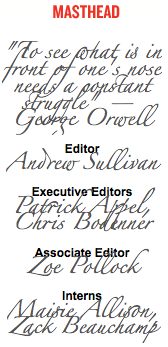
Mine is a bit different. No idea what the font is, but I will have to switch to Safari or another browser if this isn't fixed soon. It is headache inducing to look at a whole page like that.
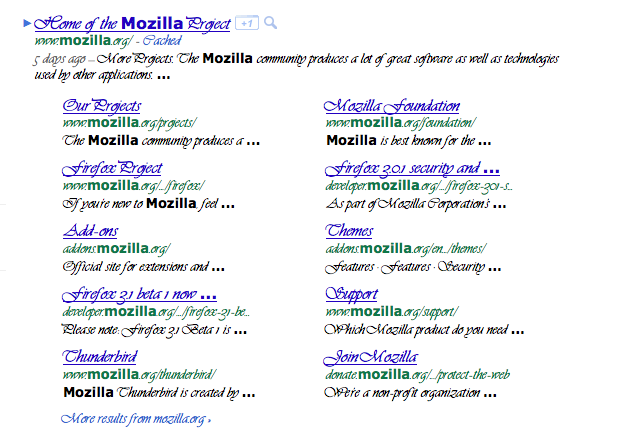
Gewysig op deur applegirl016
Clear Cookies & Cache
Clear the Network Cache
Check and tell if its working.
No, neither of those helped.
Troubleshooting extensions and themes
Check and tell if its working.
I started in safe mode, got rid of all the plugins and extensions, and reset the preferences, but the problem is still there. Thanks for the links, though.
You can do a check for corrupted fonts and other font issues:
-> CreativeTechs Tips: Garbled Fonts Troubleshooting Guide
-> Font Book 2.0 Help: Checking for Damaged Fonts
Check and tell if its working.
The fonts aren't garbled, and I don't have any damaged fonts.
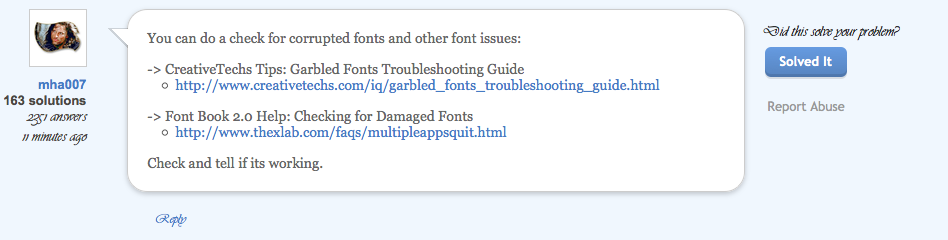
Here is an example of what I am looking at. This was the last reply you made to me. Some of the fonts are Times, and some of them are Zapfino. No idea why.
See this - https://support.mozilla.com/en-US/questions/856915
killgja: I had the same problem and the fix was to go to font book. If your not sure where this is search for it. From there have osx validate all your fonts. This should find the fonts that have errors in them. Delete the messed up fonts. In my case I have ~1,700 fonts and 20 had errors. Deleted the ones with errors and this fixed a font issue within Firefox, Outlook and Adobe CS5.
Check and tell if its working.
I had 2 fonts with errors. I deleted them both. But the problem is still there.
-> Try to Disable "Morphological Filtering" in the Catalyst display driver
- Catalyst Control Center > 3D Settings > Disable Morphological Filtering
Also see this:
Changing Fonts and Colors
- https://support.mozilla.com/en-US/kb/Changing%20fonts%20and%20colors
- http://kb.mozillazine.org/Accessibility_features_of_Firefox#Fonts_and_colors
Issues related to fonts
Check and tell if its working.
None of this helped either.
Thanks for the help, but I decided to revert back to the last version until all of these issues are resolved.
Gewysig op deur applegirl016