


sending attachments in Thunderbird android

Why can't I send attachments in Thunderbird for android
All Replies (12)

Could you please be more specific about the issue. The more information you can provide, the better chance we have to help solve the issue for you.
I'm running TB-A v24.0 and beta 25.0b2 and haven't experienced any issues sending attachments.
- What version of the app and android are you running?
- What file type is the attachment(s)?
- What combined file size are the attachment(s)?
- How many attachments are you adding?
- Are you adding them to a new email composition or within a reply?
How are you adding the attachments. for example,
- by clicking the paperclip attachment icon in the app,
- by using the share function within a photo gallery or other app.
Are there any error messages or silent notifications displayed in Androids notification shade when you attempt to send the email?
- Do normal emails without attachments send successfully?
- Who is your email provider?
I just set up a new email address
I can send regular messages, but when I include an attachment, they do not send.
Rebel.com is the provider
Hi Bill
Without further information from yourself, there's no way for others to narrow down possible causes, attempt to reproduce your issue, offer you targeted diagnostic steps or potential solutions.
Are you able to answer more of the questions I asked?
Are the emails that failed to send still present in the account outbox in the mobile app?
Hi. The emails go to drafts if I save it that way, but if I send an email with an attachment, it just disappears
I am getting very frustrated. I need to send some attachments of a problem I am having with a machine, and I've tried everyway I can think of. I managed to do it once by fowarding a forward of a draft, but I can't duplicate it. My service provider is rebel.Com Thanks for your help
Bill
Hi Bill
Have you tested composing and sending yourself a new email with attachment to see if it gets delivered.
What is giving you the indication that the email failed to send? Are you seeing an error message reporting this?
When you send an email, it's first moved into the outbox before delivery. Upon success, it should then be moved to your sent items folder.
Can you check if any emails have become stuck in the outbox. They should only exist there for a short period. After being delivered they are normally moved to the sent folder.
If your trying to forward or reply to an existing email containing an attachment, have you clicked the "download complete message" button first, before pressing forward or reply?
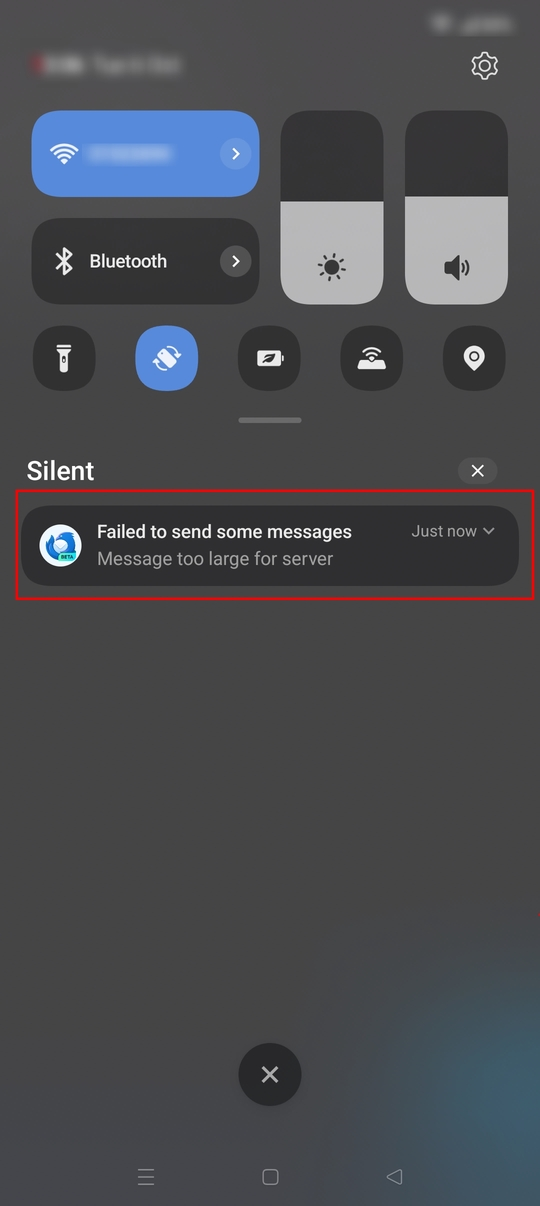
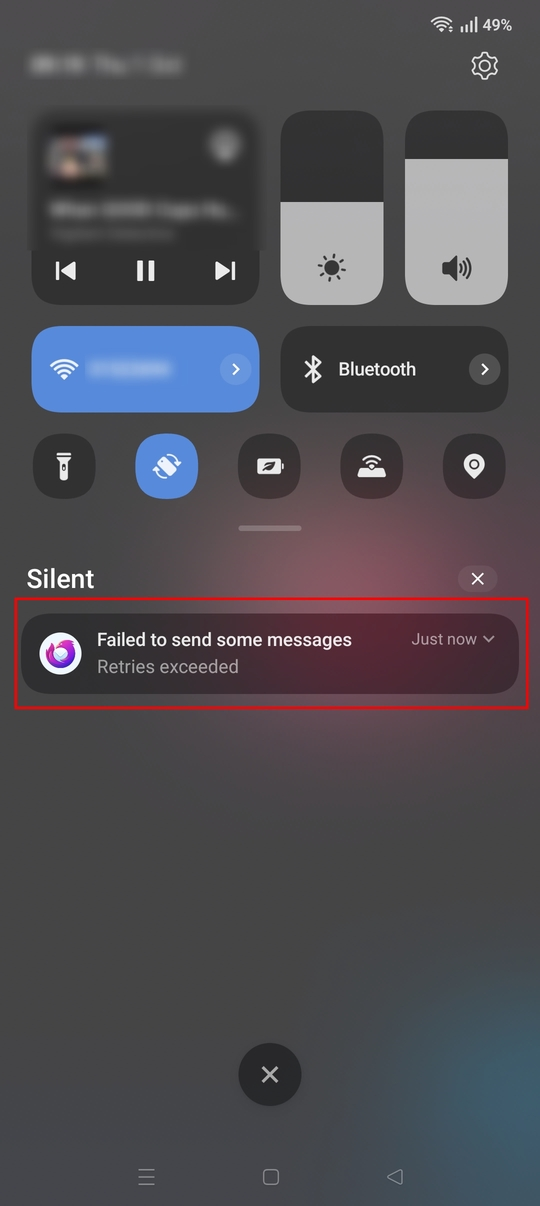
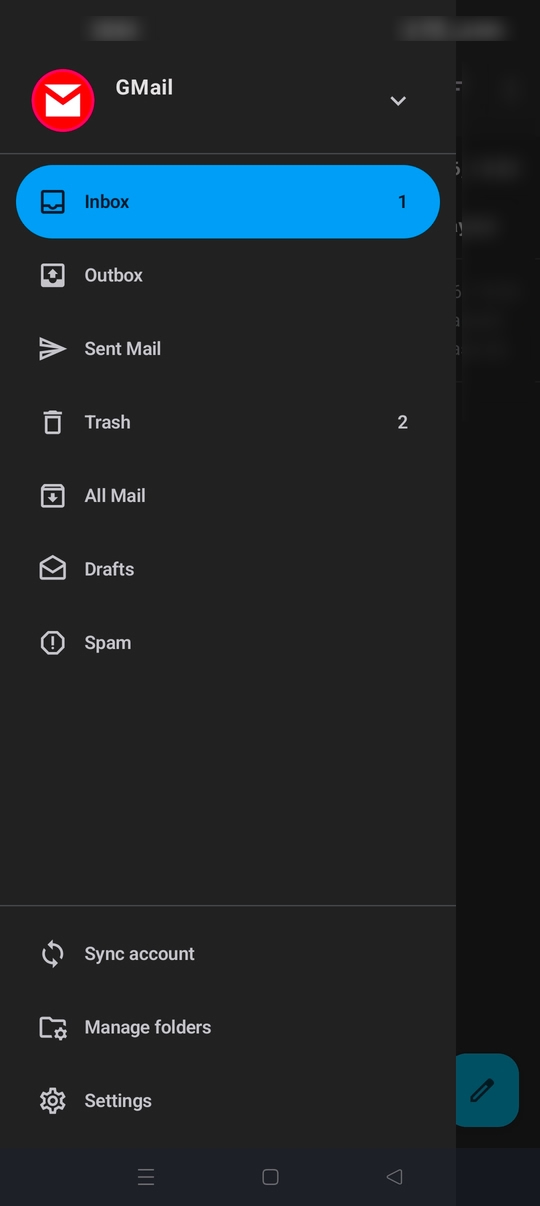
I have tried to send an email to myself and other addresses. They are not delivered. They don't show up in the out box or sent message boxes. I have clicked download complete message. It makes no difference. All messages sent without attachments are delivered normally.p
Could you please provide a step by step instruction on how your composing and sending the email so I can try and replicate the behaviour.
Please confirm what type of file the attachment is. For example a photo, a pdf file, an office document, a text file, a .eml file etc
Have you tried different attachment types?
Thanks again. I address the email, then click the attachment paperclip. The attachment shows up in the bottom pane. I can open it from that pane, so I know it is goo When I click the send button, the screen goes back to my Inbox. My sent box and outbox are empty, sometimes, it will put the message in drafts, but not always.
Thanks for proving the steps however I haven't been able to replicate the issue.
I wonder if the message compose screen is crashing and returning to the message list. It seems like a failure is occuring before the email is moved to outbox.
There's been a number of different circumstances identified which trigger the compose screen to crash. I wonder if your experiencing another. See below for more info. Developers have a fix applied for these reports and will be included in an upcoming release.
Are you rotating the screen at any point before sending the message? Does the recipient have a long email address?
https://github.com/thunderbird/thunderbird-android/issues/11302
In your case, there may be something specific about the attachment that triggers a crash. I've asked a few times, can you confirm what file type and size the attachment is, for example a large photo.
Are you able to capture a debug log?
- Enable this from settings > general settings > debugging: enable debug log.
- Replicate the issue by trying to send an email with attachment.
- Save the debug log from the three dot menu on the debug page.
Does the log have an entry saying "beginning of crash".
Sorry for not sending the file types. I have tried .png .jpg .eml and .mp4 None of tjem work
It seems my problem is with my server. I sent another email with attachment and it sent fine. I think I can resolve this through my server. Thanks for your time and trouble.
No problem at all. Thanks for reaching out and responding.